Techno Mouse GO Keyboard PC
CuteKeyboards
GameLoopエミュレーターを使用してPCにTechno Mouse GO Keyboardをダウンロードします
Techno Mouse GO Keyboard PC版
開発者CuteKeyboardsからのTechno Mouse GO Keyboardは、過去にAndroidsystermで実行されています。
これで、GameLoopを搭載したPCでTechno Mouse GO Keyboardをスムーズにプレイできます。
GameLoopライブラリまたは検索結果にダウンロードしてください。 バッテリーに目を向けたり、間違った時間にイライラしたりすることはもうありません。
大画面でTechno Mouse GO KeyboardPCを無料でお楽しみください!
Techno Mouse GO Keyboard 序章
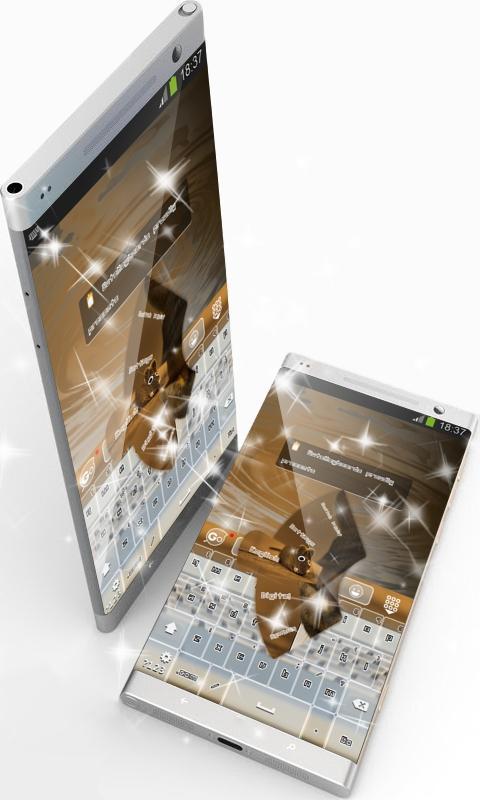
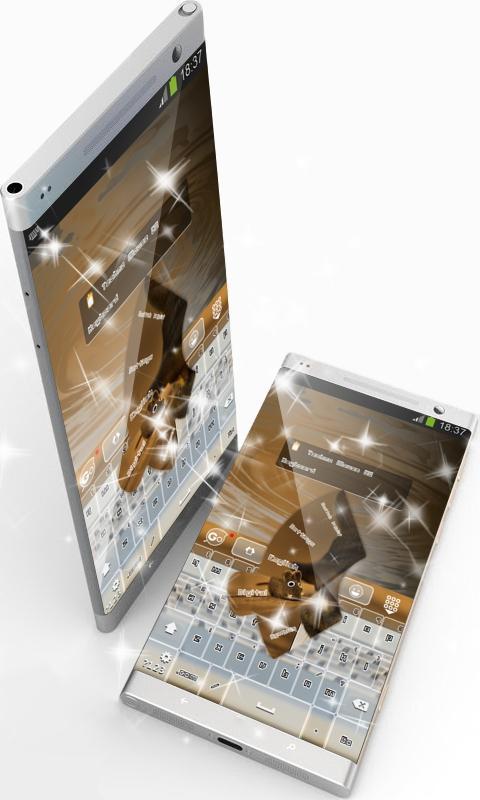
This is the GO Keyboard "Techno Mouse" theme by CuteKeyboards.
Techno Mouse.
With the potential of offering multiple meanings and features to any theme, mouse, cuteness and toy are the elements that inspired this mud brown theme.
If little else, the brain is an educational toy.
Keeping equilibrium within its design with superb purple brown nuances, this keyboard not only that achieved a marvelous look, but it also conveys sublimeness.
The "Techno Mouse" GO Keyboard will become your lucky charm that will make your days easier with its gorgeous features painted in dark brown, so take it straight away!
*** Usage instructions ***
1. Click on the Techno Mouse theme icon
2. Click on the "Apply theme" button
This is a free theme for GO Keyboard. If you do not have it installed on your device, our application will guide you step by step. It will only take a minute.
Please don't hesitate to rate this theme or comment. Your feedback is valuable to us and enables us to improve our applications.
We included the free font Unlearned 2 BRK Normal.
プレビュー
情報
デベロッパー
CuteKeyboards
最新バージョン
4.1 Faded Orange
最終更新
2016-08-28
カテゴリー
カスタマイズ
上で利用可能
Google Play
もっと見せる
PCでGameLoopを使用してTechno Mouse GO Keyboardをプレイする方法
1. 公式WebサイトからGameLoopをダウンロードし、exeファイルを実行してGameLoopをインストールします
2. GameLoopを開いて「Techno Mouse GO Keyboard」を検索し、検索結果でTechno Mouse GO Keyboardを見つけて、「インストール」をクリックします。
3. GameLoopでTechno Mouse GO Keyboardを楽しんでください
Minimum requirements
OS
Windows 8.1 64-bit or Windows 10 64-bit
GPU
GTX 1050
CPU
i3-8300
Memory
8GB RAM
Storage
1GB available space
Recommended requirements
OS
Windows 8.1 64-bit or Windows 10 64-bit
GPU
GTX 1050
CPU
i3-9320
Memory
16GB RAM
Storage
1GB available space