SC92 Blue Zooper Skin PC
Coastal Images
GameLoopエミュレーターを使用してPCにSC92 Blue Zooper Skinをダウンロードします
SC92 Blue Zooper Skin PC版
開発者Coastal ImagesからのSC92 Blue Zooper Skinは、過去にAndroidsystermで実行されています。
これで、GameLoopを搭載したPCでSC92 Blue Zooper Skinをスムーズにプレイできます。
GameLoopライブラリまたは検索結果にダウンロードしてください。 バッテリーに目を向けたり、間違った時間にイライラしたりすることはもうありません。
大画面でSC92 Blue Zooper SkinPCを無料でお楽しみください!
SC92 Blue Zooper Skin 序章
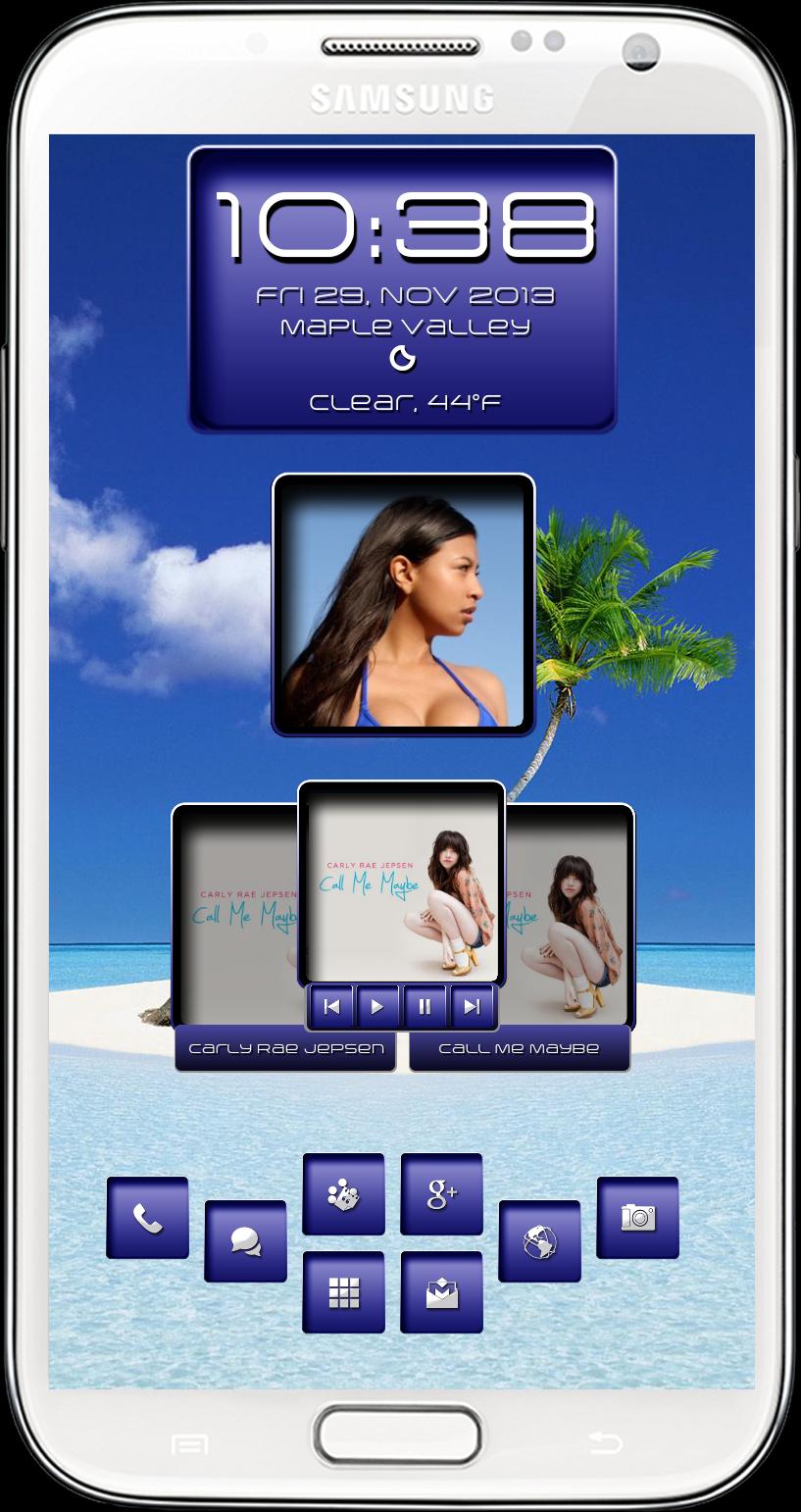
This is skin to be used with Zooper Widgets. This skin has four widget skins ( clock/date, picture frame, music and quick launch so use the widgets you want. Use your own personal pics for the picture frame widget by tapping the widget then choose layout/wallpaper/bitmap and to re-size your picture use "scale" then adjust position of your picture with "X Offset and "Y Offset"
Huge thanks to Heramb ( Skad00sh@xda-developers ) and Ketan ( Crytech@xda-developers ) we have teamed up to bring some of our creations to the Play Store and I am Andrew Gallagher ( SeriouslyCrazy )
You need Zooper Widget Pro app and Media Utilities app from the Play Store to use this skin and here are a few links on how to set up Media Utilities app for play with the widget.
http://www.webermatters.com/blog/creating-a-zooper-media-widget-with-media-utilities/
http://forum.xda-developers.com/showpost.php?p=45571875&postcount=3153
プレビュー
情報
デベロッパー
Coastal Images
最新バージョン
1.0
最終更新
2013-11-30
カテゴリー
カスタマイズ
上で利用可能
Google Play
もっと見せる
PCでGameLoopを使用してSC92 Blue Zooper Skinをプレイする方法
1. 公式WebサイトからGameLoopをダウンロードし、exeファイルを実行してGameLoopをインストールします
2. GameLoopを開いて「SC92 Blue Zooper Skin」を検索し、検索結果でSC92 Blue Zooper Skinを見つけて、「インストール」をクリックします。
3. GameLoopでSC92 Blue Zooper Skinを楽しんでください
Minimum requirements
OS
Windows 8.1 64-bit or Windows 10 64-bit
GPU
GTX 1050
CPU
i3-8300
Memory
8GB RAM
Storage
1GB available space
Recommended requirements
OS
Windows 8.1 64-bit or Windows 10 64-bit
GPU
GTX 1050
CPU
i3-9320
Memory
16GB RAM
Storage
1GB available space