
LaunchTime (Homescreen) PC
Quaap, my free-time FOSS apps
GameLoopエミュレーターを使用してPCにLaunchTime (Homescreen)をダウンロードします
LaunchTime (Homescreen) PC版
開発者Quaap, my free-time FOSS appsからのLaunchTime (Homescreen)は、過去にAndroidsystermで実行されています。
これで、GameLoopを搭載したPCでLaunchTime (Homescreen)をスムーズにプレイできます。
GameLoopライブラリまたは検索結果にダウンロードしてください。 バッテリーに目を向けたり、間違った時間にイライラしたりすることはもうありません。
大画面でLaunchTime (Homescreen)PCを無料でお楽しみください!
LaunchTime (Homescreen) 序章
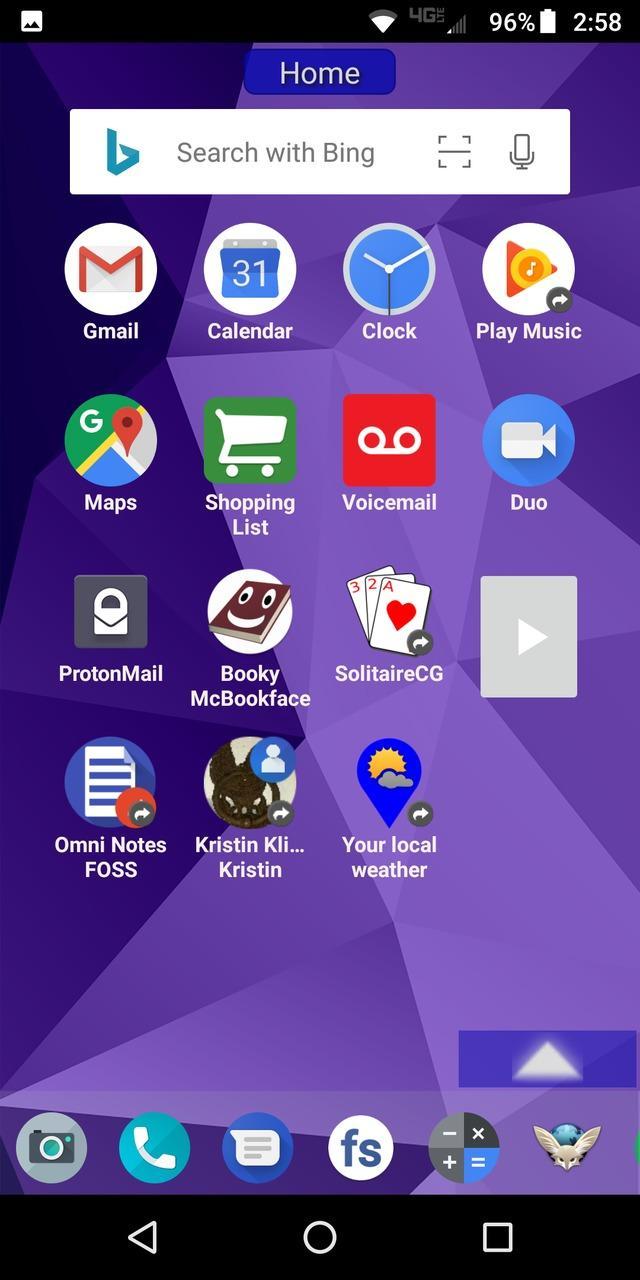
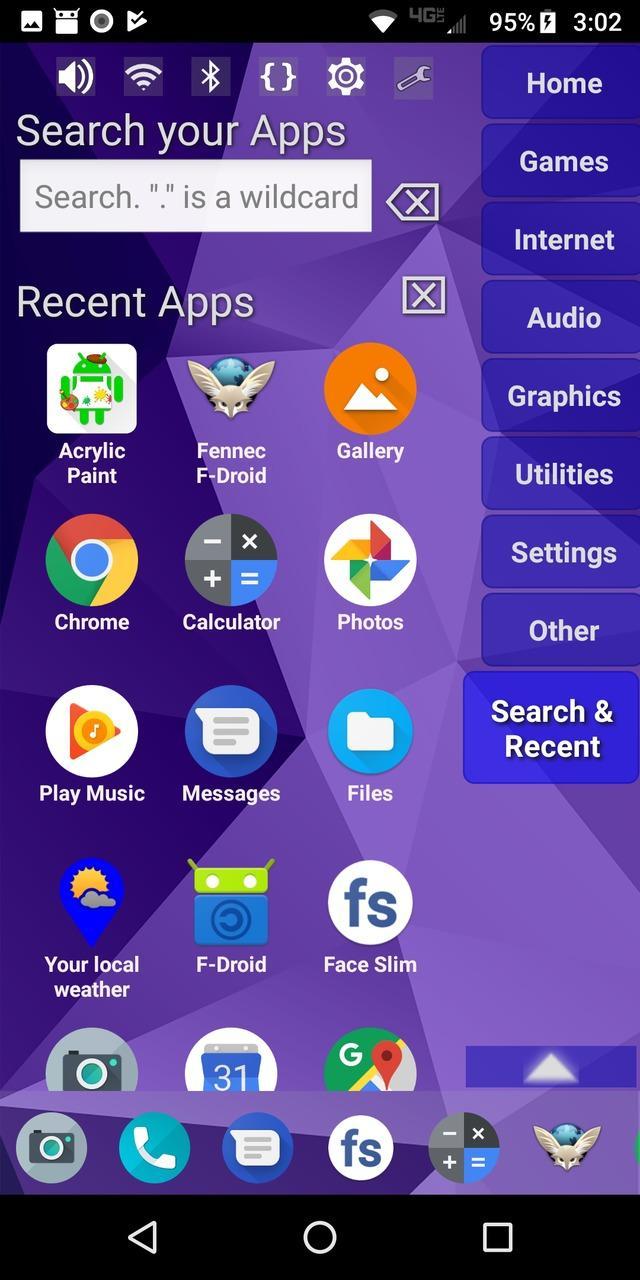
Highly configurable alternative homescreen/launcher which features a side menu to automatically and/or manually organize your apps into common-sense and customizable categories.
Latest features: Resizable widgets, hideable side menu, action menus, appinfo, better appearance, animated transitions, and an experimental "dumbphone" mode.
More features:
* Configurable app categories in a scrollable/hideable side menu.
* Scrolling QuickBar on the bottom for easy access to your favorite apps.
* Text search to find apps.
* List of recent apps.
* Quick access to settings.
* Multiple widget support.
* Rearrange/sort icons and menu items.
* Toddler/child mode
* Shortcut/link and Oreo Pinned shortcut support.
* Android 7.1+ shortcut actions / menus.
* Unread badges.
* Adw/nova/apex icon-packs.
* Supports both portrait and landscape mode.
* Can hide apps you don't want but can't uninstall.
* Back up and restore your settings.
* Configurable colors.
* Customize icons and labels.
* Built-in themes.
プレビュー
タグ
カスタマイズ情報
デベロッパー
Quaap, my free-time FOSS apps
最新バージョン
0.8.5
最終更新
2019-08-26
カテゴリー
カスタマイズ
上で利用可能
Google Play
もっと見せる
PCでGameLoopを使用してLaunchTime (Homescreen)をプレイする方法
1. 公式WebサイトからGameLoopをダウンロードし、exeファイルを実行してGameLoopをインストールします
2. GameLoopを開いて「LaunchTime (Homescreen)」を検索し、検索結果でLaunchTime (Homescreen)を見つけて、「インストール」をクリックします。
3. GameLoopでLaunchTime (Homescreen)を楽しんでください
Minimum requirements
OS
Windows 8.1 64-bit or Windows 10 64-bit
GPU
GTX 1050
CPU
i3-8300
Memory
8GB RAM
Storage
1GB available space
Recommended requirements
OS
Windows 8.1 64-bit or Windows 10 64-bit
GPU
GTX 1050
CPU
i3-9320
Memory
16GB RAM
Storage
1GB available space