Cassette Media for Zooper PC
BaconBits
GameLoopエミュレーターを使用してPCにCassette Media for Zooperをダウンロードします
Cassette Media for Zooper PC版
開発者BaconBitsからのCassette Media for Zooperは、過去にAndroidsystermで実行されています。
これで、GameLoopを搭載したPCでCassette Media for Zooperをスムーズにプレイできます。
GameLoopライブラリまたは検索結果にダウンロードしてください。 バッテリーに目を向けたり、間違った時間にイライラしたりすることはもうありません。
大画面でCassette Media for ZooperPCを無料でお楽しみください!
Cassette Media for Zooper 序章
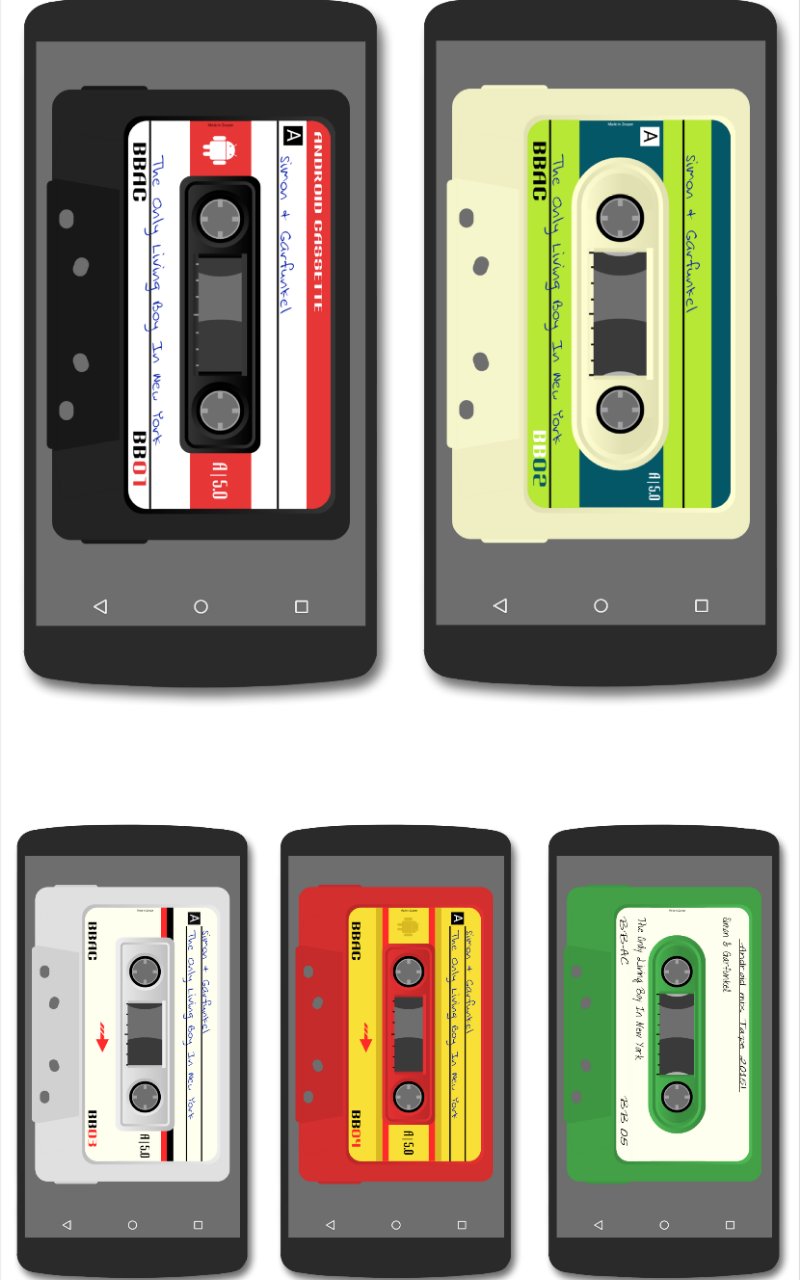
Four classic Cassette Tape styled media player widgets for Zooper Widget Pro
**THIS IS A SKIN FOR USE WITH ZOOPER WIDGET PRO AND MEDIA UTILITIES ONLY. IT IS NOT A STANDALONE APP AND WILL NOT APPEAR IN YOUR APP DRAWER**
THIS WIDGET IS BEST USED IN A 6x5 GRID HOMESCREEN SIZE (OR SIMILAR RATIO)
TO USE THIS WIDGET
You must have Zooper Widget Pro Installed
You must have MediaUtilities Installed
Configure Media Utilities -
1. Download MediaUtilities via link in description
2. Open MediaUtilities. If your chosen Media App is not on the screen, hit the menu button
3. Then select Media App and then tap on Add Media App
4. Search through the list of apps and choose your preferred Music Player App
5. Remove other Media Apps via Menu>Media App>Remove Media App. Remove all media apps and leave only the one you wish to use
6. Then tap on the Icon of your preferred media app to open it and then hit the home key
7. Open MediaUtilities again and tap on the Menu button and then select settings
8. Under "Application Intergration" make sure Zooper is ticked
9. Under "Experimental Features" make sure 'Attempt direct control' and 'Make coverart available' are ticked
10. Return to your homescreen and add the CassetteMedia widget (See instructions below)
Installing the Skin -
1. Download from the Play Store
2. Long press your home screen (or browse widgets in app drawer) and add a 4x4 Zooper Pro Widget
3. Long press the widget and resize to fullscreen
4. When Zooper Loads, select one CassettetMedia widget and then tap on the CassetteMedia widget, then press the home key
5. Wait a few seconds for the widget to load and then press on hotspot 3 to start music
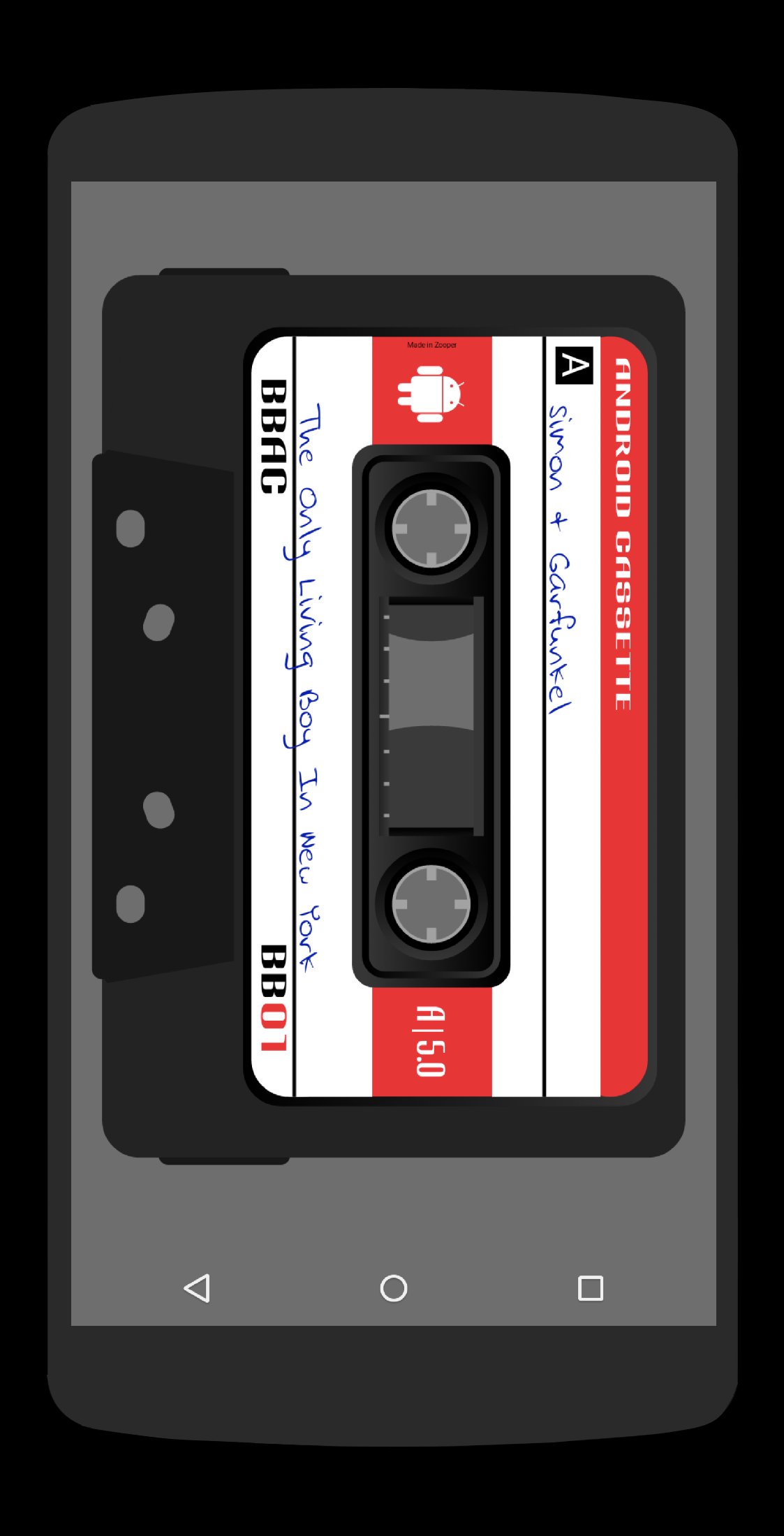
HOTSPOTS (SEE PICTURE)
1 - Open Current Media App
2 - Previous Track
3 - Play/Pause
4 - Next Track
5 - Open Zooper Editing Window
Hotspots are the same for all widgets
If you have any problems or queries please do not hesitate to email me instead of leaving negative comments/ratings
Special thanks to Lutz Linke for his Zooper Assests Fiz - https://play.google.com/store/apps/developer?id=Lutz+Linke
Enjoy and thank you :o)
Circle me on Google+ for more Bacon - http://goo.gl/BqSybX
プレビュー
情報
デベロッパー
BaconBits
最新バージョン
1.3
最終更新
2015-01-23
カテゴリー
カスタマイズ
上で利用可能
Google Play
もっと見せる
PCでGameLoopを使用してCassette Media for Zooperをプレイする方法
1. 公式WebサイトからGameLoopをダウンロードし、exeファイルを実行してGameLoopをインストールします
2. GameLoopを開いて「Cassette Media for Zooper」を検索し、検索結果でCassette Media for Zooperを見つけて、「インストール」をクリックします。
3. GameLoopでCassette Media for Zooperを楽しんでください
Minimum requirements
OS
Windows 8.1 64-bit or Windows 10 64-bit
GPU
GTX 1050
CPU
i3-8300
Memory
8GB RAM
Storage
1GB available space
Recommended requirements
OS
Windows 8.1 64-bit or Windows 10 64-bit
GPU
GTX 1050
CPU
i3-9320
Memory
16GB RAM
Storage
1GB available space