YoutoMP3 PC
Sameera Premathunga
GameLoopエミュレーターを使用してPCにYoutoMP3をダウンロードします
YoutoMP3 PC版
開発者Sameera PremathungaからのYoutoMP3は、過去にAndroidsystermで実行されています。
これで、GameLoopを搭載したPCでYoutoMP3をスムーズにプレイできます。
GameLoopライブラリまたは検索結果にダウンロードしてください。 バッテリーに目を向けたり、間違った時間にイライラしたりすることはもうありません。
大画面でYoutoMP3PCを無料でお楽しみください!
YoutoMP3 序章
How to Use: People like does not work as yet WORKS! :) push share the song in the YouTube app and choose youtomp3. Saves the file to MP3 audio it is sufficient and sail elegantly 💪 :)
You can now download YT videos as MP3 files with HD audio quality
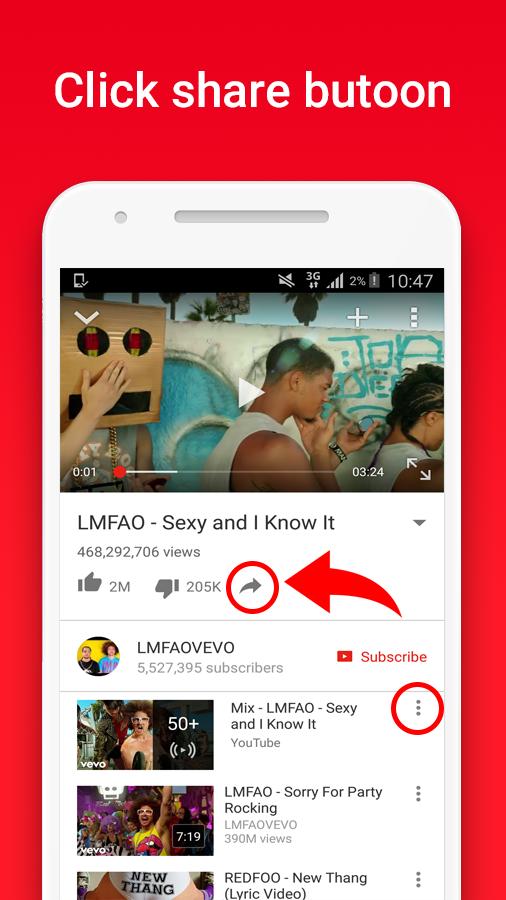
How to Use: Sunset in the app or on the website youtube, then choose the video and in the description of the Share button, press it and choose the application.
Problems with download?
you can allow "Storage" permissions. (android 6.0+)
1. On your device, open the Settings app Settings.
2. Select youtomp3 App.
3. Look under “Permissions” to see what permissions the app has.
4. Trun on "Storage"
5. Retry download
:D
FEATURES :
- Super fast conversions
- MP3 files with HD audio quality
- No limitations on conversions and downloads
INSTRUCTIONS :
- Install YouToMP3 app in your device.
- Open youtube app and browse video.
- touch Share Button
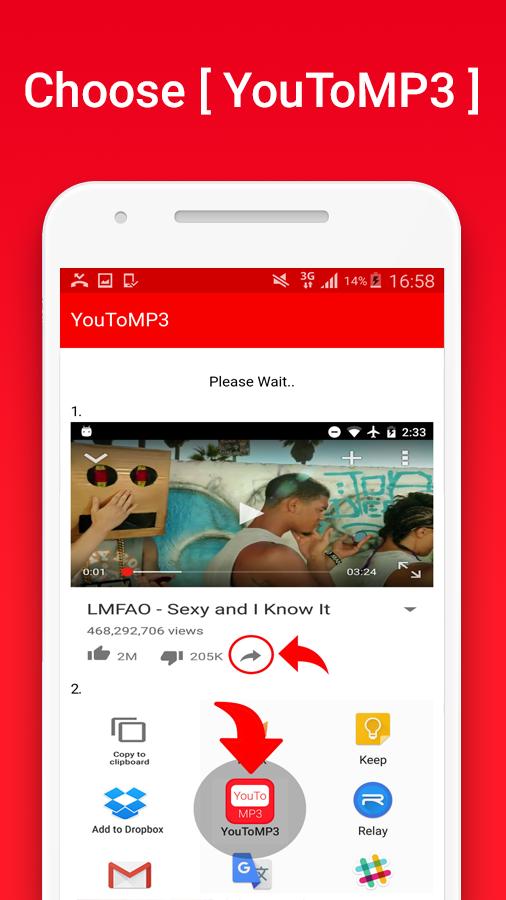
- Choose the YouToMP3 app
- Downloading... :D
Download Location : Device storage > Music Folder
プレビュー
情報
デベロッパー
Sameera Premathunga
最新バージョン
1.0.2
最終更新
2017-07-12
カテゴリー
Music-audio
上で利用可能
Google Play
もっと見せる
PCでGameLoopを使用してYoutoMP3をプレイする方法
1. 公式WebサイトからGameLoopをダウンロードし、exeファイルを実行してGameLoopをインストールします
2. GameLoopを開いて「YoutoMP3」を検索し、検索結果でYoutoMP3を見つけて、「インストール」をクリックします。
3. GameLoopでYoutoMP3を楽しんでください
Minimum requirements
OS
Windows 8.1 64-bit or Windows 10 64-bit
GPU
GTX 1050
CPU
i3-8300
Memory
8GB RAM
Storage
1GB available space
Recommended requirements
OS
Windows 8.1 64-bit or Windows 10 64-bit
GPU
GTX 1050
CPU
i3-9320
Memory
16GB RAM
Storage
1GB available space