
Update Sakura School Simulator Walkthrough PC
Conduit St
GameLoopエミュレーターを使用してPCにUpdate Sakura School Simulator Walkthroughをダウンロードします
Update Sakura School Simulator Walkthrough PC版
開発者Conduit StからのUpdate Sakura School Simulator Walkthroughは、過去にAndroidsystermで実行されています。
これで、GameLoopを搭載したPCでUpdate Sakura School Simulator Walkthroughをスムーズにプレイできます。
GameLoopライブラリまたは検索結果にダウンロードしてください。 バッテリーに目を向けたり、間違った時間にイライラしたりすることはもうありません。
大画面でUpdate Sakura School Simulator WalkthroughPCを無料でお楽しみください!
Update Sakura School Simulator Walkthrough 序章
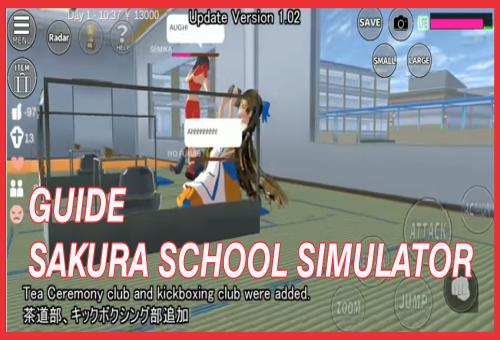
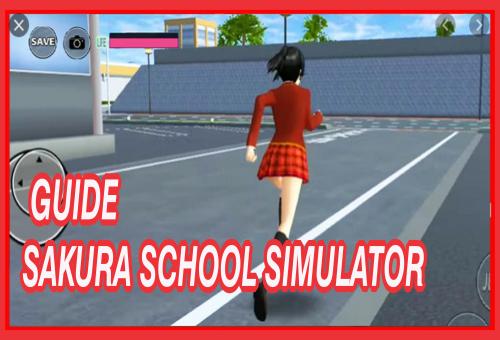
Welcome to the Sakura School Simulator tips
filled with guides and tips for free and bring you to learn to play better and step by step how to play using the tactics of professional high school games sakura high school simulator.
Disclaimer :
This is not an official high school sakura simulator application, this is only a guide and is not associated or affiliated with any application developers or their partners. This application follows "fair use" guidelines by US law, if you feel there is a direct copyright or trademark violation that does not follow the "fair use" guidelines, please contact us directly.
プレビュー
情報
デベロッパー
Conduit St
最新バージョン
1.2
最終更新
2020-10-11
カテゴリー
エンタメ
上で利用可能
Google Play
もっと見せる
PCでGameLoopを使用してUpdate Sakura School Simulator Walkthroughをプレイする方法
1. 公式WebサイトからGameLoopをダウンロードし、exeファイルを実行してGameLoopをインストールします
2. GameLoopを開いて「Update Sakura School Simulator Walkthrough」を検索し、検索結果でUpdate Sakura School Simulator Walkthroughを見つけて、「インストール」をクリックします。
3. GameLoopでUpdate Sakura School Simulator Walkthroughを楽しんでください
Minimum requirements
OS
Windows 8.1 64-bit or Windows 10 64-bit
GPU
GTX 1050
CPU
i3-8300
Memory
8GB RAM
Storage
1GB available space
Recommended requirements
OS
Windows 8.1 64-bit or Windows 10 64-bit
GPU
GTX 1050
CPU
i3-9320
Memory
16GB RAM
Storage
1GB available space