
Unfair Wheel - アンフェアルーレット PC
dev0808
GameLoopエミュレーターを使用してPCにUnfair Wheel - アンフェアルーレットをダウンロードします
Unfair Wheel - アンフェアルーレット PC版
開発者dev0808からのUnfair Wheel - アンフェアルーレットは、過去にAndroidsystermで実行されています。
これで、GameLoopを搭載したPCでUnfair Wheel - アンフェアルーレットをスムーズにプレイできます。
GameLoopライブラリまたは検索結果にダウンロードしてください。 バッテリーに目を向けたり、間違った時間にイライラしたりすることはもうありません。
大画面でUnfair Wheel - アンフェアルーレットPCを無料でお楽しみください!
Unfair Wheel - アンフェアルーレット 序章
※ご要望があれば日本語対応を検討します。デバイス上に示されるアプリ名は「SpinTheWheel」です。
注意:一部のRealme、Oppo、Vivo、Xiaomi、およびHuaweiの機種で、回転のアニメーションが開始されないとの報告が寄せられております。現在、この問題に対処するために全力を尽くしております。ご不便をおかけし誠に申し訳ありませんが、ご理解とご協力を賜りますようお願い申し上げます。
◆ ABOUT【Ad-free】"Unfair Wheel - Spin the wheel"
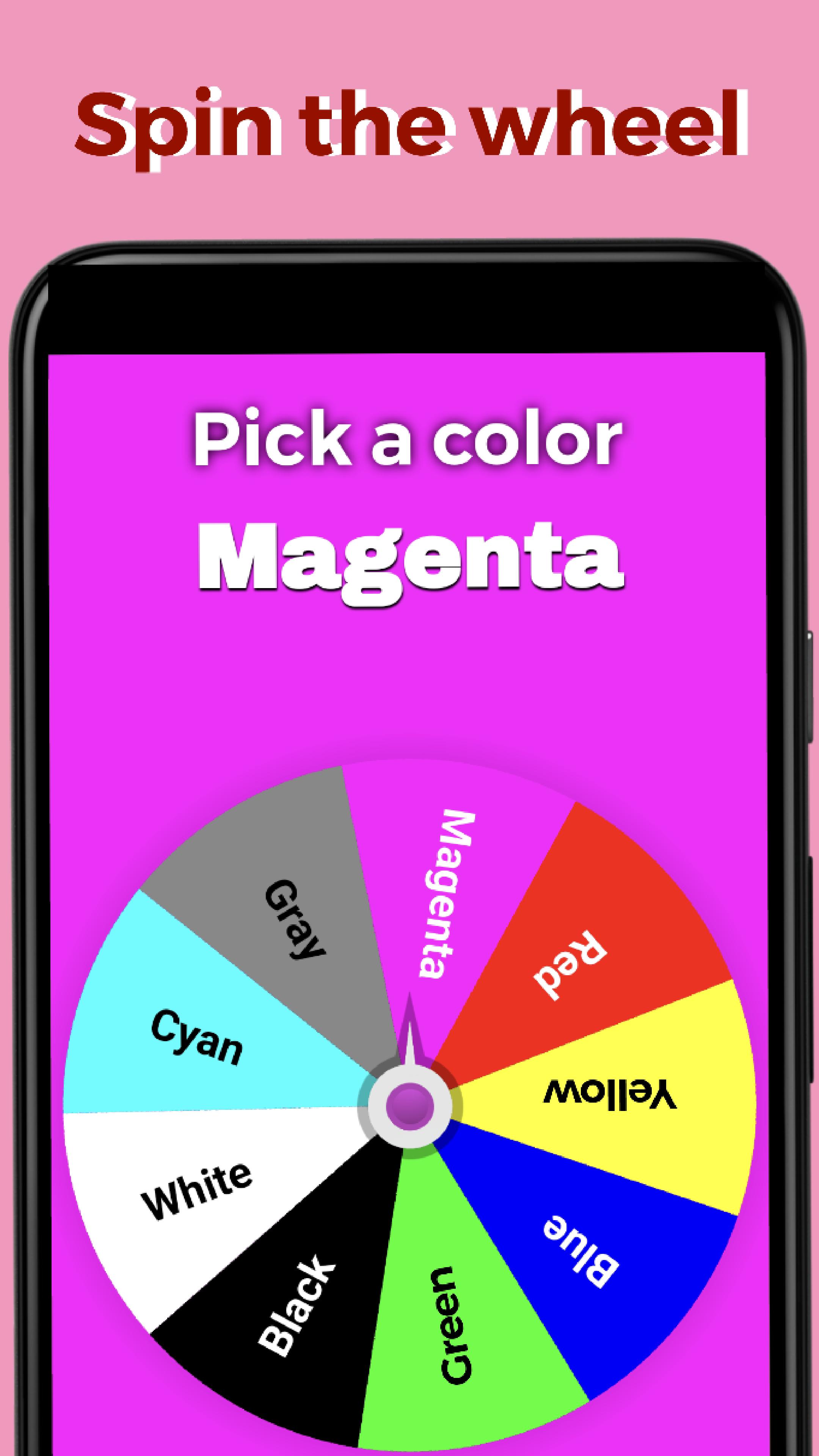
It's a manipulable decision making app where you can create your own custom wheel, add up to 100 labels and spin away with cheat!
◆ SOME OF THE MANY GREAT FEATURES
・ You can change the weight/ratio of each entry
・ Up to 100 entries on the wheel
・ Swipe to spin
・ Fullscreen
・ You can change entry’s font colors and wheel colors
・ Custom wheels you created are saveable ※max. 100 wheels
・ 10+ Templates
・ Random result every time ※Random mode
・ Desired result every time ※Cheat mode
・ You can tap to stop the wheel from spinning
・ Simple
・ Smooth spins
・ Spinning speed changes in response to swipe speed
・ The startup wheel will be the last wheel you used
・ The result message that appears when the wheel stops can be edited
・ The entered entries and weights remain intact after restarting the app
・ You can set settings button transparent
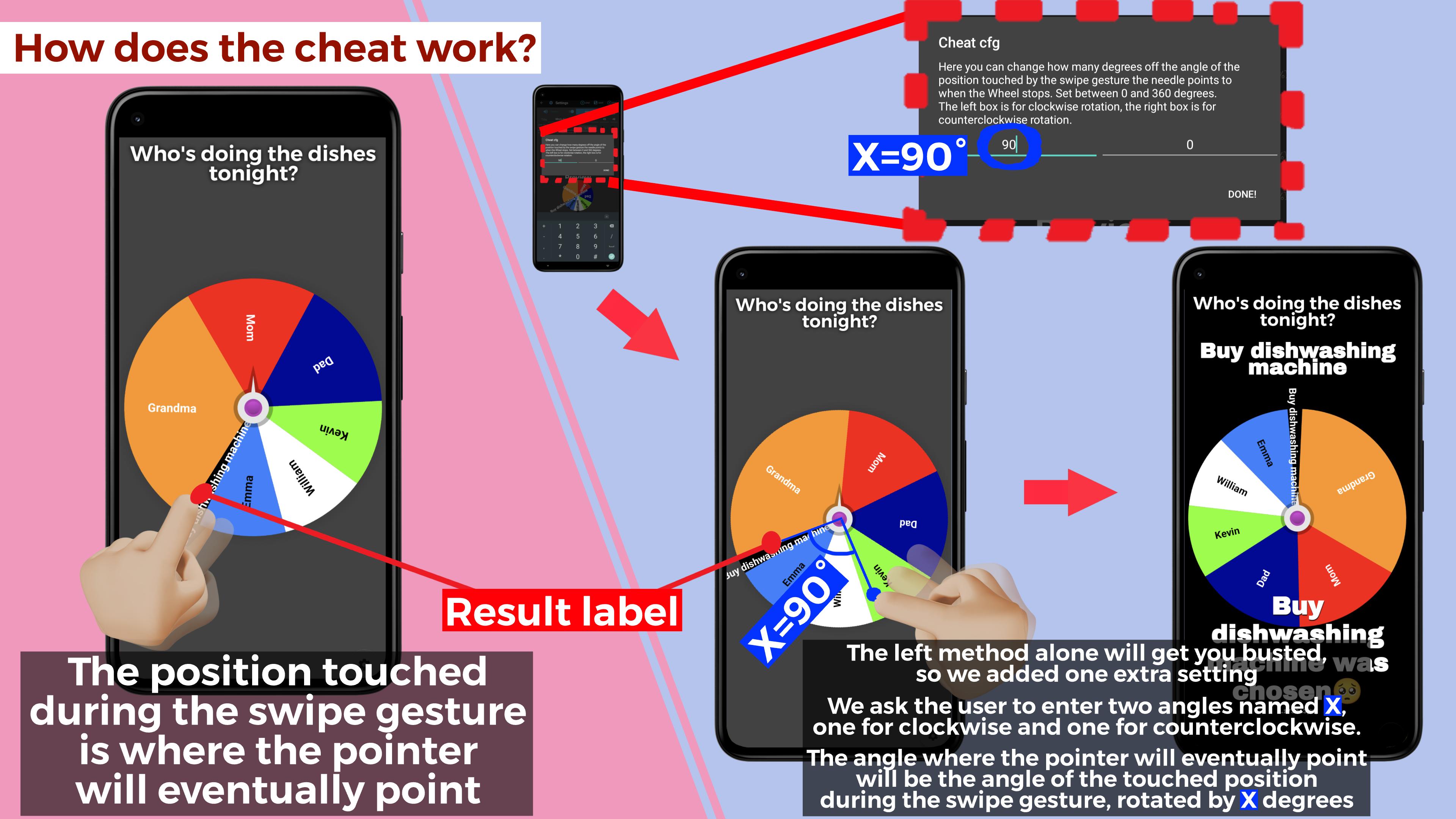
◆ HOW DOES THE CHEAT WORK?
To enable cheats, go to the settings and activate the "Enable Cheat SWITCH."
▶︎ DEFAULT SETTING
The wheel will stop at the exact position touched during the swipe gesture.
▶︎ EXTRA SETTING
When you long-press the button "INFO.(ABOUT CHEAT)," the extra settings dialog box appears with two text boxes. The left box controls the clockwise spin, and the right box controls the counter-clockwise spin.
Entering a value from 0 to 360 degrees in these boxes will make the wheel stop with the pointer pointing ahead of the spot touched by the swipe gesture by the angle of the entered value.
For instance, entering 180 in both boxes will make the pointer point to the position directly opposite the spot touched during the swipe, regardless of the rotation direction.
◆ HOW TO PLAY
1.Launch the app and press the gear icon in the lower right corner to access settings
2.Enter the entries on the left and their weights on the right in the center text boxes, starting from 1 without skipping. Use the color changer to customize font and wheel colors for each entry
3.At the top, you will find a text box where you can enter a title. Enter your desired title in this box. To customize the font size of the title, use the box located to its right. Additionally, to adjust the font size of the wheel's entries, use the box further to the right
4.Now you have your very own custom wheel! Press the "SPIN!" button on the upper right to play!
◆ Q&A
Q.I have overwritten the template. Can I undo it?
A.Yes. Go to settings, press Load to access the Load and Save screen, and load the Data at the bottom to restore the templates. However, data saved from the 5th to 14th position from the top will be lost
Q.When returning from settings, the action bar will remain and cannot be played in full screen
A.To prevent this issue, simply turn off the keyboard when you are done typing on settings
Q.How do I make the settings button transparent?
A.Press and hold the settings button
Q. The spin animation doesn't start. Can you help me with this issue?
A. We apologize for the inconvenience you are facing. Our team is fully aware of this issue and is actively investigating it to pinpoint the root cause. We deeply appreciate your understanding and patience
プレビュー
タグ
エンタメ情報
デベロッパー
dev0808
最新バージョン
3.7
最終更新
2023-09-21
カテゴリー
エンタメ
上で利用可能
Google Play
もっと見せる
PCでGameLoopを使用してUnfair Wheel - アンフェアルーレットをプレイする方法
1. 公式WebサイトからGameLoopをダウンロードし、exeファイルを実行してGameLoopをインストールします
2. GameLoopを開いて「Unfair Wheel - アンフェアルーレット」を検索し、検索結果でUnfair Wheel - アンフェアルーレットを見つけて、「インストール」をクリックします。
3. GameLoopでUnfair Wheel - アンフェアルーレットを楽しんでください
Minimum requirements
OS
Windows 8.1 64-bit or Windows 10 64-bit
GPU
GTX 1050
CPU
i3-8300
Memory
8GB RAM
Storage
1GB available space
Recommended requirements
OS
Windows 8.1 64-bit or Windows 10 64-bit
GPU
GTX 1050
CPU
i3-9320
Memory
16GB RAM
Storage
1GB available space