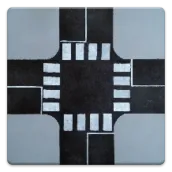
Tile Map Editor PC
SINÉO
GameLoopエミュレーターを使用してPCにTile Map Editorをダウンロードします
Tile Map Editor PC版
開発者SINÉOからのTile Map Editorは、過去にAndroidsystermで実行されています。
これで、GameLoopを搭載したPCでTile Map Editorをスムーズにプレイできます。
GameLoopライブラリまたは検索結果にダウンロードしてください。 バッテリーに目を向けたり、間違った時間にイライラしたりすることはもうありません。
大画面でTile Map EditorPCを無料でお楽しみください!
Tile Map Editor 序章
Are you an RPG, board-game or Strategy Battle Game addict?
Do you hate when you're not at home and you suddenly have that "this-is-it!" idea for a new map in your party's everlasting adventure, but you don't know how to put it down… and then something else fills your mind?
Don't worry anymore: this is the app you were waiting for.
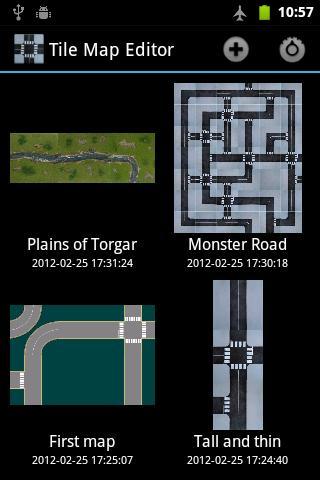
* Select the size of your map, from 1x1 up to 20x20 tiles,
* Select tiles from internal sets (outdoor roads, city roads, outdoor fields),
* ... or from tiles in your own sdcard/internal memory!
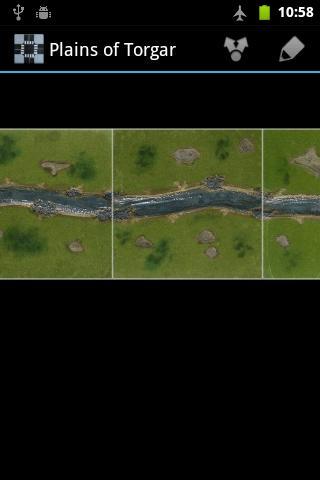
* Use multitouch to zoom and pan your map
* Save it and share it with your friends!
Bonus features:
* Instead of selecting a tile, choose the random "?" tile to get a new and unexpected map!
* Maps do not need to be square, you can prepare a 5x2 dungeon or a 3x7 "Montecarlo circuit"!
* New sets will be added over time!
プレビュー
情報
デベロッパー
SINÉO
最新バージョン
1.3
最終更新
2014-02-21
カテゴリー
エンタメ
上で利用可能
Google Play
もっと見せる
PCでGameLoopを使用してTile Map Editorをプレイする方法
1. 公式WebサイトからGameLoopをダウンロードし、exeファイルを実行してGameLoopをインストールします
2. GameLoopを開いて「Tile Map Editor」を検索し、検索結果でTile Map Editorを見つけて、「インストール」をクリックします。
3. GameLoopでTile Map Editorを楽しんでください
Minimum requirements
OS
Windows 8.1 64-bit or Windows 10 64-bit
GPU
GTX 1050
CPU
i3-8300
Memory
8GB RAM
Storage
1GB available space
Recommended requirements
OS
Windows 8.1 64-bit or Windows 10 64-bit
GPU
GTX 1050
CPU
i3-9320
Memory
16GB RAM
Storage
1GB available space