Story of Toys for Minecraft PC
Strong Cubes Lover
GameLoopエミュレーターを使用してPCにStory of Toys for Minecraftをダウンロードします
Story of Toys for Minecraft PC版
開発者Strong Cubes LoverからのStory of Toys for Minecraftは、過去にAndroidsystermで実行されています。
これで、GameLoopを搭載したPCでStory of Toys for Minecraftをスムーズにプレイできます。
GameLoopライブラリまたは検索結果にダウンロードしてください。 バッテリーに目を向けたり、間違った時間にイライラしたりすることはもうありません。
大画面でStory of Toys for MinecraftPCを無料でお楽しみください!
Story of Toys for Minecraft 序章
DISCLAIMER: Toy Story Minecraft is an unofficial application for Minecraft Pocket Edition. This application is not affiliated in any way with Mojang AB. The Name, Brand and the Assets are all property of Mojang AB or their respectful owner.
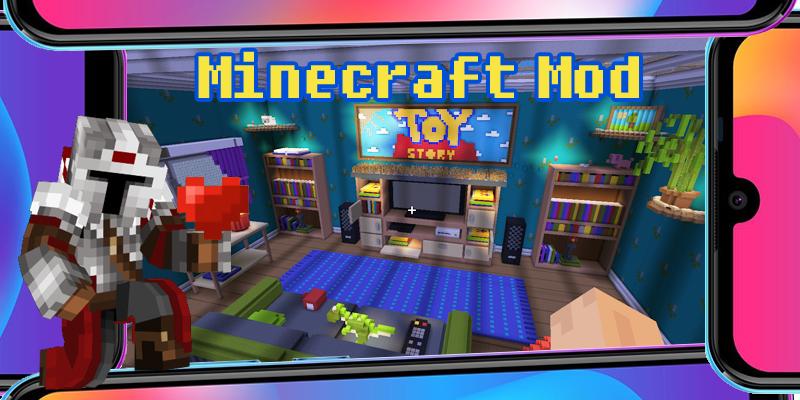
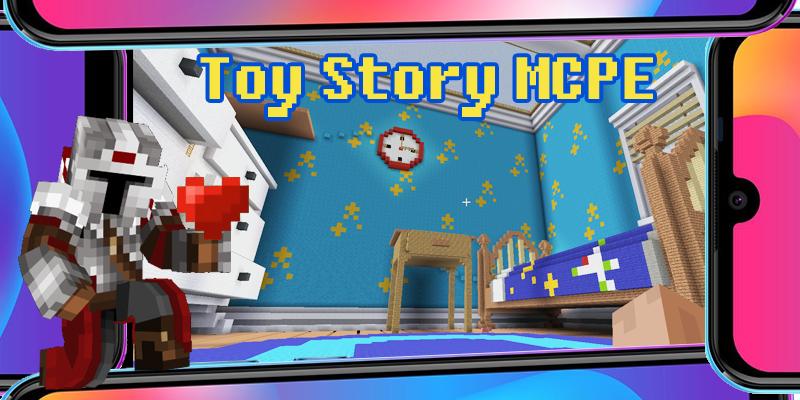
The Toy Story Minecraft games now fully adapted for MCPE. If you are a fan of the animated series Toy Story from Pixar, you will certainly appreciate this Minecraft mod map. MCPE game mod enable player to feel like the Minecraft toy in Andy Davis’s house, to feel all the difficulties and understand how hard it is to be a small toy. Even Woody or Buzz Lightyear from Toy Story will not just cope with the tasks - quests on our Minecraft PE map, which repeats the house of the Davies exactly. Often, the quest tasks of the MCPE game are related to overcoming obstacles, and finding ways to climb various objects at home. Shelves, tables, sofa just seem so impregnable. Do not use fly mode. Remember, even Buzz Lightyear did not know how to fly, although he really wanted to. Try to go around large objects from different sides and find the necessary ledges or toy stairs, the authors of the mod map took care of you!
Disclaimer:
Toy Story are the property of Pixar and its owners.
This application is not associated with Pixar.
プレビュー
タグ
エンタメ情報
デベロッパー
Strong Cubes Lover
最新バージョン
8.07
最終更新
2022-01-25
カテゴリー
エンタメ
上で利用可能
Google Play
もっと見せる
PCでGameLoopを使用してStory of Toys for Minecraftをプレイする方法
1. 公式WebサイトからGameLoopをダウンロードし、exeファイルを実行してGameLoopをインストールします
2. GameLoopを開いて「Story of Toys for Minecraft」を検索し、検索結果でStory of Toys for Minecraftを見つけて、「インストール」をクリックします。
3. GameLoopでStory of Toys for Minecraftを楽しんでください
Minimum requirements
OS
Windows 8.1 64-bit or Windows 10 64-bit
GPU
GTX 1050
CPU
i3-8300
Memory
8GB RAM
Storage
1GB available space
Recommended requirements
OS
Windows 8.1 64-bit or Windows 10 64-bit
GPU
GTX 1050
CPU
i3-9320
Memory
16GB RAM
Storage
1GB available space