ODY Upshot:Archery PC
Odyssey Toys
GameLoopエミュレーターを使用してPCにODY Upshot:Archeryをダウンロードします
ODY Upshot:Archery PC版
開発者Odyssey ToysからのODY Upshot:Archeryは、過去にAndroidsystermで実行されています。
これで、GameLoopを搭載したPCでODY Upshot:Archeryをスムーズにプレイできます。
GameLoopライブラリまたは検索結果にダウンロードしてください。 バッテリーに目を向けたり、間違った時間にイライラしたりすることはもうありません。
大画面でODY Upshot:ArcheryPCを無料でお楽しみください!
ODY Upshot:Archery 序章
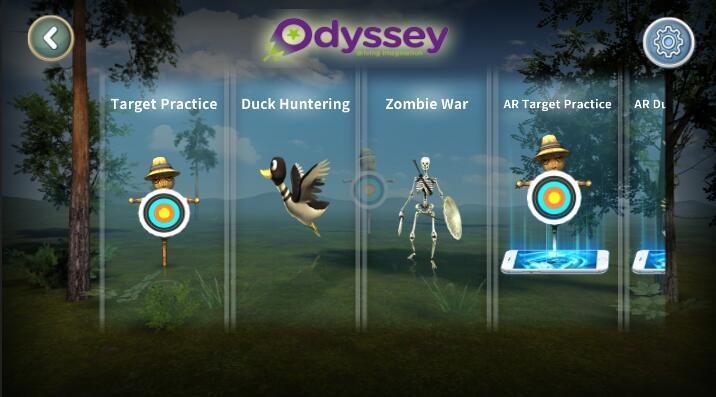
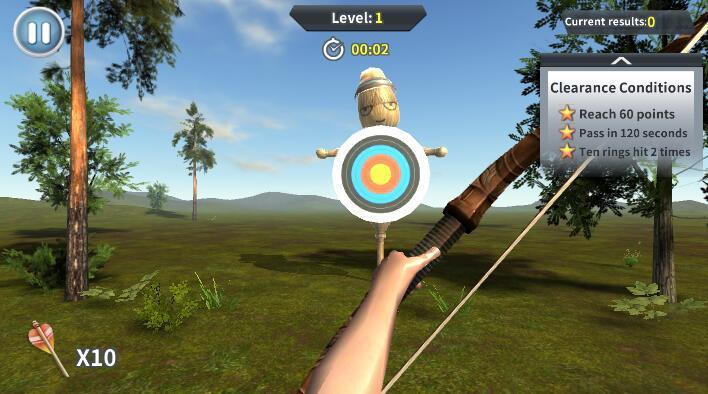
Introducing a brand new, virtual way to game that puts you in the middle of the action!It’s no secret that augmented reality (AR) has dominated today’s gaming landscape. It’s easy to see why – who doesn’t want to feel like they’re actually a part of the game that they’re playing? Odyssey Toys introduces the Upshot Bow & Arrow, which puts you right in the middle of the heart-pounding action by turning you into an augmented realty first-person archer! The Upshot: Archery app lets you download various settings and worlds – hunt ducks in a pond and get points for getting as many as you can, or access the world of tribal warriors and go to war with your opponent.
プレビュー
情報
デベロッパー
Odyssey Toys
最新バージョン
1.2
最終更新
2018-07-07
カテゴリー
エンタメ
上で利用可能
Google Play
もっと見せる
PCでGameLoopを使用してODY Upshot:Archeryをプレイする方法
1. 公式WebサイトからGameLoopをダウンロードし、exeファイルを実行してGameLoopをインストールします
2. GameLoopを開いて「ODY Upshot:Archery」を検索し、検索結果でODY Upshot:Archeryを見つけて、「インストール」をクリックします。
3. GameLoopでODY Upshot:Archeryを楽しんでください
Minimum requirements
OS
Windows 8.1 64-bit or Windows 10 64-bit
GPU
GTX 1050
CPU
i3-8300
Memory
8GB RAM
Storage
1GB available space
Recommended requirements
OS
Windows 8.1 64-bit or Windows 10 64-bit
GPU
GTX 1050
CPU
i3-9320
Memory
16GB RAM
Storage
1GB available space