
TARCApp PC
Tunku Abdul Rahman University College
GameLoopエミュレーターを使用してPCにTARCAppをダウンロードします
TARCApp PC版
開発者Tunku Abdul Rahman University CollegeからのTARCAppは、過去にAndroidsystermで実行されています。
これで、GameLoopを搭載したPCでTARCAppをスムーズにプレイできます。
GameLoopライブラリまたは検索結果にダウンロードしてください。 バッテリーに目を向けたり、間違った時間にイライラしたりすることはもうありません。
大画面でTARCAppPCを無料でお楽しみください!
TARCApp 序章
Stay connected with Tunku Abdul Rahman University Of Management And Technology (TAR UMT) while you are on the go.
Prospective students can visit to our website (www.tarc.edu.my) for more information about studying at TAR UMT.
Features:
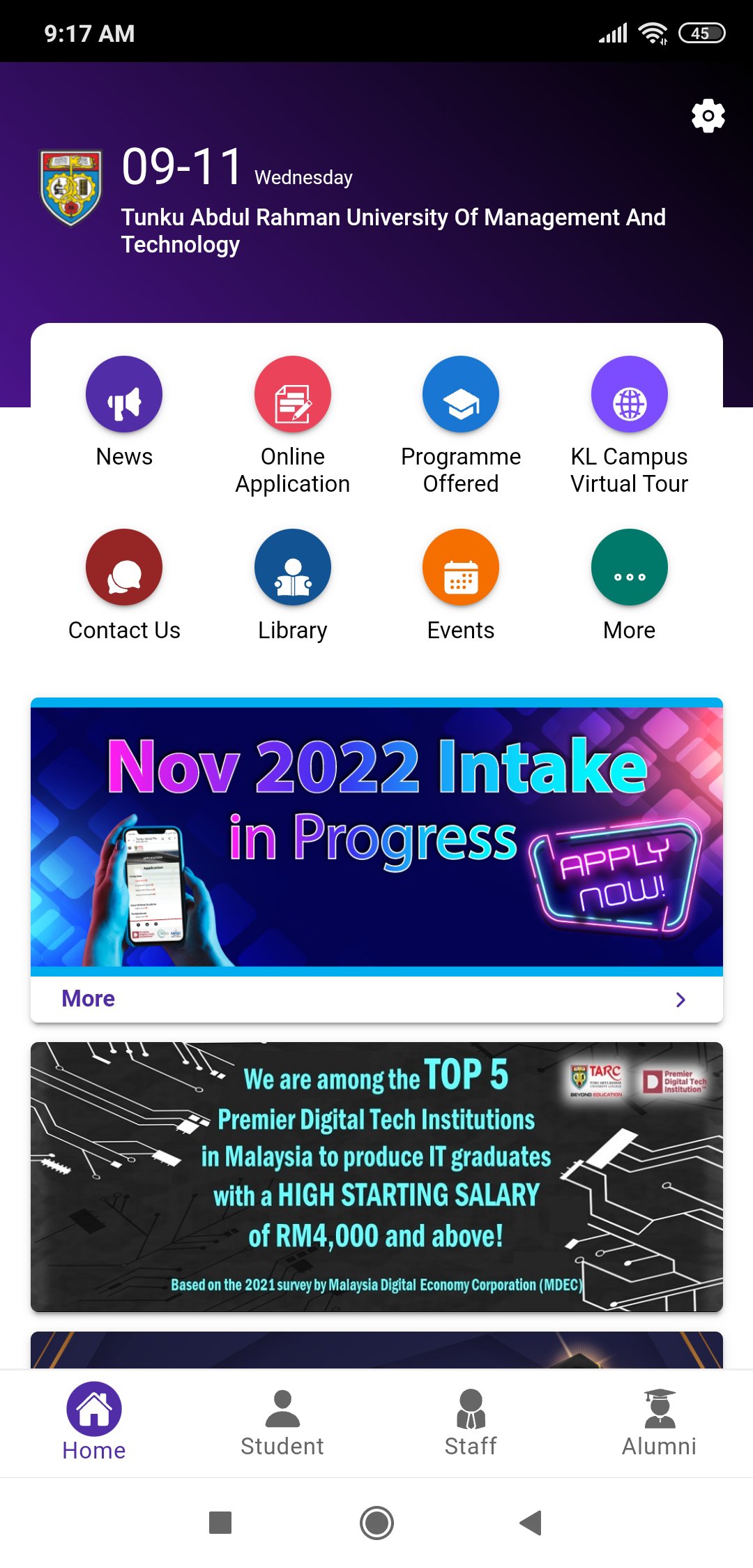
News – Get the latest news on TAR UMT.
Virtual Tour –Tour the Kuala Lumpur main campus virtually and get directions to campus buildings.
Online Application – Apply for admission to Pre-University and Undergraduate Programmes online.
Programmes Offered – Find information on programmes offered by TAR UMT.
Library – Access to library website.
Alumni – Quick links to alumni related pages.
Personalised information and services for students only
Announcement – View notices posted by faculties/departments.
Class Timetable – Access to class timetable.
Exam Timetable – Access to examination timetable.
Examination Result – View the latest/overall examination result.
Billing – View Billing and payment history.
Attendance – Allow students to register and check attendance.
Google Classroom – Login to Google Classroom app.
The app requires the following permissions:
Read/modify contents in local storage and SD card. Needed to allow downloading of files to storage.
プレビュー

タグ
教育情報
デベロッパー
Tunku Abdul Rahman University College
最新バージョン
2.0.24
最終更新
2025-09-22
カテゴリー
教育
上で利用可能
Google Play
もっと見せる
PCでGameLoopを使用してTARCAppをプレイする方法
1. 公式WebサイトからGameLoopをダウンロードし、exeファイルを実行してGameLoopをインストールします
2. GameLoopを開いて「TARCApp」を検索し、検索結果でTARCAppを見つけて、「インストール」をクリックします。
3. GameLoopでTARCAppを楽しんでください
Minimum requirements
OS
Windows 8.1 64-bit or Windows 10 64-bit
GPU
GTX 1050
CPU
i3-8300
Memory
8GB RAM
Storage
1GB available space
Recommended requirements
OS
Windows 8.1 64-bit or Windows 10 64-bit
GPU
GTX 1050
CPU
i3-9320
Memory
16GB RAM
Storage
1GB available space