
BlueStar PC
Channeleyes
GameLoopエミュレーターを使用してPCにBlueStarをダウンロードします
BlueStar PC版
開発者ChanneleyesからのBlueStarは、過去にAndroidsystermで実行されています。
これで、GameLoopを搭載したPCでBlueStarをスムーズにプレイできます。
GameLoopライブラリまたは検索結果にダウンロードしてください。 バッテリーに目を向けたり、間違った時間にイライラしたりすることはもうありません。
大画面でBlueStarPCを無料でお楽しみください!
BlueStar 序章
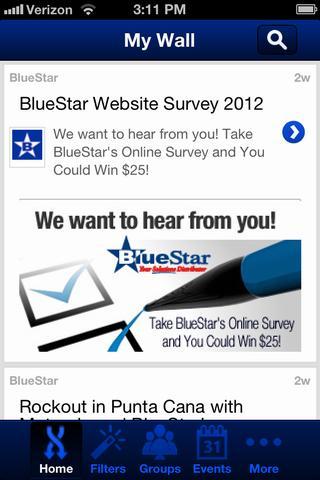
The all-new BlueStar mobile app is designed with VARs in mind—now you can get all the news, videos, and industry insight you need to grow your business in the channel, in one user-friendly mobile app on your smart phone. Interact with real-time social media updates, get valuable business intelligence from the channel’s top thought leaders, and stay connected to the changing world of technology solutions like never before. This application is ideal for resellers of Point-of-Sale, ADC, RFID, Digital Signage, Healthcare, Security and Mobility solutions to help you stay connected with other industry professionals.
Fully integrated with VARTECH Nation, part of the VARTECH Educational series, the BlueStar app helps you gather all the industry insight you need with key filters to find the information that matters most to your business. Discover the complete line of technology solutions available from BlueStar and get in on limited-time offers and promotions from top BlueStar manufacturers. Find out when the next VARTECH Educational Series event from BlueStar is coming to your area for hands-on training on the latest technologies.
You’ll also gain access to BlueStar’s exclusive value-added services, including our professional configuration services and flexible financing options. See the latest bundled solutions for multiple vertical markets with BlueStar’s In-a-Box solution series. And learn how the FUSION toolset can help you find and track new prospects and enhance your business development efforts and grow your business.
It’s all here in the all-new BlueStar Mobile app, available FREE from BlueStar, Your Solutions Distributor.
プレビュー

情報
デベロッパー
Channeleyes
最新バージョン
5.0
最終更新
2018-10-03
カテゴリー
ビジネス
上で利用可能
Google Play
もっと見せる
PCでGameLoopを使用してBlueStarをプレイする方法
1. 公式WebサイトからGameLoopをダウンロードし、exeファイルを実行してGameLoopをインストールします
2. GameLoopを開いて「BlueStar」を検索し、検索結果でBlueStarを見つけて、「インストール」をクリックします。
3. GameLoopでBlueStarを楽しんでください
Minimum requirements
OS
Windows 8.1 64-bit or Windows 10 64-bit
GPU
GTX 1050
CPU
i3-8300
Memory
8GB RAM
Storage
1GB available space
Recommended requirements
OS
Windows 8.1 64-bit or Windows 10 64-bit
GPU
GTX 1050
CPU
i3-9320
Memory
16GB RAM
Storage
1GB available space