
Timestamp Camera 2022 for PC
AppCrown
GameLoop एमुलेटर के साथ पीसी पर Timestamp Camera 2022 डाउनलोड करें
पीसी पर Timestamp Camera 2022
Timestamp Camera 2022, डेवलपर AppCrown से आ रहा है, अतीत में Android सिस्टर्म पर चल रहा है।
अब, आप Timestamp Camera 2022 को पीसी पर GameLoop के साथ आसानी से खेल सकते हैं।
इसे GameLoop लाइब्रेरी या खोज परिणामों में डाउनलोड करें। अब और गलत समय पर बैटरी या निराशाजनक कॉलों पर ध्यान नहीं देना चाहिए।
बस मुफ्त में बड़ी स्क्रीन पर Timestamp Camera 2022 पीसी का आनंद लें!
Timestamp Camera 2022 परिचय
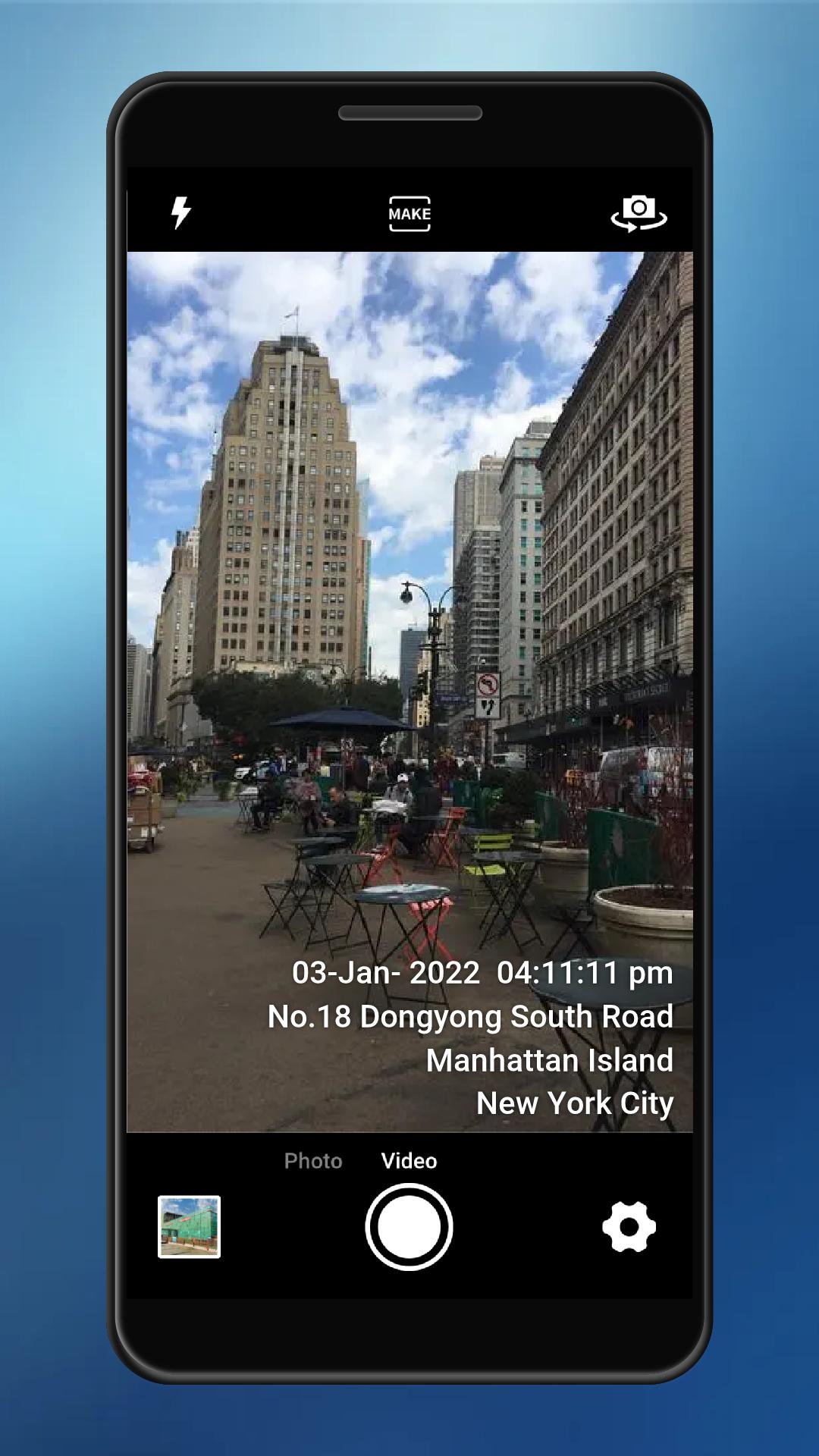
Timestamp Camera can add timestamp watermark on camera in real time.The difference is that you can modify the time and GPS location.
This GPS camera can add time and location text watermark to photo. The location is GPS Loction and coordinates.
Main Feature:
⭐️Support auto add time stamp and GPS location address
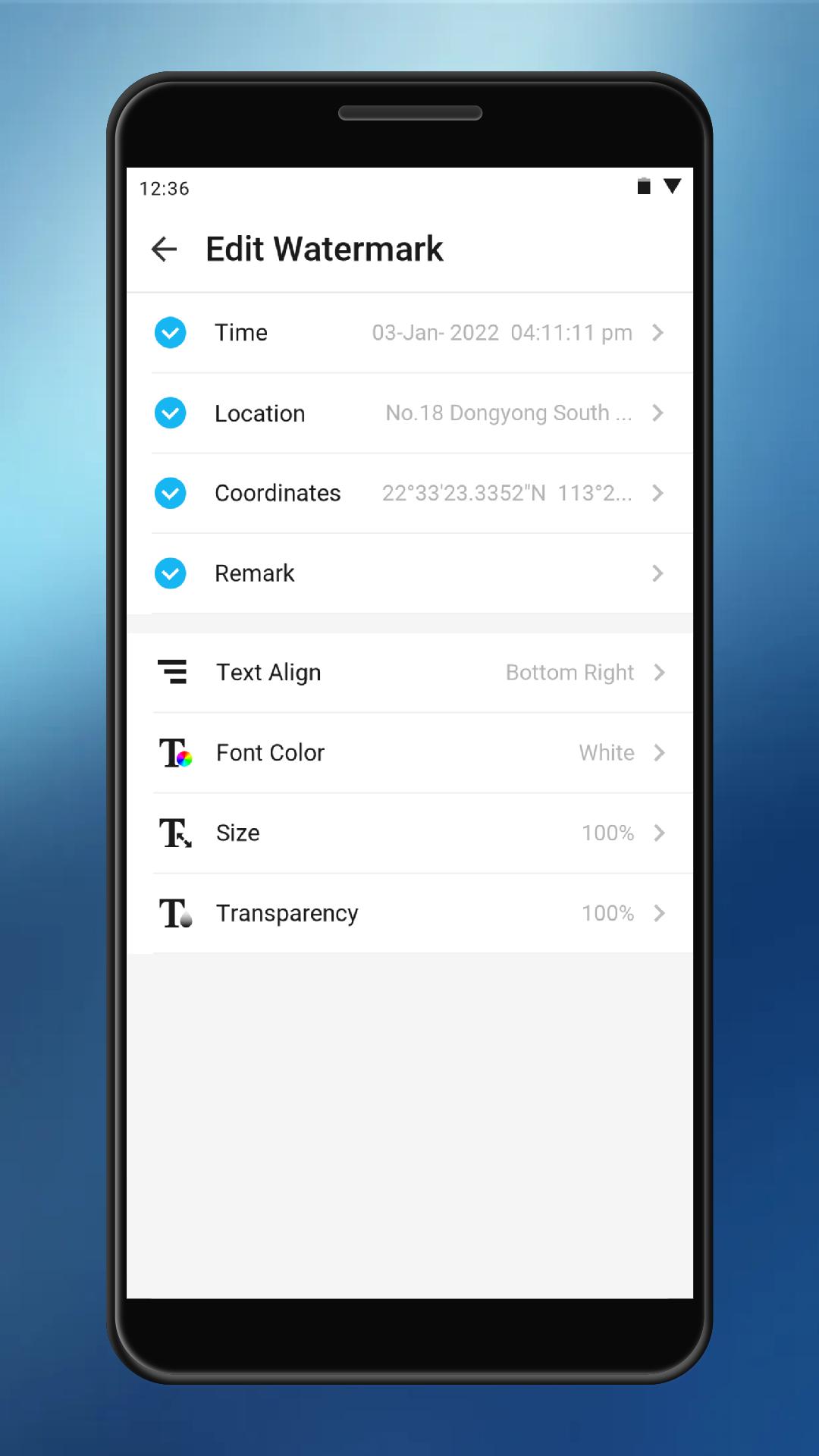
⭐️Support modify time
⭐️Support modify location address
⭐️Support change watermark align
⭐️Support change font color
⭐️Support change font size
⭐️Support change watermark background
⭐️Support add coordinates to watermark camera
⭐️Support add remark to watermark to the open camera
⭐️Support adding watermark to photos
पूर्वावलोकन
टैग
टूलजानकारी
डेवलपर
AppCrown
नवीनतम संस्करण
3.8.0
आखरी अपडेट
2022-05-04
श्रेणी
टूल
पर उपलब्ध
Google Play
और दिखाओ
पीसी पर गेमलूप के साथ Timestamp Camera 2022 कैसे खेलें
1. आधिकारिक वेबसाइट से GameLoop डाउनलोड करें, फिर GameLoop को स्थापित करने के लिए exe फ़ाइल चलाएँ।
2. गेमलूप खोलें और "Timestamp Camera 2022" खोजें, खोज परिणामों में Timestamp Camera 2022 खोजें और "इंस्टॉल करें" पर क्लिक करें।
3. GameLoop पर Timestamp Camera 2022 खेलने का आनंद लें।
Minimum requirements
OS
Windows 8.1 64-bit or Windows 10 64-bit
GPU
GTX 1050
CPU
i3-8300
Memory
8GB RAM
Storage
1GB available space
Recommended requirements
OS
Windows 8.1 64-bit or Windows 10 64-bit
GPU
GTX 1050
CPU
i3-9320
Memory
16GB RAM
Storage
1GB available space