
MyDockFinder
MyDockFinder
- India₹348.29₹348.29दुकान में जाओ
- Argentina₹220.89₹220.89दुकान में जाओ
- Russia₹256₹256दुकान में जाओ
GameLoop एमुलेटर के साथ पीसी पर MyDockFinder डाउनलोड करें
MyDockFinder, MyDockFinder द्वारा विकसित एक लोकप्रिय स्टीम गेम है। आप पीसी पर खेलने के लिए गेमलूप के साथ MyDockFinder और शीर्ष स्टीम गेम डाउनलोड कर सकते हैं। प्राप्त करें' बटन पर क्लिक करें तो आप GameDeal पर नवीनतम सर्वोत्तम सौदे प्राप्त कर सकते हैं।
MyDockFinder स्टीम गेम पाएं
MyDockFinder, MyDockFinder द्वारा विकसित एक लोकप्रिय स्टीम गेम है। आप पीसी पर खेलने के लिए गेमलूप के साथ MyDockFinder और शीर्ष स्टीम गेम डाउनलोड कर सकते हैं। प्राप्त करें' बटन पर क्लिक करें तो आप GameDeal पर नवीनतम सर्वोत्तम सौदे प्राप्त कर सकते हैं।
MyDockFinder विशेषताएं
MyDockFinder
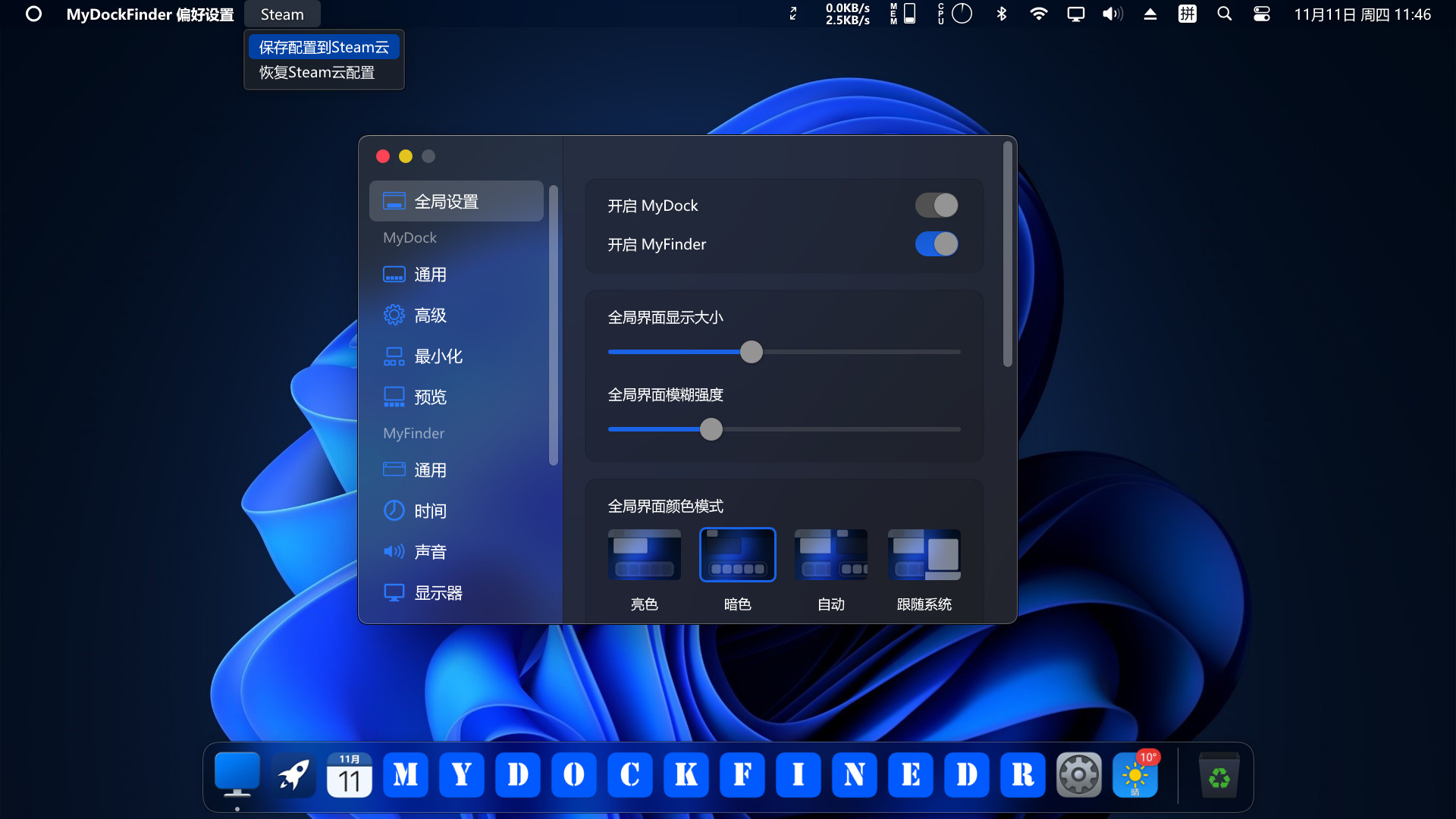
MyDockFinder is a software for quick system startup and control viewing system functions. You can drag and drop to add your favorite programs or files, and drag and drop to directly use the program to open the file. Based on WinUI using GPU rendering, smooth animation effects, Bezier curve rounded corners and blur and the blur intensity can be adjusted. Minimize the animation of all windows in the management system.
Regular and continuous updates. If the program crashes sometimes, please leave a message below to report the problem. The next few versions will bring many features such as creative workshops, more achievements, and skin changes, so stay tuned!
The development progress by one person is slow, and each update takes two to three weeks or even a month.
Main functions
- Global real-time dynamic blur effect can adjust the blur intensity
- Support 4K high resolution and multi-display environment
- The light and dark mode of the system can be modified simultaneously
- Steam cloud backup configuration file (manual backup, steam achievement)
MyDock
- Dock icons can quickly launch applications
- You can manually modify the icon
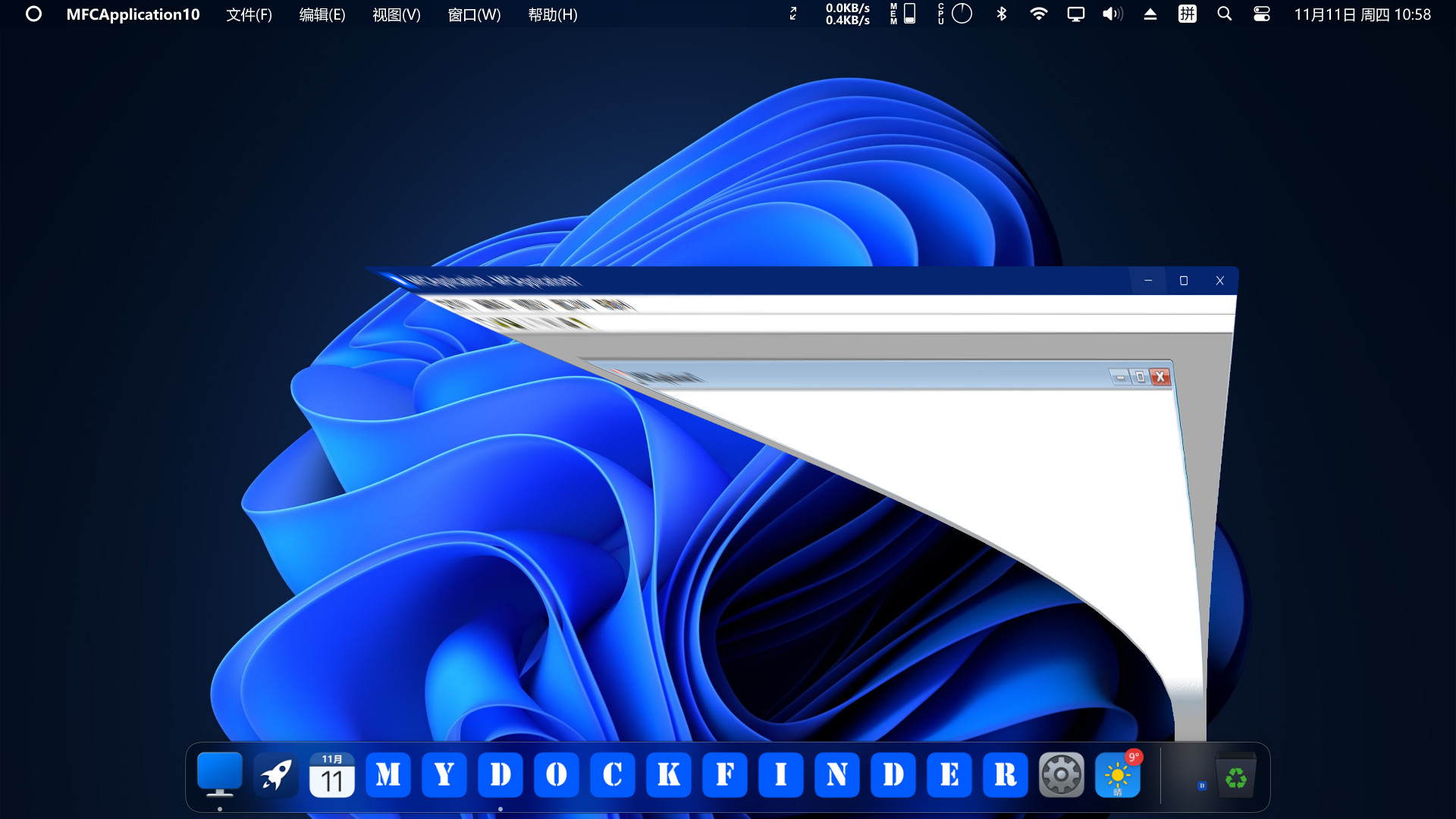
- Window minimization animation (three effects are optional)
- Starting station quick start program panel
- Special program message reminder function
- Quickly view all files in the open folder
- View current city weather details
- Window preview management application window
- Display the progress bar of application downloading and playing media
- Apply a unified mask to the icons to make them more coordinated
- Multiple hidden display modes
- Each application can set an independent hidden mode
MyFinder
- Quickly shut down, restart, log off the computer
- CPU, memory, disk, network speed, temperature monitoring(Need to manually open, steam achievement)
- Manage WiFi network connection
- System tray icon display management operation
- Bluetooth connection pairing
- Adjust the brightness of the monitor, including desktop monitors (Adjusting the brightness of the desktop monitor may damage your monitor, the HDMI interface may fail, and the DP interface can adjust the brightness perfectly)
- Quickly adjust the volume, switch the audio output device, you can modify the volume of each program separately
- The right mouse button of all function buttons can display the corresponding system functions
- Media control function
- Volume change prompt
- Immersive display, better fusion window background
GameLoop एमुलेटर के साथ पीसी पर MyDockFinder डाउनलोड करें
MyDockFinder स्टीम गेम पाएं
MyDockFinder, MyDockFinder द्वारा विकसित एक लोकप्रिय स्टीम गेम है। आप पीसी पर खेलने के लिए गेमलूप के साथ MyDockFinder और शीर्ष स्टीम गेम डाउनलोड कर सकते हैं। प्राप्त करें' बटन पर क्लिक करें तो आप GameDeal पर नवीनतम सर्वोत्तम सौदे प्राप्त कर सकते हैं।
MyDockFinder विशेषताएं
MyDockFinder
MyDockFinder is a software for quick system startup and control viewing system functions. You can drag and drop to add your favorite programs or files, and drag and drop to directly use the program to open the file. Based on WinUI using GPU rendering, smooth animation effects, Bezier curve rounded corners and blur and the blur intensity can be adjusted. Minimize the animation of all windows in the management system.
Regular and continuous updates. If the program crashes sometimes, please leave a message below to report the problem. The next few versions will bring many features such as creative workshops, more achievements, and skin changes, so stay tuned!
The development progress by one person is slow, and each update takes two to three weeks or even a month.
Main functions
- Global real-time dynamic blur effect can adjust the blur intensity
- Support 4K high resolution and multi-display environment
- The light and dark mode of the system can be modified simultaneously
- Steam cloud backup configuration file (manual backup, steam achievement)
MyDock
- Dock icons can quickly launch applications
- You can manually modify the icon
- Window minimization animation (three effects are optional)
- Starting station quick start program panel
- Special program message reminder function
- Quickly view all files in the open folder
- View current city weather details
- Window preview management application window
- Display the progress bar of application downloading and playing media
- Apply a unified mask to the icons to make them more coordinated
- Multiple hidden display modes
- Each application can set an independent hidden mode
MyFinder
- Quickly shut down, restart, log off the computer
- CPU, memory, disk, network speed, temperature monitoring(Need to manually open, steam achievement)
- Manage WiFi network connection
- System tray icon display management operation
- Bluetooth connection pairing
- Adjust the brightness of the monitor, including desktop monitors (Adjusting the brightness of the desktop monitor may damage your monitor, the HDMI interface may fail, and the DP interface can adjust the brightness perfectly)
- Quickly adjust the volume, switch the audio output device, you can modify the volume of each program separately
- The right mouse button of all function buttons can display the corresponding system functions
- Media control function
- Volume change prompt
- Immersive display, better fusion window background
पूर्वावलोकन
जानकारी
डेवलपर
MyDockFinder
नवीनतम संस्करण
1.0.0
आखरी अपडेट
2021-11-25
श्रेणी
Steam-game
और दिखाओ
समीक्षा
- gamedeal user
Nov 27, 2021
- gamedeal user
Nov 28, 2021
- gamedeal user
Dec 20, 2021
- gamedeal user
May 14, 2022
- gamedeal user
May 30, 2022
- gamedeal user
Jul 18, 2022
- gamedeal user
Jul 24, 2022
- gamedeal user
Aug 5, 2022
- gamedeal user
Oct 27, 2022
- gamedeal user
Nov 26, 2022
पूछे जाने वाले प्रश्न
PC Games Cheaper On Gamedeal | Find The Best Deals of Games Here!
Finding the right place to get the best game deals can prove to be quite a hassle when comparing game prices on multiple sites. However, you can skip through all the trouble by letting Gamedeal handle the price comparisons and grab only the best deal prices for you!
We compare game prices on all the trusted storefronts and list game deals starting with the lowest price possible at the moment. Looking for something more specific? Search it on Gamedeal and find all the best deals and cd keys discount codes to make the most out of your bucks.
Not sure what you looking for? Browse through our massive library of games from different genres to find epic deals for your favorite games from the biggest retailers in the market. Can’t afford the game you are looking for? Make sure to wishlist it and stay up-to-date with all the price changes in the future.
Say Bye to Hefty Game Deals!
Gamedeal is your one-stop shop to find all the best deals from your favorite retailers including Steam, Epic Games, Gamestop, and many more under one roof. Looking for games that cost you nothing? We have got you covered with our free games list that includes free PC and Playstation games.
We help you stay on top of the news with upcoming Steam sales and Gamestop promo codes to ensure you get the game of your choice at the lowest price possible. From old-school classics to modern AAA titles, there is something for everyone to play here.