AnySaver - Safe, Fast and No A for PC
Vertexshare Software Ltd
GameLoop एमुलेटर के साथ पीसी पर AnySaver - Safe, Fast and No A डाउनलोड करें
पीसी पर AnySaver - Safe, Fast and No A
AnySaver - Safe, Fast and No A, डेवलपर Vertexshare Software Ltd से आ रहा है, अतीत में Android सिस्टर्म पर चल रहा है।
अब, आप AnySaver - Safe, Fast and No A को पीसी पर GameLoop के साथ आसानी से खेल सकते हैं।
इसे GameLoop लाइब्रेरी या खोज परिणामों में डाउनलोड करें। अब और गलत समय पर बैटरी या निराशाजनक कॉलों पर ध्यान नहीं देना चाहिए।
बस मुफ्त में बड़ी स्क्रीन पर AnySaver - Safe, Fast and No A पीसी का आनंद लें!
AnySaver - Safe, Fast and No A परिचय
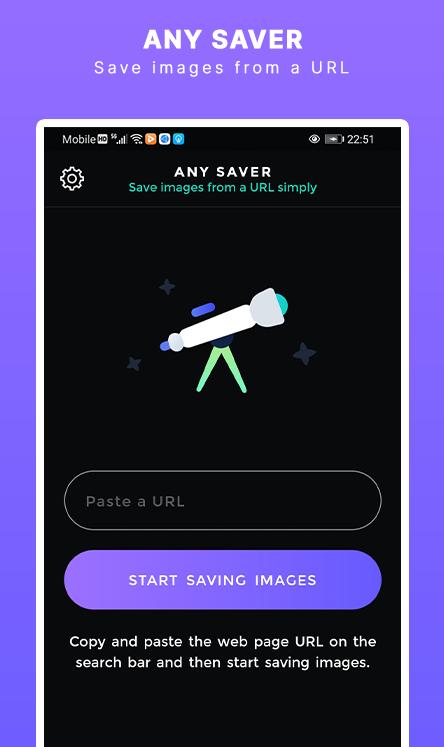
AnySaver is a powerful image downloading tool that you can save images from a URL in a batch. You can use it to extract, preview, and save images on your mobile phone.
===Main Benefits===
1. Copy and paste a webpage or image URL to preview and save to your photo album.
2. Seach images in the image library and save them on your mobile phone.
3. Download images from Instagram automatically.
4. Download video from Instagram automatically.
5. Bulk download images from Pinterest.
Contact Support: Support@imgdownloader.com
Privacy Policy: https://imgdownloader.com/privacy.html
Terms: https://imgdownloader.com/terms.html
पूर्वावलोकन

टैग
उत्पादकताजानकारी
डेवलपर
Vertexshare Software Ltd
नवीनतम संस्करण
2.0.1
आखरी अपडेट
2021-06-22
श्रेणी
उत्पादकता
पर उपलब्ध
Google Play
और दिखाओ
पीसी पर गेमलूप के साथ AnySaver - Safe, Fast and No A कैसे खेलें
1. आधिकारिक वेबसाइट से GameLoop डाउनलोड करें, फिर GameLoop को स्थापित करने के लिए exe फ़ाइल चलाएँ।
2. गेमलूप खोलें और "AnySaver - Safe, Fast and No A" खोजें, खोज परिणामों में AnySaver - Safe, Fast and No A खोजें और "इंस्टॉल करें" पर क्लिक करें।
3. GameLoop पर AnySaver - Safe, Fast and No A खेलने का आनंद लें।
Minimum requirements
OS
Windows 8.1 64-bit or Windows 10 64-bit
GPU
GTX 1050
CPU
i3-8300
Memory
8GB RAM
Storage
1GB available space
Recommended requirements
OS
Windows 8.1 64-bit or Windows 10 64-bit
GPU
GTX 1050
CPU
i3-9320
Memory
16GB RAM
Storage
1GB available space