Candy Crush Jelly Theme for PC
King
GameLoop एमुलेटर के साथ पीसी पर Candy Crush Jelly Theme डाउनलोड करें
पीसी पर Candy Crush Jelly Theme
Candy Crush Jelly Theme, डेवलपर King से आ रहा है, अतीत में Android सिस्टर्म पर चल रहा है।
अब, आप Candy Crush Jelly Theme को पीसी पर GameLoop के साथ आसानी से खेल सकते हैं।
इसे GameLoop लाइब्रेरी या खोज परिणामों में डाउनलोड करें। अब और गलत समय पर बैटरी या निराशाजनक कॉलों पर ध्यान नहीं देना चाहिए।
बस मुफ्त में बड़ी स्क्रीन पर Candy Crush Jelly Theme पीसी का आनंद लें!
Candy Crush Jelly Theme परिचय
King together with AirThemes presents the Candy Crush Jelly Saga Theme! Download this theme and totally customize your Android device with really cool interactive features. Jellylicious!
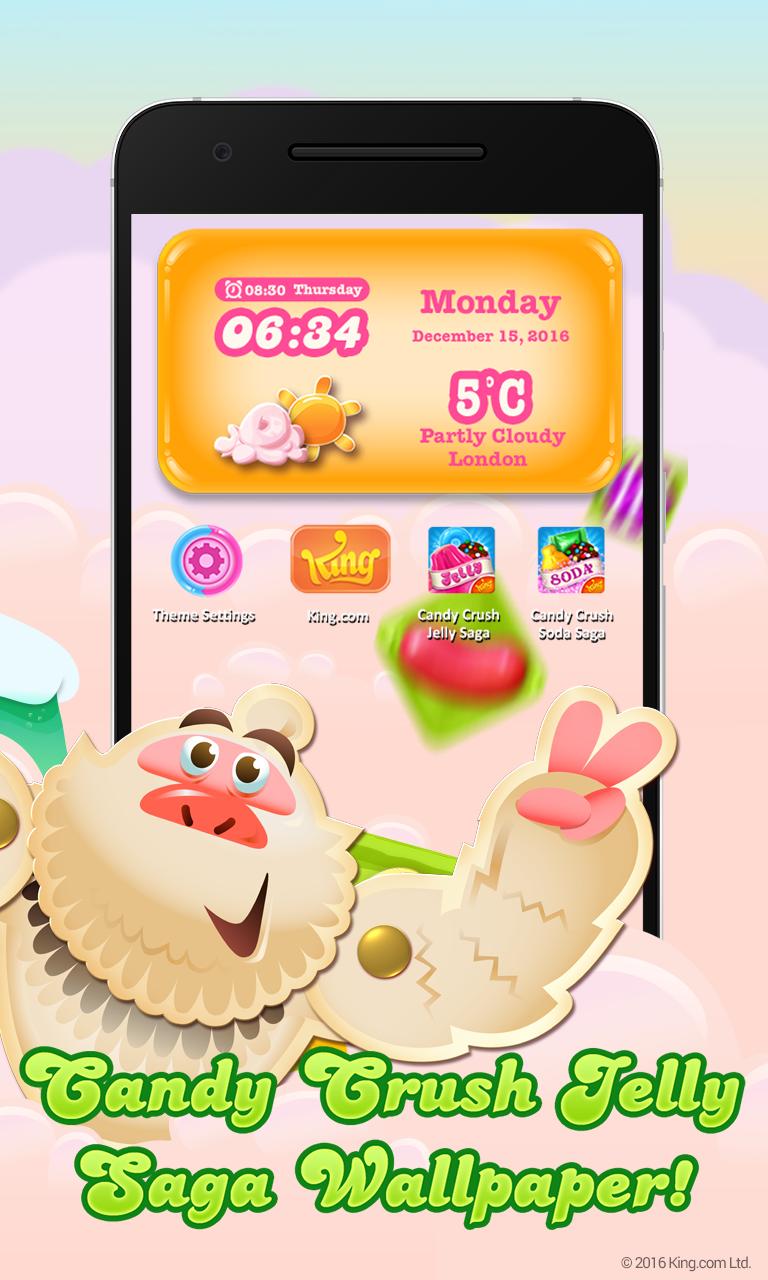
Candy Crush Jelly Saga Theme features:
• Tasty! lock screens with Candies, Jellies and sounds from the game
• A Live screen wallpaper with Yeti to keep you company
• Fully customised Candy Crush Jelly Saga icons set
• Interactive menus and widgets
• Easy access to the official King.com and of course, to your favorite game
All these features are included in one simple install, just download and follow the onscreen instructions. For the lock screen to work you will need to disable any native Android lock screens. This is done in Android Settings under Screen lock menu item (make sure it is set to “None”).
Already a fan of Candy Crush Jelly Saga? Like us on Facebook or follow us on Twitter for the latest news:
https://www.facebook.com/CandyCrushJellySaga
https://twitter.com/CandyCrushJelly
-- -- -- -- -- -- -- -- -- -- -- -- -- -- -- -
By downloading this launcher, you are agreeing to King’s terms of service; http://about.king.com/consumer-terms/terms
-- -- -- -- -- -- -- -- -- -- -- -- -- -- -- -
© 2016 King.com Ltd. “King”, “Candy Crush Jelly” and associated marks and logos are trade marks of King.com Ltd or related entities
पूर्वावलोकन
जानकारी
डेवलपर
King
नवीनतम संस्करण
1.0.0
आखरी अपडेट
2017-01-30
श्रेणी
मनमुताबिक बनाएं
पर उपलब्ध
Google Play
और दिखाओ
पीसी पर गेमलूप के साथ Candy Crush Jelly Theme कैसे खेलें
1. आधिकारिक वेबसाइट से GameLoop डाउनलोड करें, फिर GameLoop को स्थापित करने के लिए exe फ़ाइल चलाएँ।
2. गेमलूप खोलें और "Candy Crush Jelly Theme" खोजें, खोज परिणामों में Candy Crush Jelly Theme खोजें और "इंस्टॉल करें" पर क्लिक करें।
3. GameLoop पर Candy Crush Jelly Theme खेलने का आनंद लें।
Minimum requirements
OS
Windows 8.1 64-bit or Windows 10 64-bit
GPU
GTX 1050
CPU
i3-8300
Memory
8GB RAM
Storage
1GB available space
Recommended requirements
OS
Windows 8.1 64-bit or Windows 10 64-bit
GPU
GTX 1050
CPU
i3-9320
Memory
16GB RAM
Storage
1GB available space