
Audio FFT Visualise for PC
Timo Rantalainen
GameLoop एमुलेटर के साथ पीसी पर Audio FFT Visualise डाउनलोड करें
पीसी पर Audio FFT Visualise
Audio FFT Visualise, डेवलपर Timo Rantalainen से आ रहा है, अतीत में Android सिस्टर्म पर चल रहा है।
अब, आप Audio FFT Visualise को पीसी पर GameLoop के साथ आसानी से खेल सकते हैं।
इसे GameLoop लाइब्रेरी या खोज परिणामों में डाउनलोड करें। अब और गलत समय पर बैटरी या निराशाजनक कॉलों पर ध्यान नहीं देना चाहिए।
बस मुफ्त में बड़ी स्क्रीन पर Audio FFT Visualise पीसी का आनंद लें!
Audio FFT Visualise परिचय
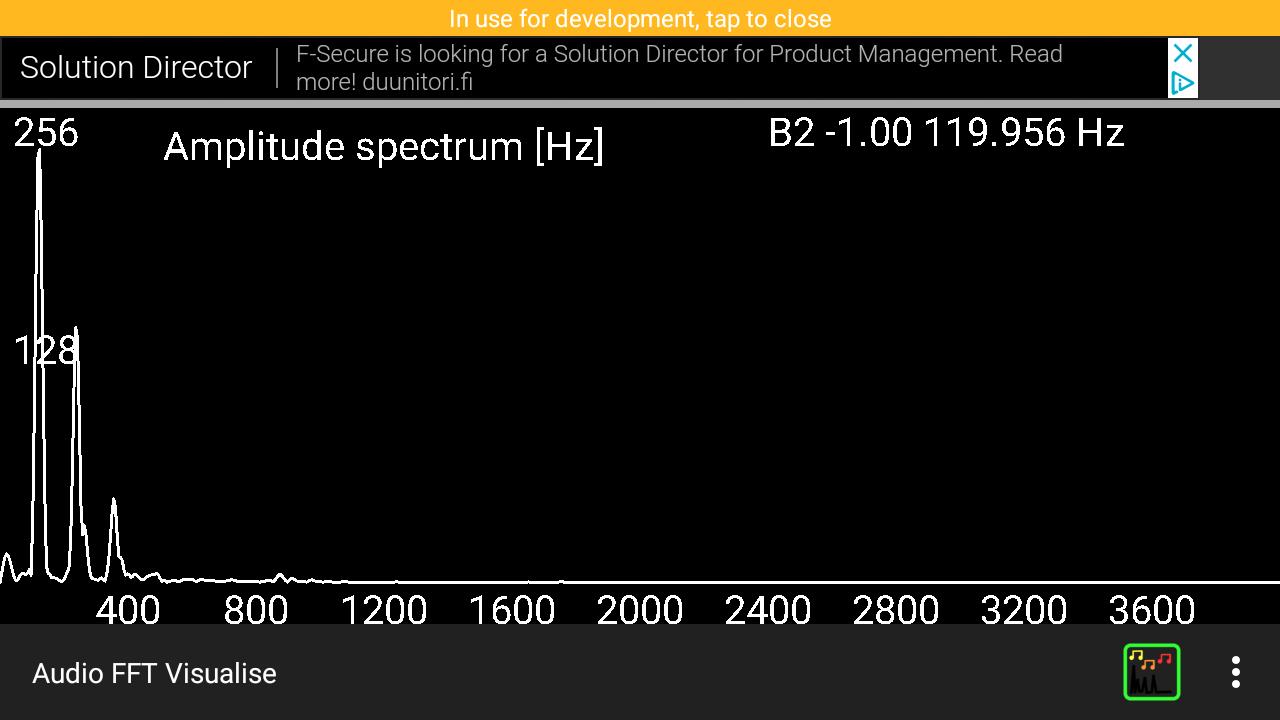
Visualises the amplitude spectrum of the direct cosine transform of the latest 8196 audio data points. Also evaluates polyphony, and fundamental frequencies using the method Anssi Klapuri developed during his PhD (see 'about' in the app for further details). The polyphony estimation seems to work relatively well for one and two simultaneous notes and occasionally get three simultaneous notes correct as well. Due to the implementation, an integer multiple of the actual fundamental frequency is often erroneously indicated.
The app is expected to be useful e.g. in visualising how a string instrument (or otherwise oscillating standing wave, such as human voice or a flute) has harmonics and a percussion instrument does not. Could also be informative for a small ensemble of up to three people in identifying the fundamental frequencies being sung in near real-time (one could use screen recording to record a performance).
FEATURES
Visualises DFT amplitude spectrum every 0.2 seconds (with roughly twice as much delay)
Estimates fundamental frequencies and displays note name with scientific pitch notation (e.g. lowest guitar string E2 82.41 HZ, A above middle C is A4 440 Hz). Tones are sorted in ascending order when displayed. Tones between 55 Hz and 1661.2 Hz (i.e. A1 to G#6) considered as potential notes.
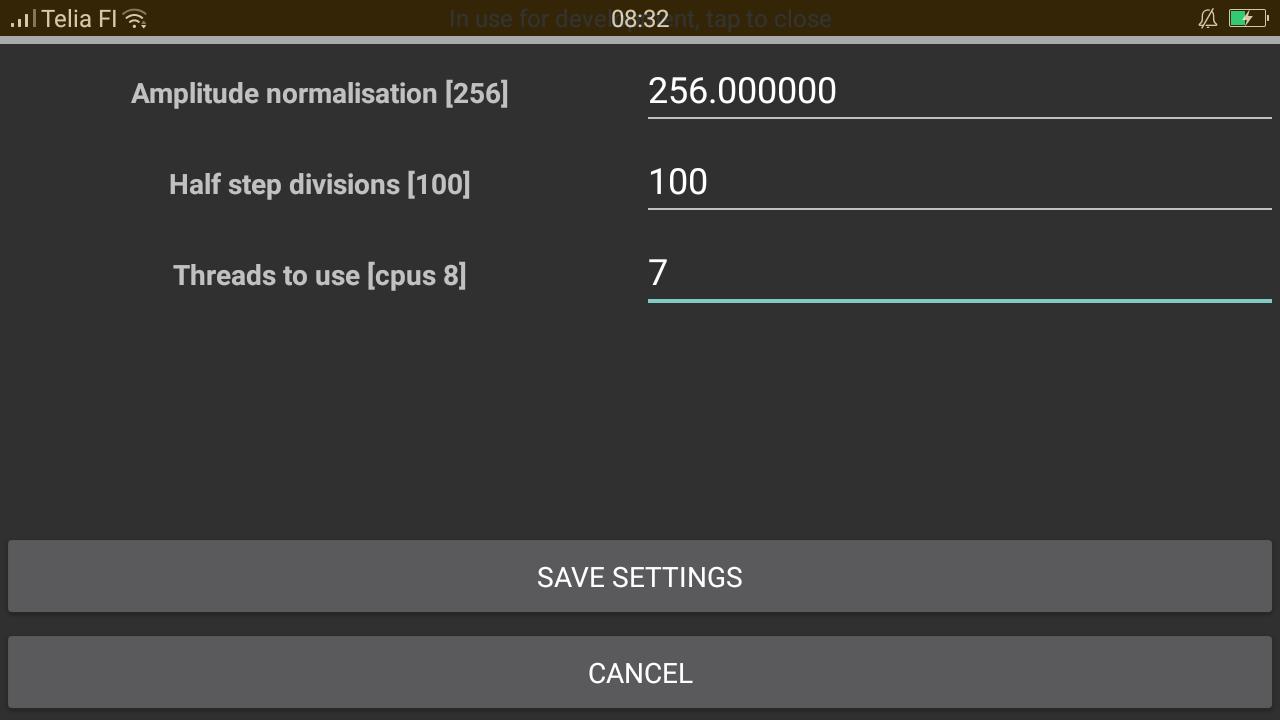
Amplitude normalisation can be modified to suit your device's audio input (16-bit values are requested, and 256 is used as the normalisation by default).
Number of divisions per semitone to be considered can be set. My Oppo F1s is capable of doing 100 divisions per semitone, which should be sufficient for tuning e.g. a guitar.
The estimation of polyphony and fundamental frequencies; e.g. piano middle A (the 5th A on the keyboard) should give you 440 Hz, and the second string of a guitar (corresponds to the 3rd A on a piano keyboard) should give you 110 Hz. Tuning requires roughly 1/100 of a semitone precision, and a powerful smartphone will be capable of calculating the tone with the required precision in near real-time.
पूर्वावलोकन
टैग
Music-&जानकारी
डेवलपर
Timo Rantalainen
नवीनतम संस्करण
1.0.12
आखरी अपडेट
2022-01-18
श्रेणी
Music-audio
पर उपलब्ध
Google Play
और दिखाओ
पीसी पर गेमलूप के साथ Audio FFT Visualise कैसे खेलें
1. आधिकारिक वेबसाइट से GameLoop डाउनलोड करें, फिर GameLoop को स्थापित करने के लिए exe फ़ाइल चलाएँ।
2. गेमलूप खोलें और "Audio FFT Visualise" खोजें, खोज परिणामों में Audio FFT Visualise खोजें और "इंस्टॉल करें" पर क्लिक करें।
3. GameLoop पर Audio FFT Visualise खेलने का आनंद लें।
Minimum requirements
OS
Windows 8.1 64-bit or Windows 10 64-bit
GPU
GTX 1050
CPU
i3-8300
Memory
8GB RAM
Storage
1GB available space
Recommended requirements
OS
Windows 8.1 64-bit or Windows 10 64-bit
GPU
GTX 1050
CPU
i3-9320
Memory
16GB RAM
Storage
1GB available space