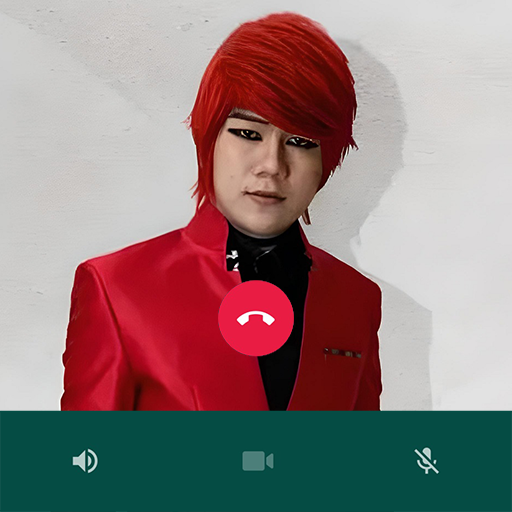
Pesulap Merah Fake Video Call for PC
BAKSO
GameLoop एमुलेटर के साथ पीसी पर Pesulap Merah Fake Video Call डाउनलोड करें
पीसी पर Pesulap Merah Fake Video Call
Pesulap Merah Fake Video Call, डेवलपर BAKSO से आ रहा है, अतीत में Android सिस्टर्म पर चल रहा है।
अब, आप Pesulap Merah Fake Video Call को पीसी पर GameLoop के साथ आसानी से खेल सकते हैं।
इसे GameLoop लाइब्रेरी या खोज परिणामों में डाउनलोड करें। अब और गलत समय पर बैटरी या निराशाजनक कॉलों पर ध्यान नहीं देना चाहिए।
बस मुफ्त में बड़ी स्क्रीन पर Pesulap Merah Fake Video Call पीसी का आनंद लें!
Pesulap Merah Fake Video Call परिचय
The Red Magician's real name is Marcel Radhival. The name of the Red Magician recently stole the attention because he revealed the secret of Gus Samsudin's supernatural powers. Gus Samsudin himself is known as a practitioner of spiritual knowledge or mysticism. He is believed to be able to cure various "diseases".
Even so, his ability which was considered sacred by the common people was dismantled by the Red Magician. For the Red Magicians all of this was just a trick to trick the wider community. Before entering the world of magic, Marcel Radhival had dreams of becoming a veterinarian. Not only that, Marcel Radhival has also helped his friend who has a travel agency business by distributing brochures. The Red Magician has also worked as a caretaker for children at a mall in Jakarta.
After that, the Red Magician got an offer as an insurance agent. However, it only lasted for five months, although Marcel Radhival admitted that he had gained a lot of knowledge from this work.
Marcel Radhival has also been an online motorcycle taxi driver earning IDR 6 million per month which has made his family's economic situation slowly improve and has also been a children's magic teacher.
How to use :
- open the app
- select the available menu
- chat, video call or play puzzle
- simple and easy to use
Feature :
- Red Magician's Puzzle
- Red Magician's Contact
- Chat with Red Magician
- Video call with Red Magician
- Prank called by the Red Magician
- Lightweight and easy to use.
पूर्वावलोकन


टैग
लाइफ़स्टाइलजानकारी
डेवलपर
BAKSO
नवीनतम संस्करण
3.1.0
आखरी अपडेट
2022-08-30
श्रेणी
लाइफ़स्टाइल
पर उपलब्ध
Google Play
और दिखाओ
पीसी पर गेमलूप के साथ Pesulap Merah Fake Video Call कैसे खेलें
1. आधिकारिक वेबसाइट से GameLoop डाउनलोड करें, फिर GameLoop को स्थापित करने के लिए exe फ़ाइल चलाएँ।
2. गेमलूप खोलें और "Pesulap Merah Fake Video Call" खोजें, खोज परिणामों में Pesulap Merah Fake Video Call खोजें और "इंस्टॉल करें" पर क्लिक करें।
3. GameLoop पर Pesulap Merah Fake Video Call खेलने का आनंद लें।
Minimum requirements
OS
Windows 8.1 64-bit or Windows 10 64-bit
GPU
GTX 1050
CPU
i3-8300
Memory
8GB RAM
Storage
1GB available space
Recommended requirements
OS
Windows 8.1 64-bit or Windows 10 64-bit
GPU
GTX 1050
CPU
i3-9320
Memory
16GB RAM
Storage
1GB available space