
Oneflix - Unify Your Streaming for PC
Oneflix
GameLoop एमुलेटर के साथ पीसी पर Oneflix - Unify Your Streaming डाउनलोड करें
पीसी पर Oneflix - Unify Your Streaming
Oneflix - Unify Your Streaming, डेवलपर Oneflix से आ रहा है, अतीत में Android सिस्टर्म पर चल रहा है।
अब, आप Oneflix - Unify Your Streaming को पीसी पर GameLoop के साथ आसानी से खेल सकते हैं।
इसे GameLoop लाइब्रेरी या खोज परिणामों में डाउनलोड करें। अब और गलत समय पर बैटरी या निराशाजनक कॉलों पर ध्यान नहीं देना चाहिए।
बस मुफ्त में बड़ी स्क्रीन पर Oneflix - Unify Your Streaming पीसी का आनंद लें!
Oneflix - Unify Your Streaming परिचय
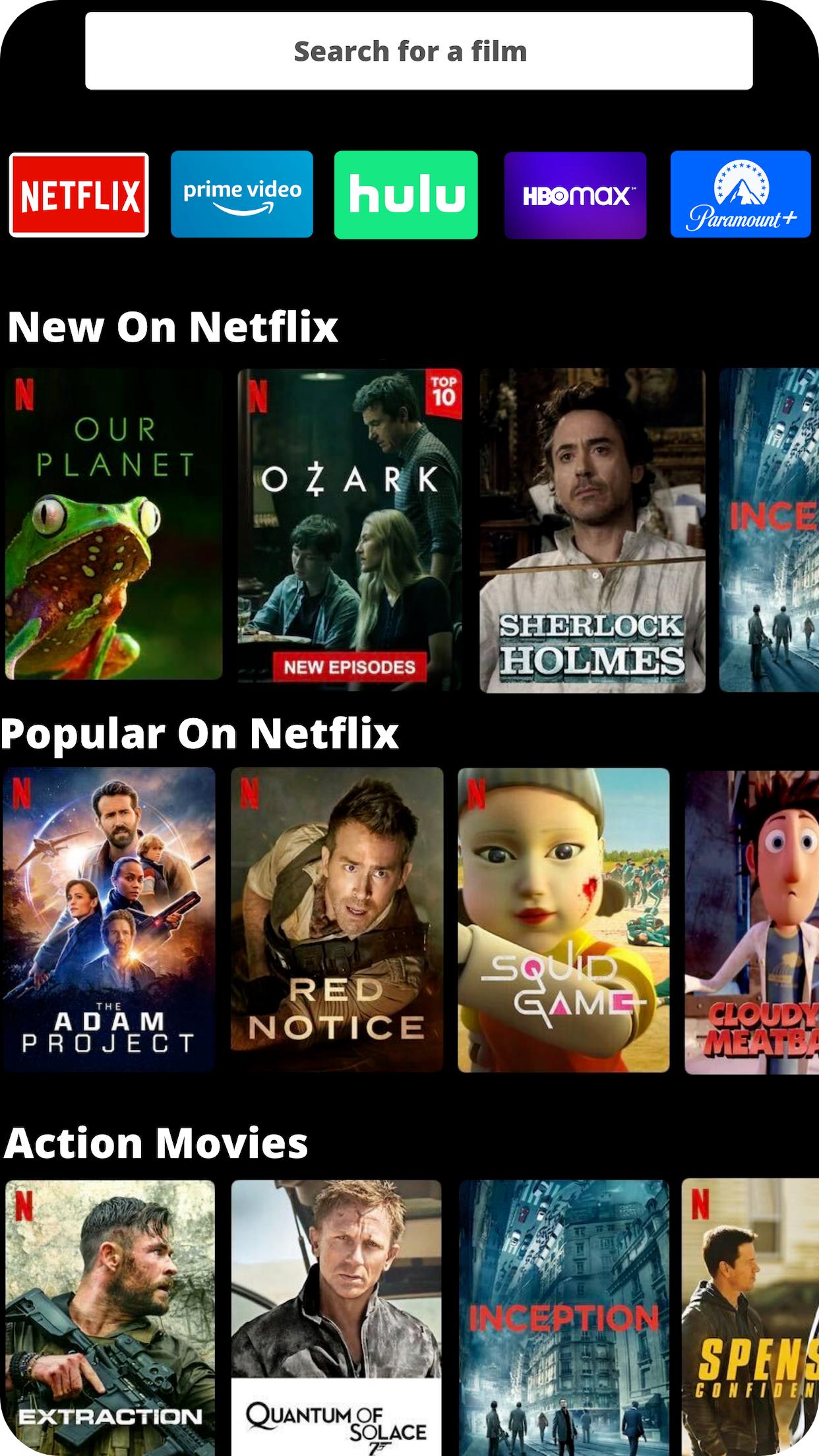
Oneflix allows you to unify your streaming services. Use one dashboard to browse content across all your major streaming services, including Netflix, Disney Plus, HBO Max, Amazon Prime Video, and many others.
If you run into any issues, email us at support@oneflix.app
With Oneflix you can:
✔ Use one unified streaming app to browse through content on Netflix, Amazon, HBO Max, Disney Plus, Hulu, and many other streaming services.
✔ Connect with your friends to discover what they’re streaming and talking about.
✔ Recommend great streaming content to your friends and family members.
✔ Give reviews and comments on streaming content that you and your friends are watching.
✔ Find where to watch any content on streaming using our powerful universal streaming search.
For questions, technical support, feature requests, or you just want to say hi, you can reach us at support@oneflix.app
पूर्वावलोकन
टैग
मनोरंजनजानकारी
डेवलपर
Oneflix
नवीनतम संस्करण
1.0.29
आखरी अपडेट
2022-05-31
श्रेणी
मनोरंजन
पर उपलब्ध
Google Play
और दिखाओ
पीसी पर गेमलूप के साथ Oneflix - Unify Your Streaming कैसे खेलें
1. आधिकारिक वेबसाइट से GameLoop डाउनलोड करें, फिर GameLoop को स्थापित करने के लिए exe फ़ाइल चलाएँ।
2. गेमलूप खोलें और "Oneflix - Unify Your Streaming" खोजें, खोज परिणामों में Oneflix - Unify Your Streaming खोजें और "इंस्टॉल करें" पर क्लिक करें।
3. GameLoop पर Oneflix - Unify Your Streaming खेलने का आनंद लें।
Minimum requirements
OS
Windows 8.1 64-bit or Windows 10 64-bit
GPU
GTX 1050
CPU
i3-8300
Memory
8GB RAM
Storage
1GB available space
Recommended requirements
OS
Windows 8.1 64-bit or Windows 10 64-bit
GPU
GTX 1050
CPU
i3-9320
Memory
16GB RAM
Storage
1GB available space