
Workforce.com - Employee App for PC
Tanda
GameLoop एमुलेटर के साथ पीसी पर Workforce.com - Employee App डाउनलोड करें
पीसी पर Workforce.com - Employee App
Workforce.com - Employee App, डेवलपर Tanda से आ रहा है, अतीत में Android सिस्टर्म पर चल रहा है।
अब, आप Workforce.com - Employee App को पीसी पर GameLoop के साथ आसानी से खेल सकते हैं।
इसे GameLoop लाइब्रेरी या खोज परिणामों में डाउनलोड करें। अब और गलत समय पर बैटरी या निराशाजनक कॉलों पर ध्यान नहीं देना चाहिए।
बस मुफ्त में बड़ी स्क्रीन पर Workforce.com - Employee App पीसी का आनंद लें!
Workforce.com - Employee App परिचय
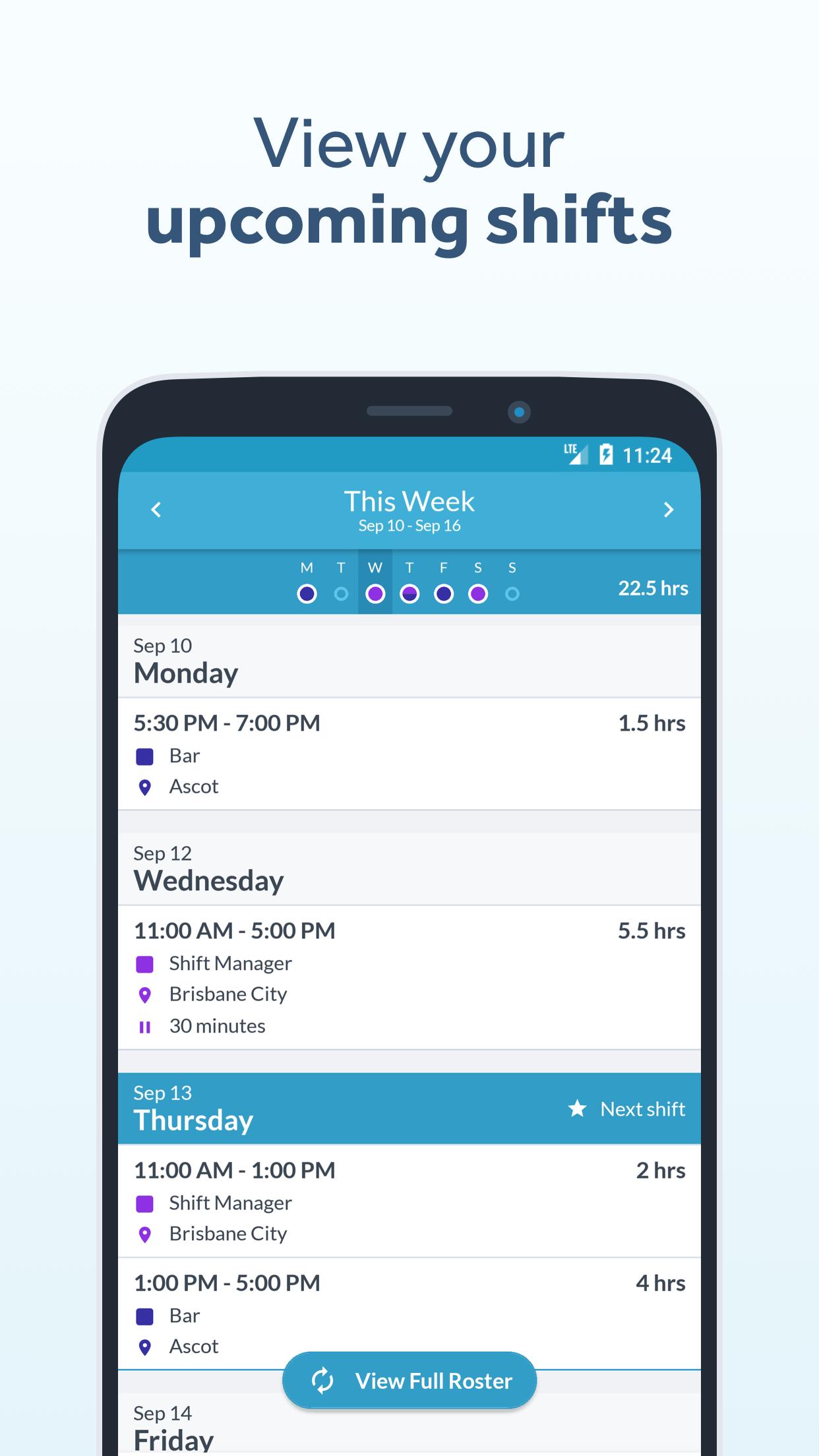
Workforce.com puts all your important work details in one place. With our app you can:
- View your shifts
- Cover shifts when your coworkers can't make it
- View the status of your leave requests
- Manage your time off if your workplace has it enabled
- Sync your roster to your calendar
- Set up alerts to remind you a shift is starting soon
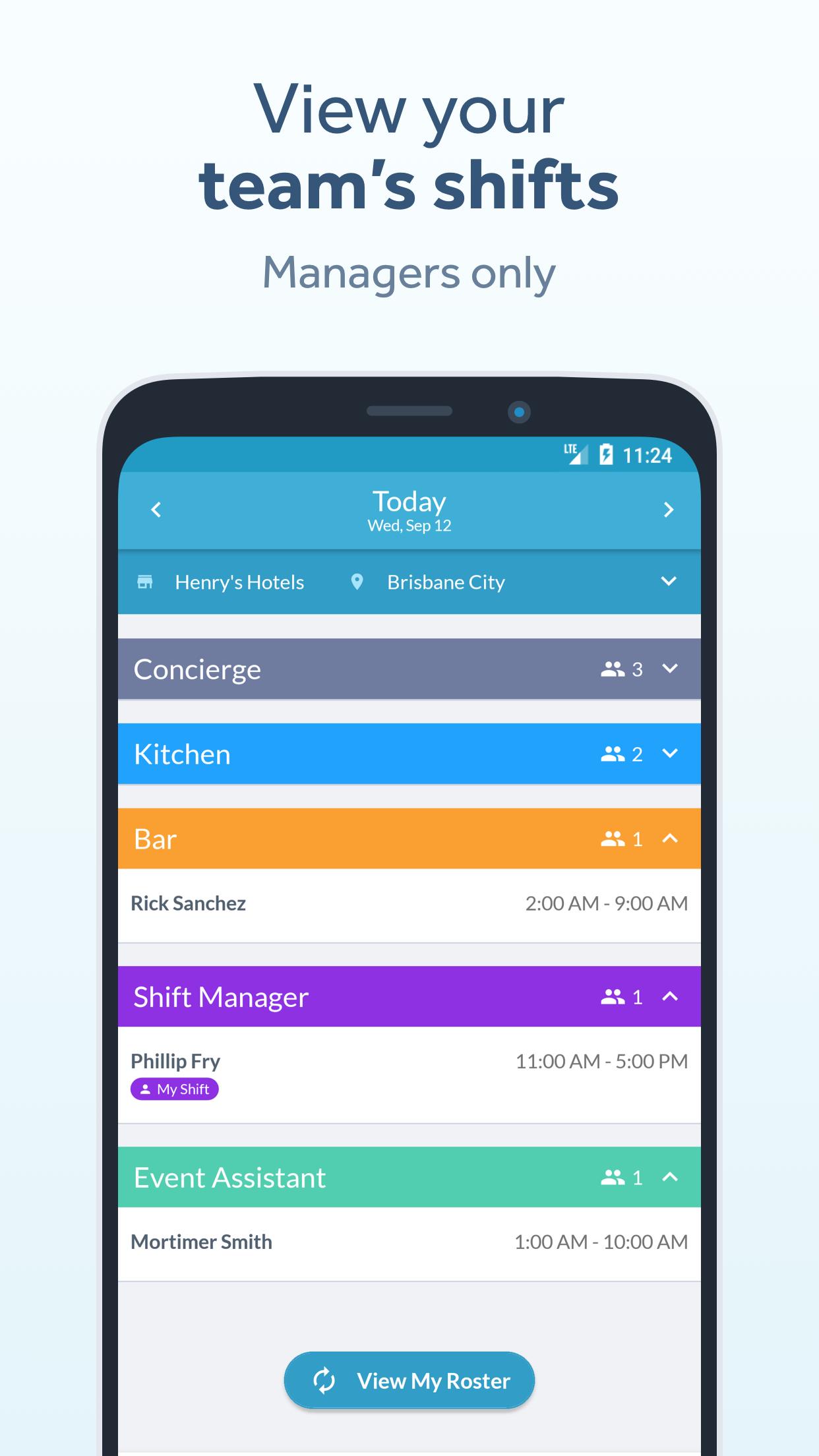
- Allow managers to view their team's shifts
Workforce.com boasts a stellar user support team for troubleshooting and continuous development to regularly provide you with new intuitive features.
ABOUT WORKFORCE.COM
Workforce.com is the world's #1 workforce platform. We build cloud software for scheduling staff, managing attendance, and making smart business decisions. Our platform enables businesses to build truly productive workforces, so they can ultimately grow and create more jobs. With workforce.com staff are better informed, they are happier, and they are more productive.
“The fact that myself and my staff can access everything in one simple app, makes everything so much easier for all of us."
– Cam, Manager at Urban Climb
“I have found that the unavailability function in Tanda has been a godsend. The app now makes it ten times easier by having everything in one place.”
– Lauren, Operations Manager at Pandora
पूर्वावलोकन
टैग
कारोबारजानकारी
डेवलपर
Tanda
नवीनतम संस्करण
3.25
आखरी अपडेट
2025-09-02
श्रेणी
कारोबार
पर उपलब्ध
Google Play
और दिखाओ
पीसी पर गेमलूप के साथ Workforce.com - Employee App कैसे खेलें
1. आधिकारिक वेबसाइट से GameLoop डाउनलोड करें, फिर GameLoop को स्थापित करने के लिए exe फ़ाइल चलाएँ।
2. गेमलूप खोलें और "Workforce.com - Employee App" खोजें, खोज परिणामों में Workforce.com - Employee App खोजें और "इंस्टॉल करें" पर क्लिक करें।
3. GameLoop पर Workforce.com - Employee App खेलने का आनंद लें।
Minimum requirements
OS
Windows 8.1 64-bit or Windows 10 64-bit
GPU
GTX 1050
CPU
i3-8300
Memory
8GB RAM
Storage
1GB available space
Recommended requirements
OS
Windows 8.1 64-bit or Windows 10 64-bit
GPU
GTX 1050
CPU
i3-9320
Memory
16GB RAM
Storage
1GB available space