
Koh Samui Travel Booking for PC
Neesa Apps Studio
Unduh Koh Samui Travel Booking di PC Dengan Emulator GameLoop
Koh Samui Travel Booking di PC
Koh Samui Travel Booking, berasal dari pengembang Neesa Apps Studio, berjalan di sistem Android di masa lalu.
Sekarang, Anda dapat memainkan Koh Samui Travel Booking di PC dengan GameLoop dengan lancar.
Unduh di perpustakaan GameLoop atau hasil pencarian. Tidak ada lagi memperhatikan baterai atau panggilan frustasi pada waktu yang salah lagi.
Nikmati saja Koh Samui Travel Booking PC di layar besar secara gratis!
Koh Samui Travel Booking Pengantar
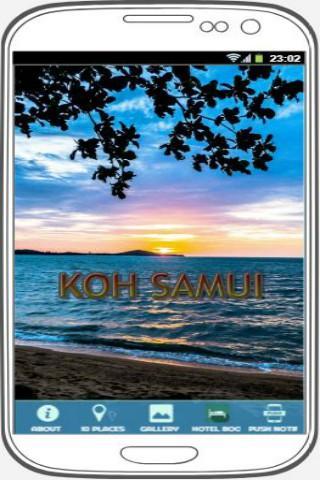
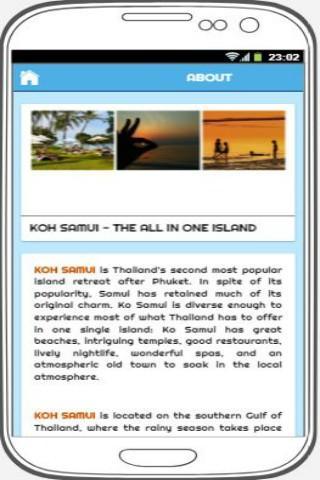
Welcome to Koh Samui; one of the coolest tropical holiday destinations on the world map. Koh Samui is a cosmopolitan melting pot, attracting budget travellers that sometimes stay for a month or two in simple beachside bungalows as well as the mega rich, dropping by for a weekend at a luxury resort or beach villa. Koh Samui is unique among Thailand's islands in maintaining a broad appeal to everyone. This helps to foster the distinctive relaxed atmosphere that sets it apart. Koh Samui has a wide range of accommodation, great nightlife, action sports, and beautiful scenery. Experience first-class spas and holistic activities.
Find 10 best places to visit around Koh Samui in this Koh Samui Travel Booking app with detailed maps as belows:
1) Angthong National Marine Park
2) Big Buddha
3) Bophut's Fisherman's Village
4) Na Muang Waterfall
5) Koh Nang Yuan
6) Chaweng Beach
7) Secret Buddha Garden
8) Lamai Beach
9) Hin Yai & Hin Ta Rocks
10) Koh Tao
Koh Samui Travel Booking app also contain hotel booking with favourable deals, local tips dos' and donts', local words vocabulary and emergency no phone for your trip to Ko Samui.
Plan the perfect tour and itineraries around the city of Ko Samui using street and public transportation maps. Enjoy the city by with local restaurants and hotels recommendations.
Very easy to use. Your perfect travel tool to feel like a local in town. Download Koh Samui Travel Booking for FREE and enjoy your trip!
Pratinjau
Informasi
Pengembang
Neesa Apps Studio
Versi Terbaru
2.0
Terakhir Diperbarui
2019-09-18
Kategori
Travel-local
Tersedia di
Google Play
Menampilkan lebih banyak
Cara memainkan Koh Samui Travel Booking dengan GameLoop di PC
1. Download GameLoop dari situs resminya, lalu jalankan file exe untuk menginstal GameLoop.
2. Buka GameLoop dan cari “Koh Samui Travel Booking”, temukan Koh Samui Travel Booking di hasil pencarian dan klik “Install”.
3. Nikmati bermain Koh Samui Travel Booking di GameLoop.
Minimum requirements
OS
Windows 8.1 64-bit or Windows 10 64-bit
GPU
GTX 1050
CPU
i3-8300
Memory
8GB RAM
Storage
1GB available space
Recommended requirements
OS
Windows 8.1 64-bit or Windows 10 64-bit
GPU
GTX 1050
CPU
i3-9320
Memory
16GB RAM
Storage
1GB available space