
Maps Recorder for PC
Ivan qSchulz
Unduh Maps Recorder di PC Dengan Emulator GameLoop
Maps Recorder di PC
Maps Recorder, berasal dari pengembang Ivan qSchulz, berjalan di sistem Android di masa lalu.
Sekarang, Anda dapat memainkan Maps Recorder di PC dengan GameLoop dengan lancar.
Unduh di perpustakaan GameLoop atau hasil pencarian. Tidak ada lagi memperhatikan baterai atau panggilan frustasi pada waktu yang salah lagi.
Nikmati saja Maps Recorder PC di layar besar secara gratis!
Maps Recorder Pengantar
With this app, you will not get lost in a strange city.
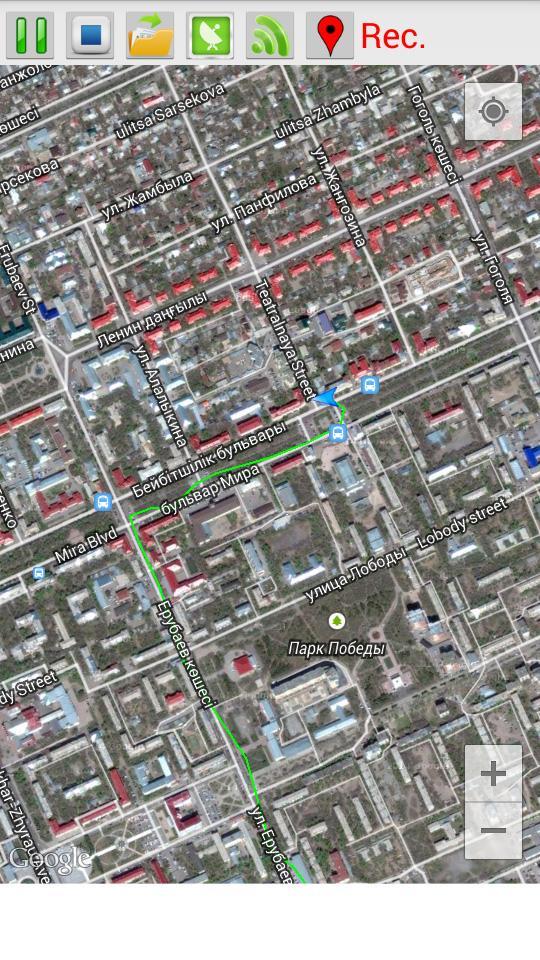
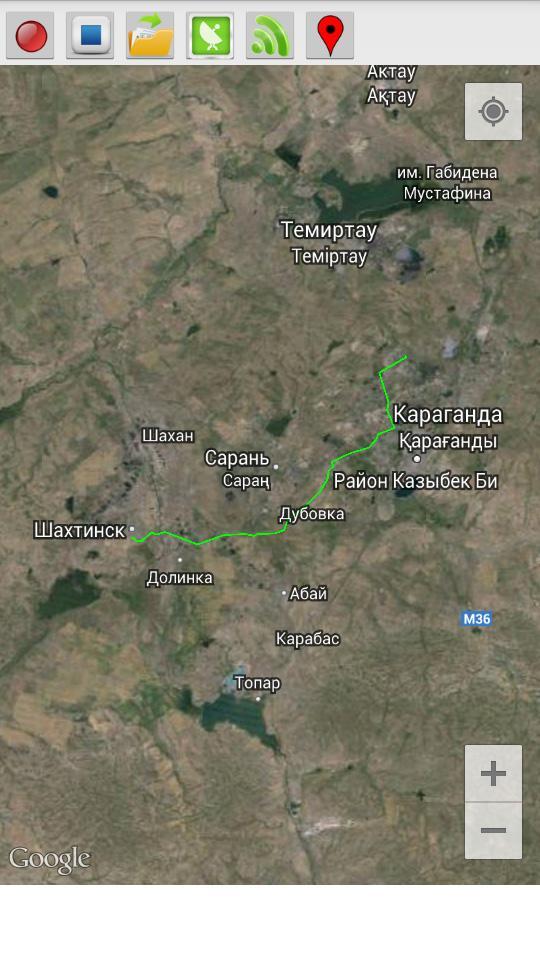
This program records your route traffic and imposes it on the satellite map.
- The route is recorded even when the internet is disabled.
- The route continues to be recorded when the phone is locked.
- To start recording, press the Rec (1) and enter the name of the route.
- To stop the recording, press Stop (2).
- In order to open a previously saved routes, click Open (3) and select the desired route from the list.
- Button GPS (4) opens a menu to enable / disable the GPS on your phone. If you do not have a GPS receiver, you can use the definition of the location of the mobile networks and access points Wi-Fi (the accuracy is lower).
- Button Wi-Fi (5) turns on / off Wi-Fi.
- Button Marker (6) sets the marker on the map.
Pratinjau
Informasi
Pengembang
Ivan qSchulz
Versi Terbaru
1.0
Terakhir Diperbarui
2014-09-02
Kategori
Alat
Tersedia di
Google Play
Menampilkan lebih banyak
Cara memainkan Maps Recorder dengan GameLoop di PC
1. Download GameLoop dari situs resminya, lalu jalankan file exe untuk menginstal GameLoop.
2. Buka GameLoop dan cari “Maps Recorder”, temukan Maps Recorder di hasil pencarian dan klik “Install”.
3. Nikmati bermain Maps Recorder di GameLoop.
Minimum requirements
OS
Windows 8.1 64-bit or Windows 10 64-bit
GPU
GTX 1050
CPU
i3-8300
Memory
8GB RAM
Storage
1GB available space
Recommended requirements
OS
Windows 8.1 64-bit or Windows 10 64-bit
GPU
GTX 1050
CPU
i3-9320
Memory
16GB RAM
Storage
1GB available space