
Edge Sense Plus for PC
j to the 4n
Unduh Edge Sense Plus di PC Dengan Emulator GameLoop
Edge Sense Plus di PC
Edge Sense Plus, berasal dari pengembang j to the 4n, berjalan di sistem Android di masa lalu.
Sekarang, Anda dapat memainkan Edge Sense Plus di PC dengan GameLoop dengan lancar.
Unduh di perpustakaan GameLoop atau hasil pencarian. Tidak ada lagi memperhatikan baterai atau panggilan frustasi pada waktu yang salah lagi.
Nikmati saja Edge Sense Plus PC di layar besar secara gratis!
Edge Sense Plus Pengantar
This app just works on HTC and Pixel devices with a squeezable frame!
Information to Pixel2/Pixel3 users: Starting with Android Q, the app works even on unrooted devices by replacing the Assistant app with Edge Sense Plus. Instructions are given in the app. For Oreo and Pie users root is still required.
Android Authority: "Edge Sense Plus makes the HTC U11 a shortcut machine"
"Use Edge Sense Plus to customize Active Edge on your Pixel 3"
XDA-Developers: "Edge Sense Plus for HTC U11 Quick Look: Get More Out of Every Squeeze"
"Customize the Google Pixel 2’s Active Edge to do any action with Edge Sense Plus [XDA Spotlight]"
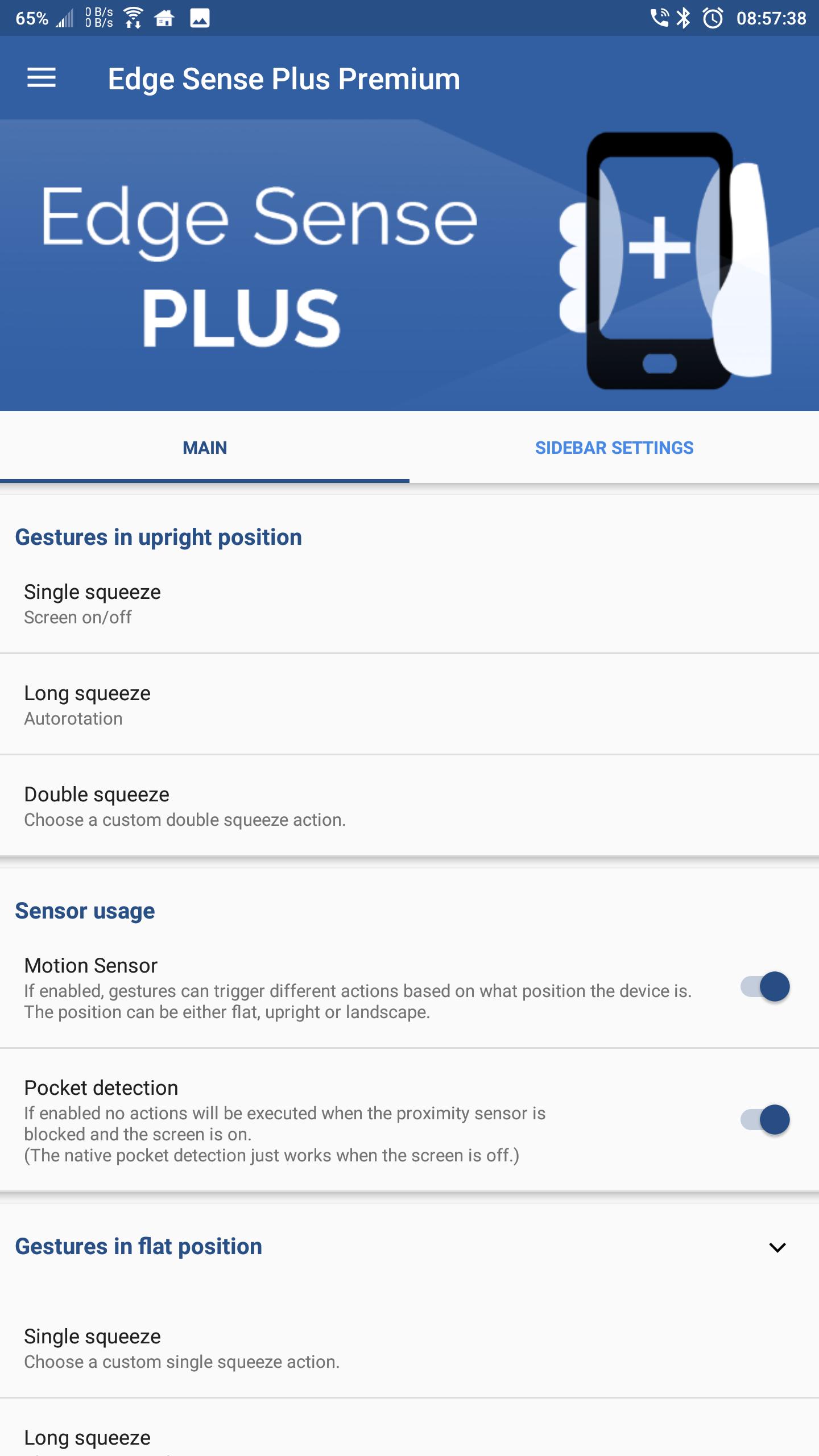
Edge Sense Plus adds new actions and functionality to HTC Edge Sense!
The available double squeeze gesture will be useful for all that often accidentally trigger the short squeeze,
what shouldn't happen that easily with the double squeeze gesture.
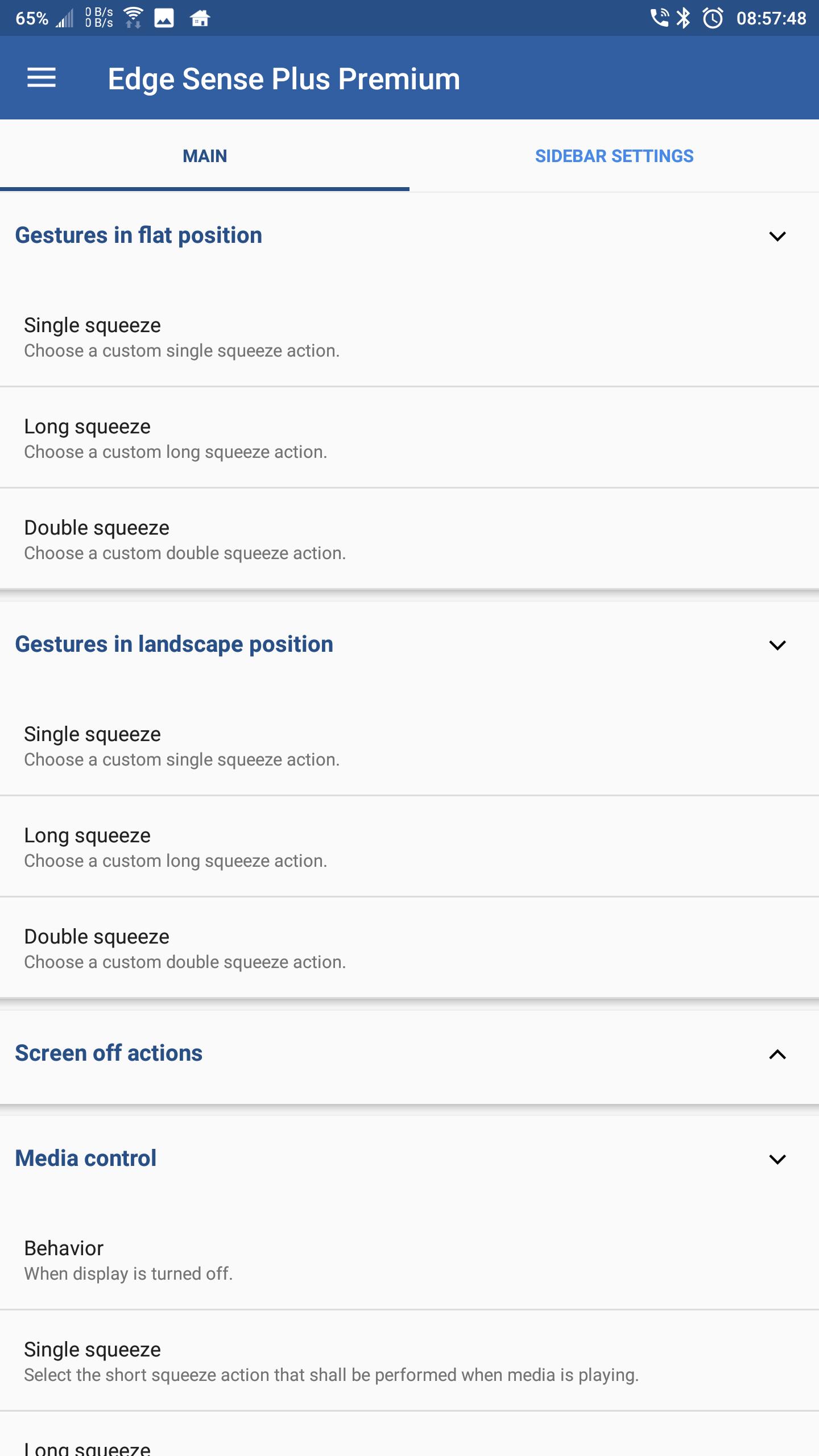
With the G-Sensor functionality you will be able to execute different actions depending on the current position of your device, whether it is flat, upright in your hand or in lanscape
That means, that Edge Sense Plus adds seven more additional squeeze gestures, so you have now 9 different squeeze gestures that you can use and customize.
But that is not all, if you use the Action per app action, you can define different actions depending in what app you currently are!
Additionally a sidebar will help you to access your favourite apps, recent apps and quicksettings from everywhere.
To add some more fun to your squeezes you can let play a custom sound that will be played when executing a squeeze gesture.
With the magisk system mod enabled you can perform actions while the screen is off.
It also unlocks additonal features like coloring the visual feedback.
There are 40+ actions you can use:
► Action per app: You can have different actions, dependent in what app you are!
► Sidebar with three different panels: Applications, Quick Settings, Recent Apps
► Gesture Panel
► Custom App
► Custom shortcuts e.g. direct calls, messages or email
► Recent Apps
► Toggle Autorotation
► Autobrightness (6 states: Auto, Min, Low, Mid, High, Max)
► Expand/Collapse Statusbar
► Toggle NFC (root)
► Toggle Display on/off (root)
► Toggle DND
► Toggle Vibration
► Toggle Bluetooth
► Toggle WiFi
► Music Play/Pause
► Previous Track
► Next Track
► Toggle Keep awake
► Google Assistent
► HTC Alexa
► Lock Screen
► Back
► Home
► Split Screen
► Toggle Sync
► Sync all accounts
► Previous App
► Scroll up
► Scroll down
► Clear all notifications
► Toggle Flashlight
► Answer Call
► End Call
► Fullscreen Mode
► Shell command (root)
► Toggle Powersaver (root)
► Toggle GPS (root)
► Camera (root)
If you have any more features you want to see or want to help with translations, contact us!
Information:
Due system limitations it is not possible to execute squeeze actions without root while the screen is off.
In most cases you would want to open the camera while the sceeen is off, so the workaround would be to leave the long press squeeze gesture mapped to camera, and just let Edge Sense Plus control the short squeeze.
This app uses the Device Administrator permission.
You need to enable this permission to be able to use the "Lock Screen" action.
Pratinjau
Informasi
Pengembang
j to the 4n
Versi Terbaru
1.31.1
Terakhir Diperbarui
2020-09-22
Kategori
Alat
Tersedia di
Google Play
Menampilkan lebih banyak
Cara memainkan Edge Sense Plus dengan GameLoop di PC
1. Download GameLoop dari situs resminya, lalu jalankan file exe untuk menginstal GameLoop.
2. Buka GameLoop dan cari “Edge Sense Plus”, temukan Edge Sense Plus di hasil pencarian dan klik “Install”.
3. Nikmati bermain Edge Sense Plus di GameLoop.
Minimum requirements
OS
Windows 8.1 64-bit or Windows 10 64-bit
GPU
GTX 1050
CPU
i3-8300
Memory
8GB RAM
Storage
1GB available space
Recommended requirements
OS
Windows 8.1 64-bit or Windows 10 64-bit
GPU
GTX 1050
CPU
i3-9320
Memory
16GB RAM
Storage
1GB available space