DigiEye for PC
Syac-TB / Security Division - Techboard Group
Unduh DigiEye di PC Dengan Emulator GameLoop
DigiEye di PC
DigiEye, berasal dari pengembang Syac-TB / Security Division - Techboard Group, berjalan di sistem Android di masa lalu.
Sekarang, Anda dapat memainkan DigiEye di PC dengan GameLoop dengan lancar.
Unduh di perpustakaan GameLoop atau hasil pencarian. Tidak ada lagi memperhatikan baterai atau panggilan frustasi pada waktu yang salah lagi.
Nikmati saja DigiEye PC di layar besar secara gratis!
DigiEye Pengantar
============================================================
The application DigiEye can be executed only on android devices and allows to access remote DigiEye® DVRs, NVRs and HYBRID videosurveillance recorders.
============================================================
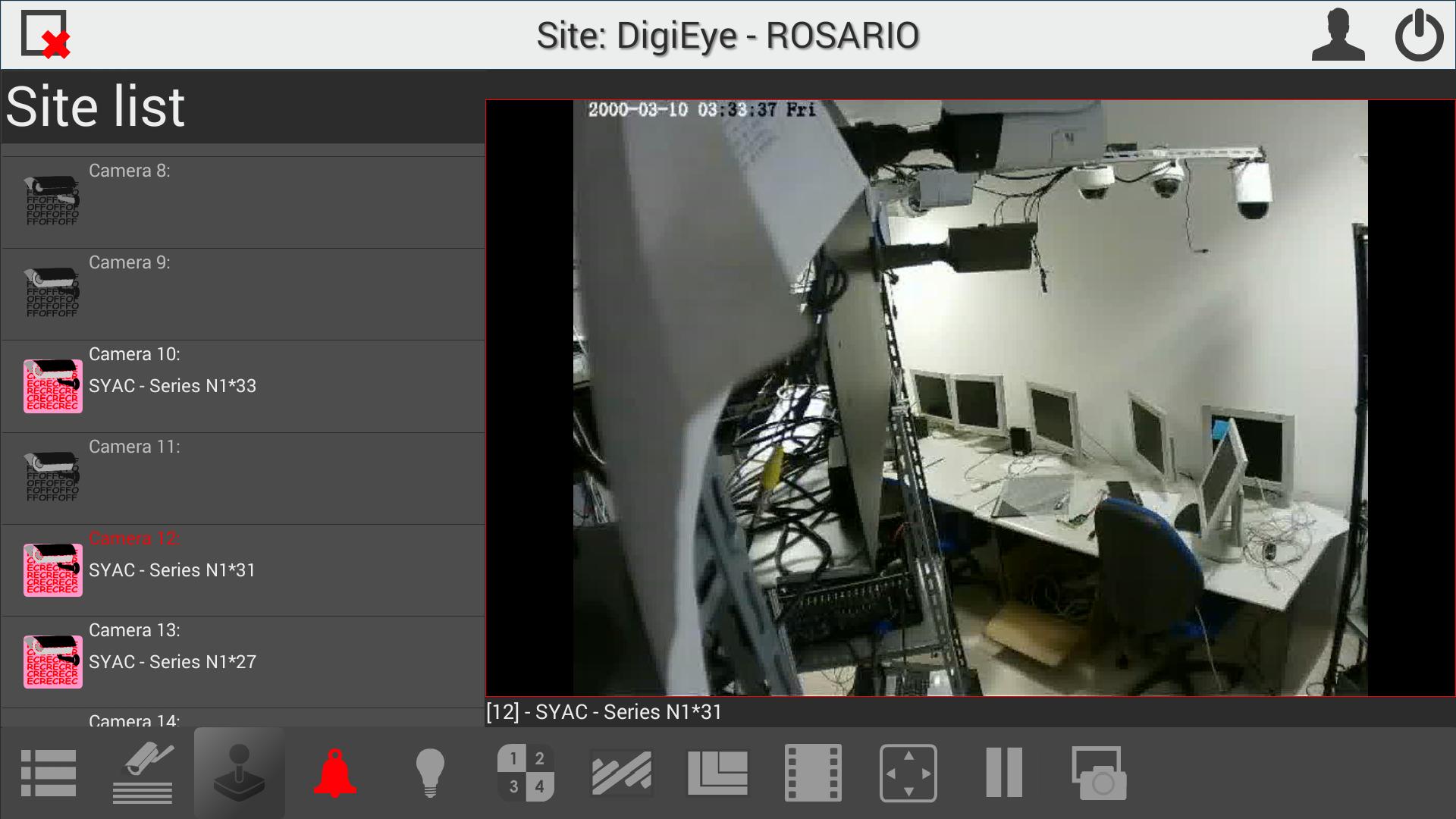
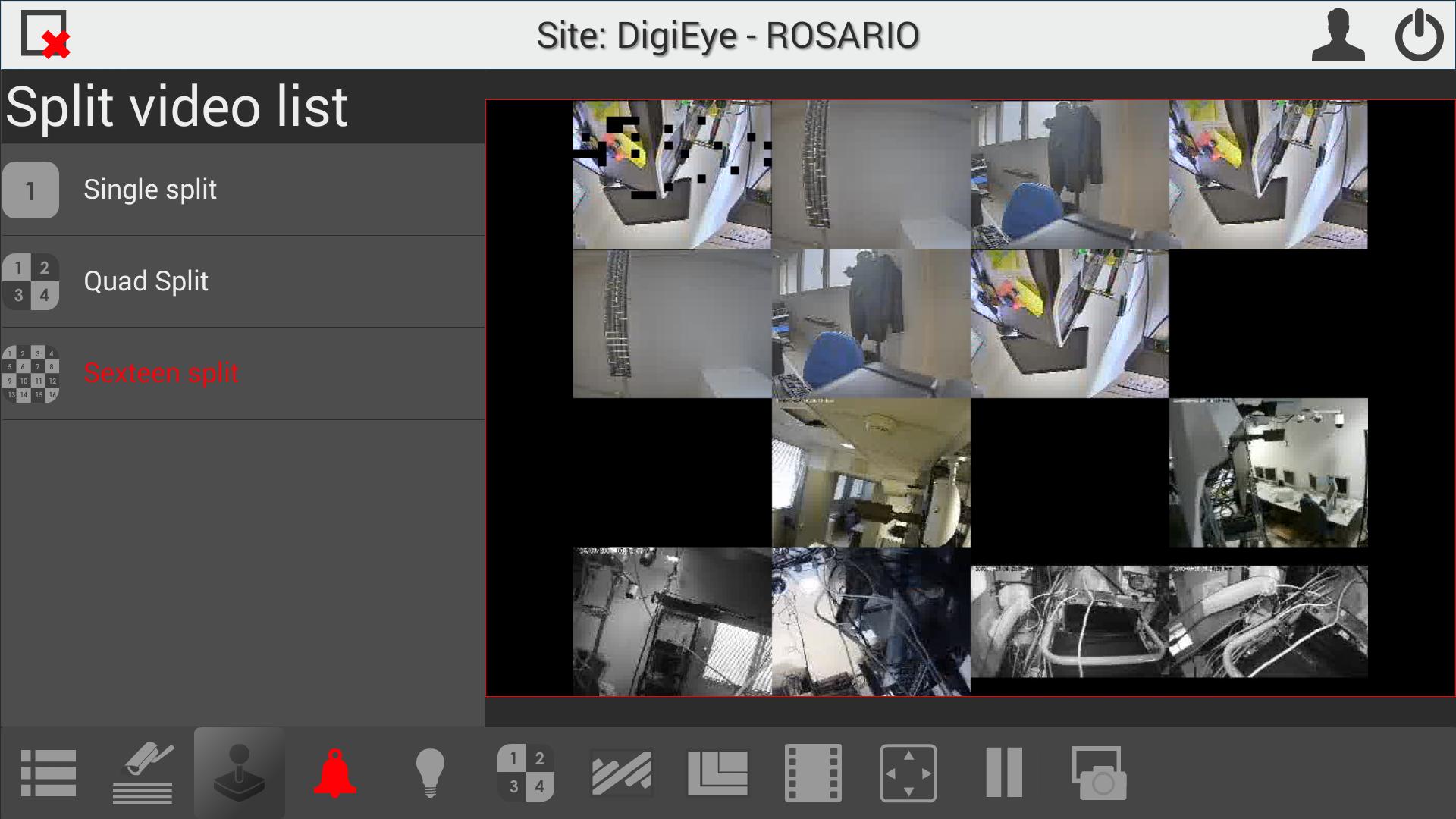
The app allows to remotely view live video and the state of the DigiEye® cameras, to see and force the state of the digital outputs, to see active alarms, to remote playback Delta® and H.264 compressed sequences and to manage PTZ control. The functionalities are performed in high display resolution.
The key features of iDigieye include:
-To view the list of all the connected sites
-To select a site from the connected sites list
-To view the list of all the cameras of the selected site. For each camera, the following information is available: the type, the current state and the name of the camera as well as the recording state of the recording system
-LIVE VIEW: x1/x4/x16 split, full screen, digital zoom, state and activation of the outputs, visualization of the alarm faults, change of image and quality resolution, snapshot, PTZ control
-REMOTE PLAYBACK: view of the storage recording start/end date, visualization of the entire playbar showing the off/idle/alarmed/fault/pre-alarmed or continuous recording state, remote playback functionalities, specification of the date of interest to go to
-CONFIGURATION: add/remove/edit parameters of the sites in the sites list, set/edit the app user/admin account parameters, set/edit general parameters
************************
ACCOUNT CONFIG:
************************
user: admin
passwd:
Pratinjau
Informasi
Pengembang
Syac-TB / Security Division - Techboard Group
Versi Terbaru
3.1.1
Terakhir Diperbarui
2016-06-07
Kategori
Alat
Tersedia di
Google Play
Menampilkan lebih banyak
Cara memainkan DigiEye dengan GameLoop di PC
1. Download GameLoop dari situs resminya, lalu jalankan file exe untuk menginstal GameLoop.
2. Buka GameLoop dan cari “DigiEye”, temukan DigiEye di hasil pencarian dan klik “Install”.
3. Nikmati bermain DigiEye di GameLoop.
Minimum requirements
OS
Windows 8.1 64-bit or Windows 10 64-bit
GPU
GTX 1050
CPU
i3-8300
Memory
8GB RAM
Storage
1GB available space
Recommended requirements
OS
Windows 8.1 64-bit or Windows 10 64-bit
GPU
GTX 1050
CPU
i3-9320
Memory
16GB RAM
Storage
1GB available space