Photo and Video Recovery for PC
Y Creation
Unduh Photo and Video Recovery di PC Dengan Emulator GameLoop
Photo and Video Recovery di PC
Photo and Video Recovery, berasal dari pengembang Y Creation, berjalan di sistem Android di masa lalu.
Sekarang, Anda dapat memainkan Photo and Video Recovery di PC dengan GameLoop dengan lancar.
Unduh di perpustakaan GameLoop atau hasil pencarian. Tidak ada lagi memperhatikan baterai atau panggilan frustasi pada waktu yang salah lagi.
Nikmati saja Photo and Video Recovery PC di layar besar secara gratis!
Photo and Video Recovery Pengantar
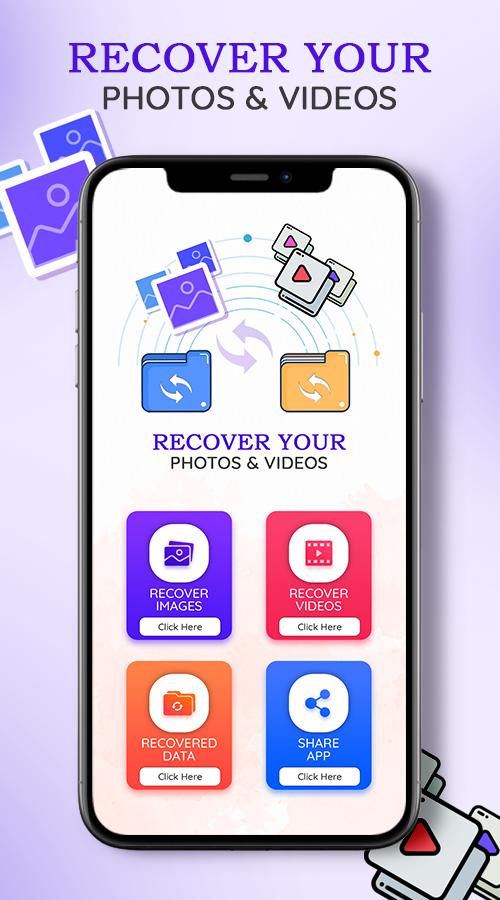
Video and photos recovery: Deleted data recovery is recovery app tool help you easily recover deleted videos from your mobile.
1. Scan deleted and lost pictures and video in android devices.
2. Select and restore erased image and movie.
We have all had such troubles in our minds before:
"Why do all photo recovery apps need to pay?"
"I accidentally deleted the photos?"
"My child deleted my important video by mistake?"
"How to recover photos and recover deleted videos?"
"Why did your favorite music disappear?"
"Which tool is best for data recovery?"
"What should I do if the file is damaged? Can it be repaired?"
Fortunately, now with Recycle Bin, the above problems can be easily solved!
This is a fast and very useful app for recover your data.
How to make Media file Recovery:
Restore Deleted Files & Media:
• Select deleted pictures, audios, docs or deleted videos from preview
• Tap on ‘Recover’ tab
• All selected media will be transferred to local folder
Clean up:
Data recovery tool allows users to remove unwanted deleted media permanently to create free disk space.
Just go to trash can, choose unwanted media and delete files permanently.
Disk digging app will immediately free extra space & pace up your smart device
Recover - Choose files and tap on Recover.
Thank you For Using Our Application.
Pratinjau

Tag
AlatInformasi
Pengembang
Y Creation
Versi Terbaru
1.0.10
Terakhir Diperbarui
2022-05-31
Kategori
Alat
Tersedia di
Google Play
Menampilkan lebih banyak
Cara memainkan Photo and Video Recovery dengan GameLoop di PC
1. Download GameLoop dari situs resminya, lalu jalankan file exe untuk menginstal GameLoop.
2. Buka GameLoop dan cari “Photo and Video Recovery”, temukan Photo and Video Recovery di hasil pencarian dan klik “Install”.
3. Nikmati bermain Photo and Video Recovery di GameLoop.
Minimum requirements
OS
Windows 8.1 64-bit or Windows 10 64-bit
GPU
GTX 1050
CPU
i3-8300
Memory
8GB RAM
Storage
1GB available space
Recommended requirements
OS
Windows 8.1 64-bit or Windows 10 64-bit
GPU
GTX 1050
CPU
i3-9320
Memory
16GB RAM
Storage
1GB available space