Android Transfer for PC
Pratik Raut
Unduh Android Transfer di PC Dengan Emulator GameLoop
Android Transfer di PC
Android Transfer, berasal dari pengembang Pratik Raut, berjalan di sistem Android di masa lalu.
Sekarang, Anda dapat memainkan Android Transfer di PC dengan GameLoop dengan lancar.
Unduh di perpustakaan GameLoop atau hasil pencarian. Tidak ada lagi memperhatikan baterai atau panggilan frustasi pada waktu yang salah lagi.
Nikmati saja Android Transfer PC di layar besar secara gratis!
Android Transfer Pengantar
Android Transfer shares the device's internal storage over Wi-Fi or Hotspot for easy transfer and access of files to/from the device.
Features
- Shares internal storage over wifi and hotspot
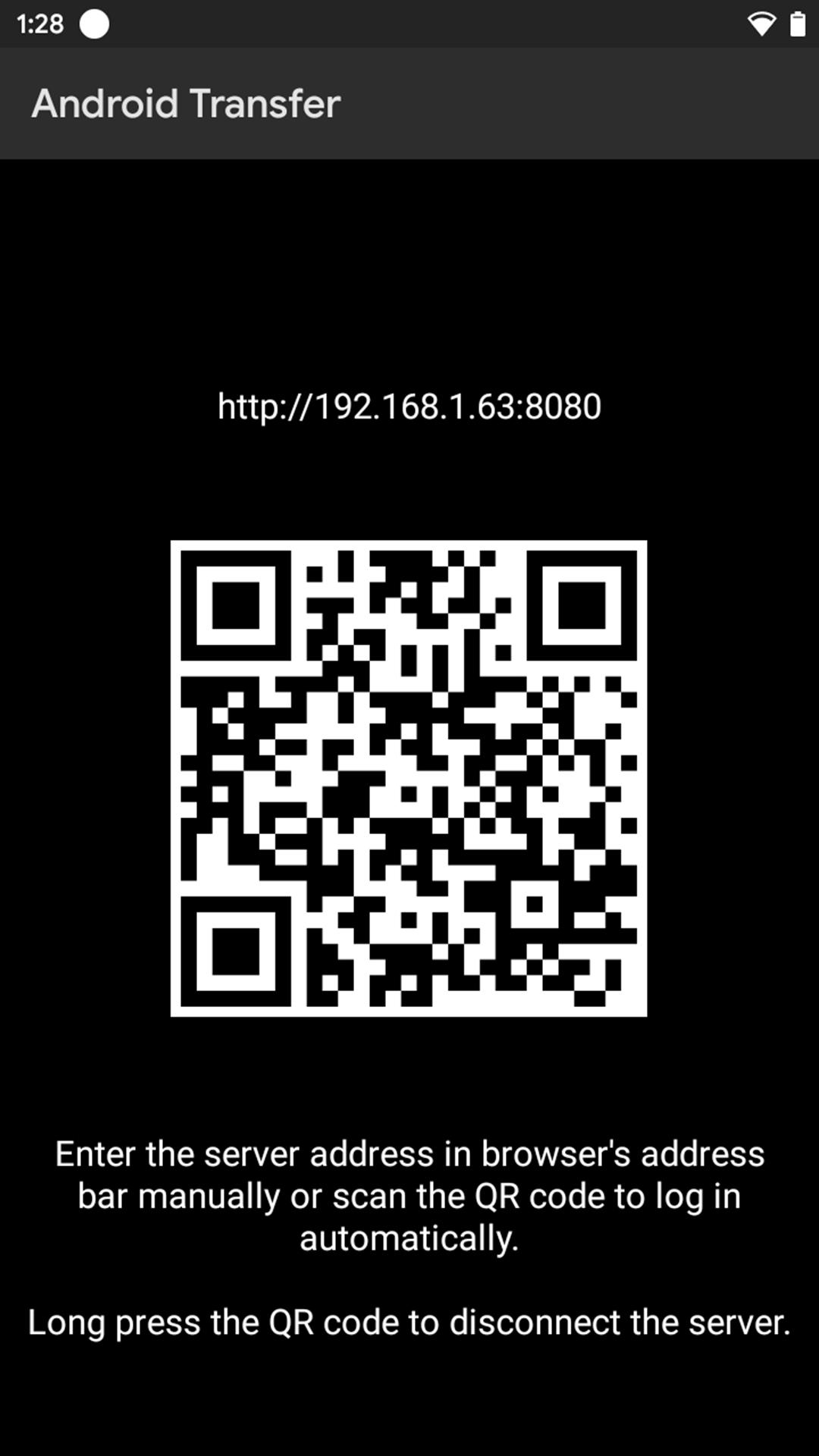
- QR code for quick access
- Can use the device while transferring files to/from device
- Supports all android versions through Android 4.4 (Kitkat)
Instructions
Creating and connecting to the server
1. Make sure that the device has successfully been connected to a wifi or hotspot network before launching Android Transfer app.
2. Open the app only after successful connection of wifi or hotspot network.
3. Android Transfer won't launch without wifi or hotspot network connection.
4. Devices should be connected to the same wifi network.
Disconnecting the server
Default method
1. While using the device during file transfer or after finishing all the file transfers, make sure to disconnect the server by long pressing the QR code.
Other alternative methods
2. Clear the recent apps.
3. Restart the device.
Note
1. Internal Storage should be in '/storage/emulated/0' format.
2. The browser should not be too old as also Internet Explorer has been replaced by Microsoft Edge.
3. Do not uninstall the installer as if done so, then Android Transfer won't be receiving future updates.
4. After transferring of files is done, disconnect the server by long pressing the QR code.
Changelog
v1.2
- Bug fixes
v1.1
- Initial release
- Supports all android versions through Android 4.4 (Kitkat)
- Works on all browsers
(Internet Explorer has been replaced by Microsoft Edge)
v1.0
- Promo release
Pratinjau
Tag
AlatInformasi
Pengembang
Pratik Raut
Versi Terbaru
1.2
Terakhir Diperbarui
2022-09-29
Kategori
Alat
Tersedia di
Google Play
Menampilkan lebih banyak
Cara memainkan Android Transfer dengan GameLoop di PC
1. Download GameLoop dari situs resminya, lalu jalankan file exe untuk menginstal GameLoop.
2. Buka GameLoop dan cari “Android Transfer”, temukan Android Transfer di hasil pencarian dan klik “Install”.
3. Nikmati bermain Android Transfer di GameLoop.
Minimum requirements
OS
Windows 8.1 64-bit or Windows 10 64-bit
GPU
GTX 1050
CPU
i3-8300
Memory
8GB RAM
Storage
1GB available space
Recommended requirements
OS
Windows 8.1 64-bit or Windows 10 64-bit
GPU
GTX 1050
CPU
i3-9320
Memory
16GB RAM
Storage
1GB available space