
LanguageTool proofreader for PC
Softcatalà
Unduh LanguageTool proofreader di PC Dengan Emulator GameLoop
LanguageTool proofreader di PC
LanguageTool proofreader, berasal dari pengembang Softcatalà, berjalan di sistem Android di masa lalu.
Sekarang, Anda dapat memainkan LanguageTool proofreader di PC dengan GameLoop dengan lancar.
Unduh di perpustakaan GameLoop atau hasil pencarian. Tidak ada lagi memperhatikan baterai atau panggilan frustasi pada waktu yang salah lagi.
Nikmati saja LanguageTool proofreader PC di layar besar secara gratis!
LanguageTool proofreader Pengantar
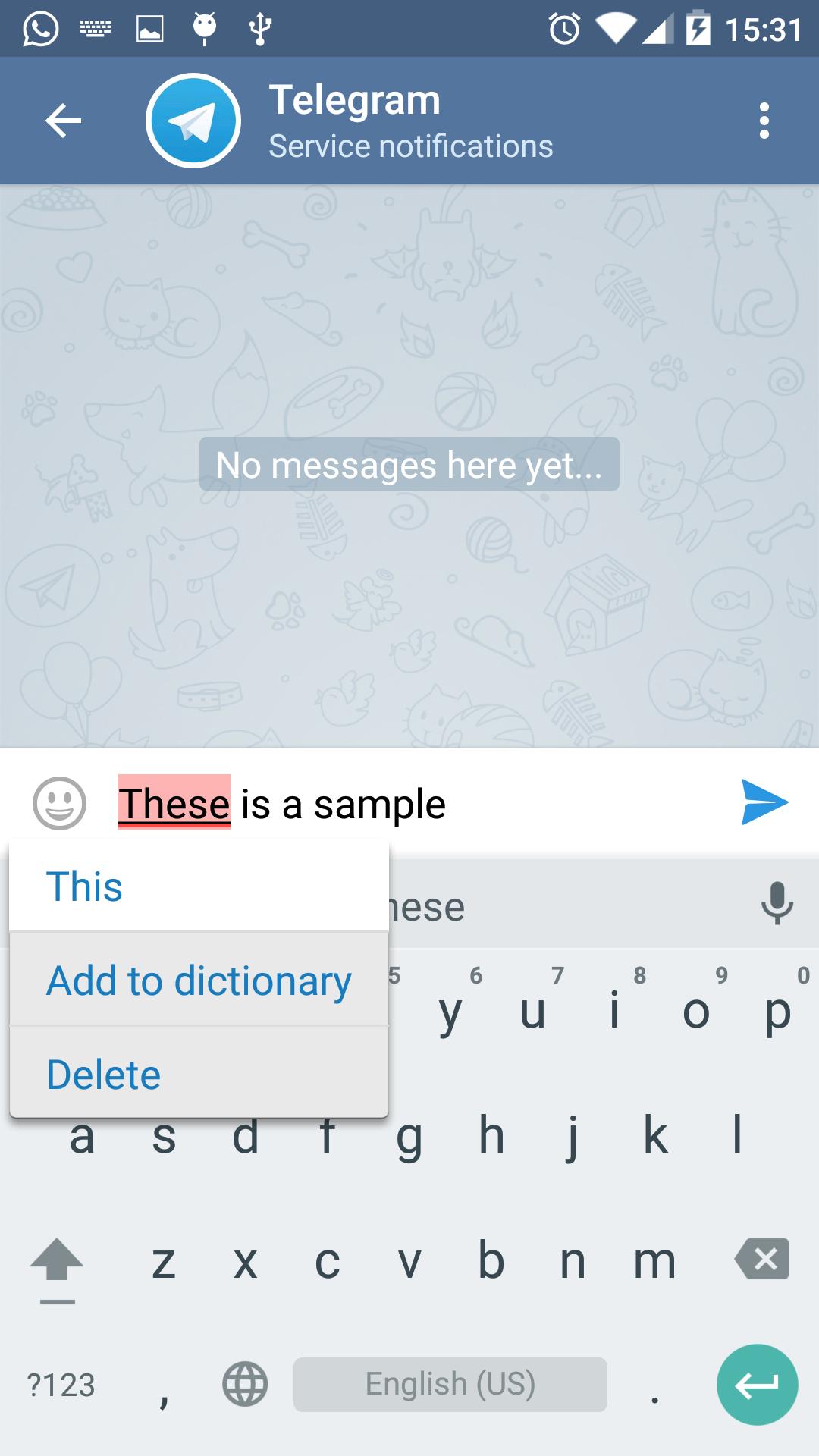
LanguageTool is an Open Source proofreading program that works as Android spell checking service. It is available for Breton, Catalan, Esperanto, French, German, Spanish, Polish, Ukrainian and Russian languages. Currently it is in beta version.
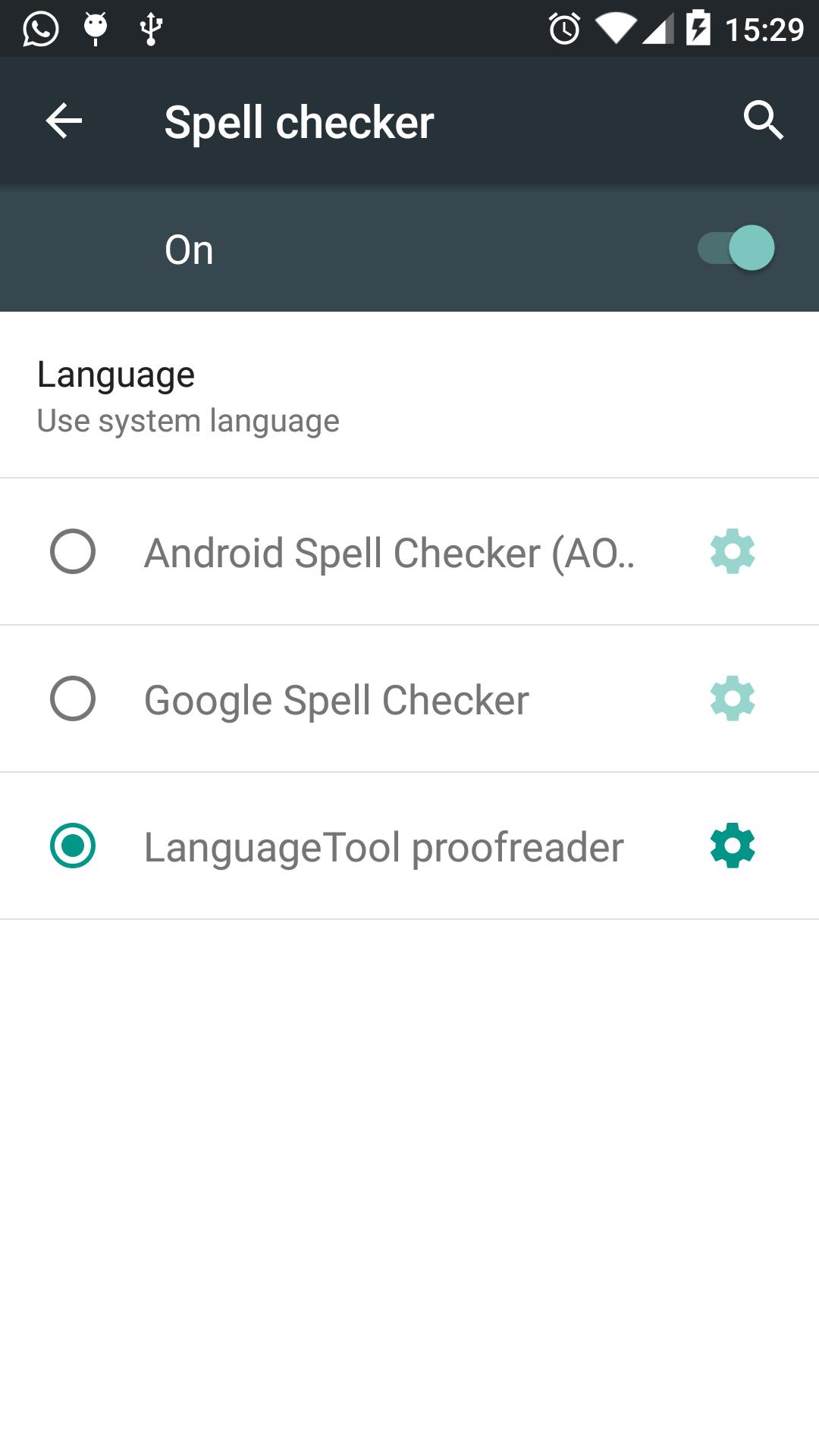
VERY IMPORTANT: Once it is installed, go to Settings -> Language Input -> Spell Checker and select the "LanguageTool proofreader"
Since this application is a service, it is automatically integrated with the system and allows the user to spell check from apps like Twitter, Facebook, WhatsUp or Telegram. The application sends what the introduces in regular text boxes (not including passwords) and sends the content over a secure connection to LanguageTool.org that does the spell checking. LanguageTool.org does not keep any text that proofreads.
It does NOT work on Samsung devices due to the removal of spell checking API by the manufacturer. It is also known that does not work in some devices (some versions of LG and others).
Pratinjau
Informasi
Pengembang
Softcatalà
Versi Terbaru
1.0.10
Terakhir Diperbarui
2018-10-28
Kategori
Produktivitas
Tersedia di
Google Play
Menampilkan lebih banyak
Cara memainkan LanguageTool proofreader dengan GameLoop di PC
1. Download GameLoop dari situs resminya, lalu jalankan file exe untuk menginstal GameLoop.
2. Buka GameLoop dan cari “LanguageTool proofreader”, temukan LanguageTool proofreader di hasil pencarian dan klik “Install”.
3. Nikmati bermain LanguageTool proofreader di GameLoop.
Minimum requirements
OS
Windows 8.1 64-bit or Windows 10 64-bit
GPU
GTX 1050
CPU
i3-8300
Memory
8GB RAM
Storage
1GB available space
Recommended requirements
OS
Windows 8.1 64-bit or Windows 10 64-bit
GPU
GTX 1050
CPU
i3-9320
Memory
16GB RAM
Storage
1GB available space