
Ice Cream Sandwich Keyboard for PC
johntanmi
Unduh Ice Cream Sandwich Keyboard di PC Dengan Emulator GameLoop
Ice Cream Sandwich Keyboard di PC
Ice Cream Sandwich Keyboard, berasal dari pengembang johntanmi, berjalan di sistem Android di masa lalu.
Sekarang, Anda dapat memainkan Ice Cream Sandwich Keyboard di PC dengan GameLoop dengan lancar.
Unduh di perpustakaan GameLoop atau hasil pencarian. Tidak ada lagi memperhatikan baterai atau panggilan frustasi pada waktu yang salah lagi.
Nikmati saja Ice Cream Sandwich Keyboard PC di layar besar secara gratis!
Ice Cream Sandwich Keyboard Pengantar
instruction for installation
There is also a donation version. Please look in the more apps from the same developer section.
Detailed Specifications:
Features in Free Version:
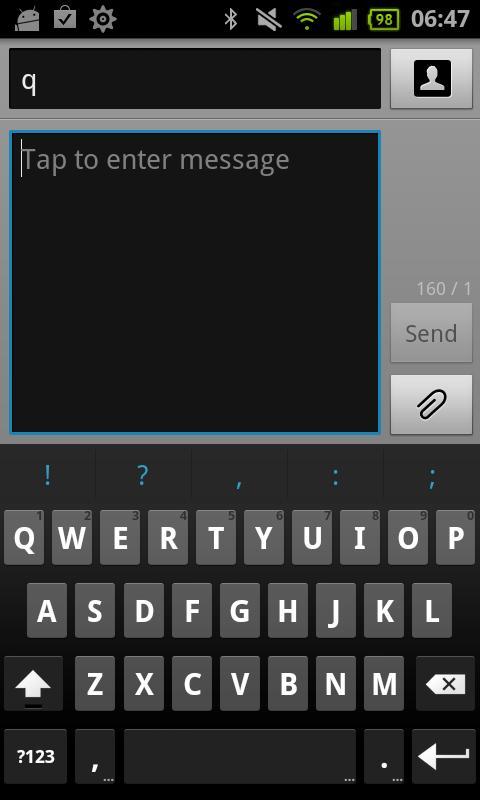
- Multitouch keyboard
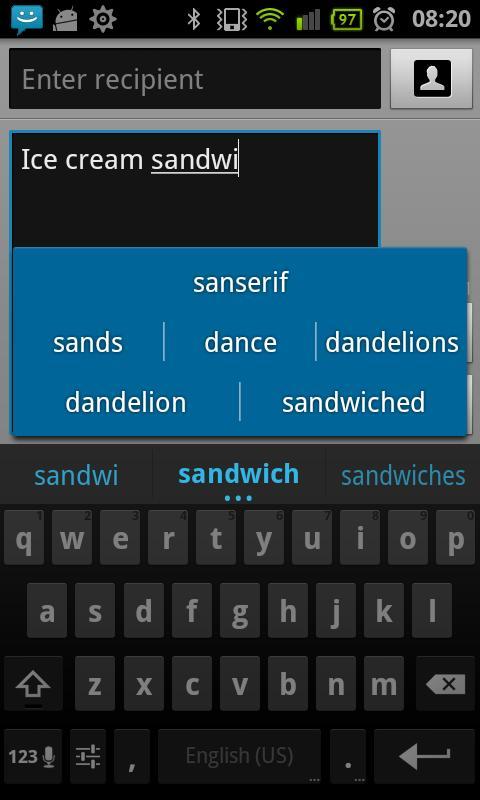
- User dictionary, built-in dictionary
- Configurable auto correction
- Redesigned and optimized keyboard layout and style
- Speech to text (select languages only)
- Custom vibration intensity (haptic feedback)
- Long press "Enter" key to bring up smiley alternatives
- Long press on "/" key in URL mode to bring up domains -
Features in paid version
- Internal themes, Gingerbread, Basic, IceCreamSandwich and more.
- Support of Better keyboard themes.
- Custom background image.
- Adjust keyboard height (in portrait).
- Touch to correct words (GB style, this feature doesn't exist in the original ICS keyboard).
- User dictionary editor.
- Auto space after punctuation.
- Suggestions also in search/URL fields.
- Alternative layouts (AZERTY,QWERTZ,Dvorak).
- Gestures.
Tips:
#About "collecting data" warning message:
That warning message is a part of the Android operating system, and it appears whenever a third party keyboard is enabled. You don't have to worry because the keyboard don't have permission to internet access.
Please report your bugs via email . If you report bugs in a Market comment I CAN'T help you.
Supported languages layouts: English, French , Hebrew, Arabic, German, Czech, Bulgarian, Catalan, Spanish, Esperanto, Danish, Italian, Finnish, Georgian, Russian, Ukrainian, Latvian, Swedish,Latin, Dutch, Portuguese, Slovakian, Slovenian, Greek,Serbian, Hungarian,Swiss.
Available dictionaries:
English,French,Italian,German,Spanish,Arabic,Dutch,Russian,Hebrew,Czech,Slovak,Bulgarian.
Pratinjau
Informasi
Pengembang
johntanmi
Versi Terbaru
1.1.5
Terakhir Diperbarui
2012-01-08
Kategori
Produktivitas
Tersedia di
Google Play
Menampilkan lebih banyak
Cara memainkan Ice Cream Sandwich Keyboard dengan GameLoop di PC
1. Download GameLoop dari situs resminya, lalu jalankan file exe untuk menginstal GameLoop.
2. Buka GameLoop dan cari “Ice Cream Sandwich Keyboard”, temukan Ice Cream Sandwich Keyboard di hasil pencarian dan klik “Install”.
3. Nikmati bermain Ice Cream Sandwich Keyboard di GameLoop.
Minimum requirements
OS
Windows 8.1 64-bit or Windows 10 64-bit
GPU
GTX 1050
CPU
i3-8300
Memory
8GB RAM
Storage
1GB available space
Recommended requirements
OS
Windows 8.1 64-bit or Windows 10 64-bit
GPU
GTX 1050
CPU
i3-9320
Memory
16GB RAM
Storage
1GB available space