DataBase SQL Android for PC
JOSE MUNOZ
Unduh DataBase SQL Android di PC Dengan Emulator GameLoop
DataBase SQL Android di PC
DataBase SQL Android, berasal dari pengembang JOSE MUNOZ, berjalan di sistem Android di masa lalu.
Sekarang, Anda dapat memainkan DataBase SQL Android di PC dengan GameLoop dengan lancar.
Unduh di perpustakaan GameLoop atau hasil pencarian. Tidak ada lagi memperhatikan baterai atau panggilan frustasi pada waktu yang salah lagi.
Nikmati saja DataBase SQL Android PC di layar besar secara gratis!
DataBase SQL Android Pengantar
The DataBase SQL Android application allows you to store and manage information in an SQL database located on a PC or a WEB server. The application allows the management of data information and access to information through Android mobile devices (phones and Tablet). The information of different users can be accessed locally connected to the same WIFY data network or worldwide through the internet. The application allows multiple users to access the database simultaneously.
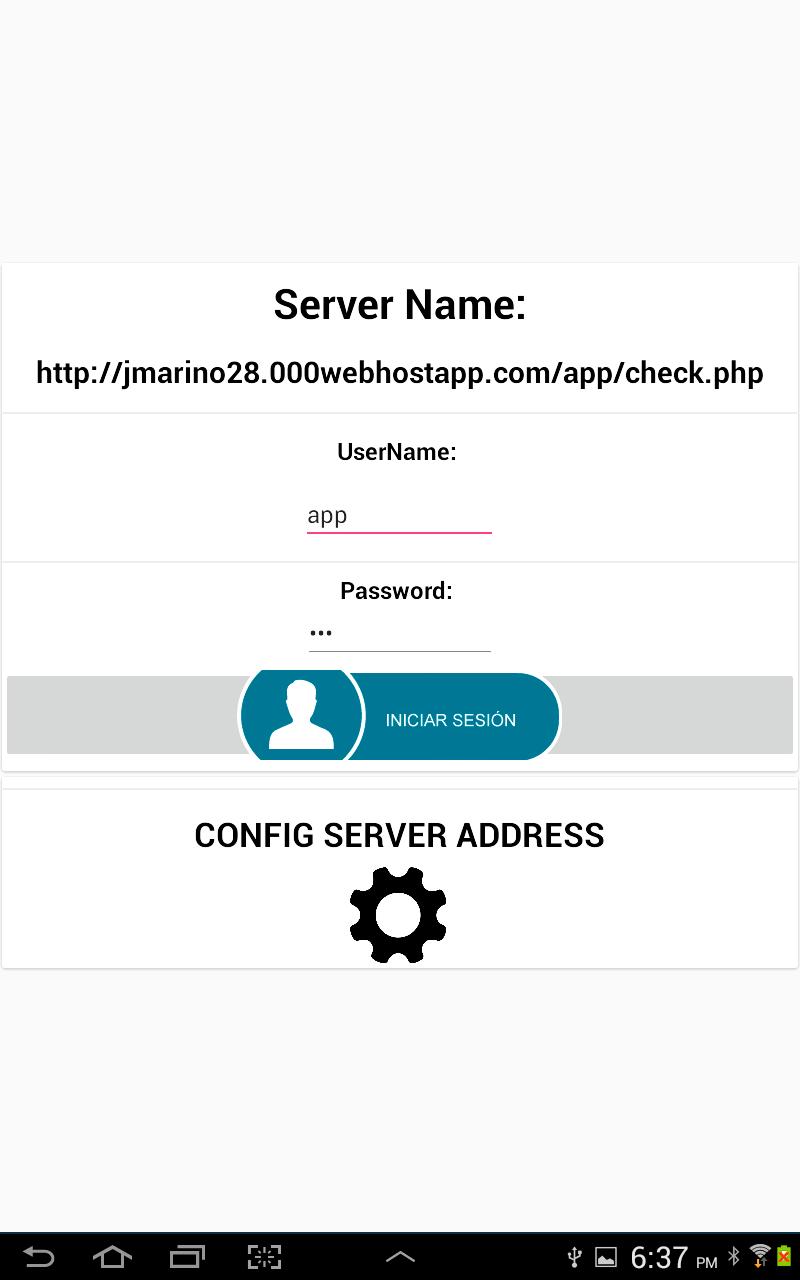
Users who accelerate the information do so through a user access security system. Users must access through a Username and Password. To do this, two data tables must be created in the SQL database. A user table called "user" where the following records are stored: NAME, MAIL, USERNAME AND PASSWORD. You must also create a table called "app" where the data to be processed will be stored. The records that must be created in that table are: DATO1, DATO2, DATO3, DATO4, DATO5 and DATO6.
It must be created on the local SQL server or on the WEB page in a folder called “app”. There you must place the necessary PHP files to manage the database. PHP files can be downloaded for free from the developer's website: http://jmarino28.000webhostapp.com/tutoriales.html . All the information needed to configure PHP files and server data, whether the local server or WEB is explained in the video tutorial located on the developer's WEB page. The application allows the following SQL data management:
1. View all the information stored in the “app” data table located in the database.
2. Edit Records.
3. Create Records.
4. Delete Records
When entering a user through the Username and Password, a user session is automatically created and the Username and Password will be stored. In the menu section you can close the session created by the user.
The application allows you to configure the IP address of the local SQL database server or the name of the WEB site where the database is located via the Internet.
It is very easy to use the application for managing SQL database information through Android devices, be sure to watch the video tutorial to learn how to configure the application, PHP files, the SQL Database, the User and data tables.
Pratinjau
Tag
ProduktivitasInformasi
Pengembang
JOSE MUNOZ
Versi Terbaru
1.0
Terakhir Diperbarui
2021-11-19
Kategori
Produktivitas
Tersedia di
Google Play
Menampilkan lebih banyak
Cara memainkan DataBase SQL Android dengan GameLoop di PC
1. Download GameLoop dari situs resminya, lalu jalankan file exe untuk menginstal GameLoop.
2. Buka GameLoop dan cari “DataBase SQL Android”, temukan DataBase SQL Android di hasil pencarian dan klik “Install”.
3. Nikmati bermain DataBase SQL Android di GameLoop.
Minimum requirements
OS
Windows 8.1 64-bit or Windows 10 64-bit
GPU
GTX 1050
CPU
i3-8300
Memory
8GB RAM
Storage
1GB available space
Recommended requirements
OS
Windows 8.1 64-bit or Windows 10 64-bit
GPU
GTX 1050
CPU
i3-9320
Memory
16GB RAM
Storage
1GB available space