vFlat Scan - PDF Scanner, OCR for PC
VoyagerX
Unduh vFlat Scan - PDF Scanner, OCR di PC Dengan Emulator GameLoop
vFlat Scan - PDF Scanner, OCR di PC
vFlat Scan - PDF Scanner, OCR, berasal dari pengembang VoyagerX, berjalan di sistem Android di masa lalu.
Sekarang, Anda dapat memainkan vFlat Scan - PDF Scanner, OCR di PC dengan GameLoop dengan lancar.
Unduh di perpustakaan GameLoop atau hasil pencarian. Tidak ada lagi memperhatikan baterai atau panggilan frustasi pada waktu yang salah lagi.
Nikmati saja vFlat Scan - PDF Scanner, OCR PC di layar besar secara gratis!
vFlat Scan - PDF Scanner, OCR Pengantar
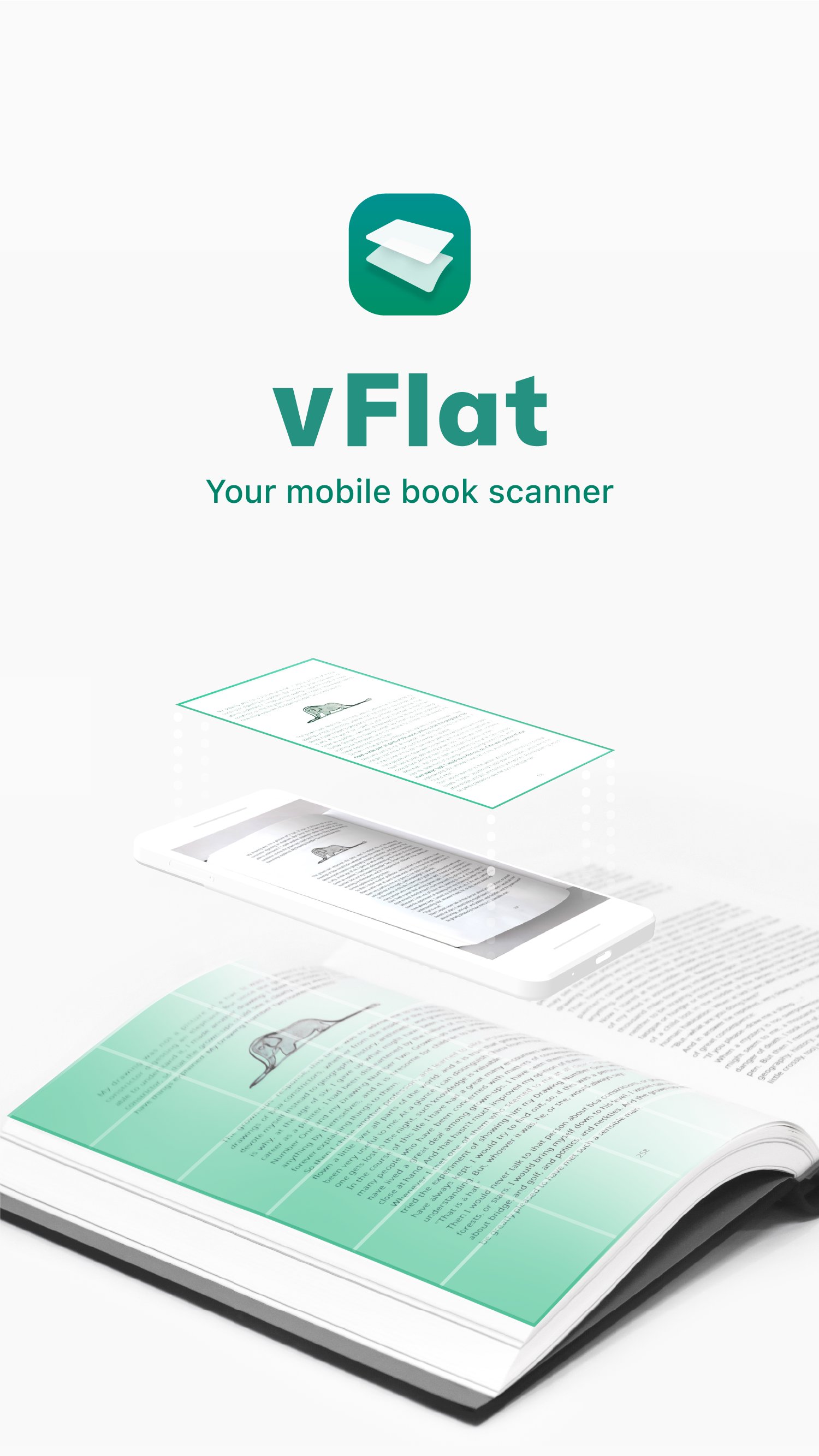
vFlat Scan is a powerful scanner app that automatically crops, flattens, and enhances images on your mobile device, allowing you to effortlessly scan, save, and share documents as digital files.
Convert images to text using vFlat Scan's text recognition (OCR) feature to copy, edit, and search for content in your documents.
Get unlimited scans without any annoying watermarks, ads, or sign-ins. Sounds too good to be true? Download vFlat Scan for free and start scanning right away!
NO ADS OR WATERMARKS
• Enjoy a complete ad-free UI with no sign-in required.
• vFlat Scan will not add watermarks to your scans.
CAPTURE DOCUMENTS
• Scan anything from receipts, books, forms, and notes without the need to manually crop them.
• Automatically detects document borders so you can get a clear-cut scan from any angle.
• Use Auto Scan to scan multiple pages in quick succession without needing to tap any buttons.
AUTO-FLATTEN & ENHANCE
• Documents are automatically flattened, even for curved book pages.
• Enable enhanced colors to boost color saturation and contrast for improved text visibility.
• Hide visible fingers in scans when holding books or documents.
SCAN TWO-PAGE BOOKS
• Capture two pages at once for better efficiency. Pages are automatically divided and saved.
• You can change the scan order to right-hand page first for right-to-left language books.
EXTRACT & USE TEXT
• Text recognition (OCR) allows you to extract text from any scanned image.
• Select, copy, and edit text directly in the app before sharing it as a Word or TXT file.
• Search for specific words or phrases across all your scans with extracted text.
TEXT TO SPEECH
• Text to speech (TTS) is also included. Play, pause, or skip to the next or previous sentence.
• Change the voice settings for faster or slower playback speed or different voice pitch.
ERASE HANDWRITTEN NOTES
• AI technology detects and removes all handwritten text or scribbles from books or other printed material so you can get a clean version of the document again.
SHARE FILES
• Scan, save, and share documents as PDF, JPG, Word, TXT, or ZIP files.
• Generate shareable URL links to view and download your scans via web browser.
vFlat does not collect your personal information or scans without your explicit consent.
Terms of Service - https://go.vflat.com/s/terms_en
Privacy Policy - https://go.vflat.com/s/privacy_en
Compatibility:
vFlat Scan is supported on devices running Android 8.0 or higher, with a minimum of 2 GB of RAM and OpenGL ES 3.1 or higher. Additionally, vFlat Scan is available for iPhone and iPad through the App Store.
If you enjoyed our app, please leave us a review.
We'd also love to hear your feedback. Please send us your comments and suggestions: support@vflat.com
Pratinjau
Tag
ProduktivitasPapanInformasi
Pengembang
VoyagerX
Versi Terbaru
1.14.3.260126.fedffd33c
Terakhir Diperbarui
2026-01-26
Kategori
Produktivitas
Tersedia di
Google Play
Menampilkan lebih banyak
Cara memainkan vFlat Scan - PDF Scanner, OCR dengan GameLoop di PC
1. Download GameLoop dari situs resminya, lalu jalankan file exe untuk menginstal GameLoop.
2. Buka GameLoop dan cari “vFlat Scan - PDF Scanner, OCR”, temukan vFlat Scan - PDF Scanner, OCR di hasil pencarian dan klik “Install”.
3. Nikmati bermain vFlat Scan - PDF Scanner, OCR di GameLoop.
Minimum requirements
OS
Windows 8.1 64-bit or Windows 10 64-bit
GPU
GTX 1050
CPU
i3-8300
Memory
8GB RAM
Storage
1GB available space
Recommended requirements
OS
Windows 8.1 64-bit or Windows 10 64-bit
GPU
GTX 1050
CPU
i3-9320
Memory
16GB RAM
Storage
1GB available space