Photo & Picture Resize - Reduce & Compress Photo for PC
Photo Mixer & Video Editor Zone
Unduh Photo & Picture Resize - Reduce & Compress Photo di PC Dengan Emulator GameLoop
Photo & Picture Resize - Reduce & Compress Photo di PC
Photo & Picture Resize - Reduce & Compress Photo, berasal dari pengembang Photo Mixer & Video Editor Zone, berjalan di sistem Android di masa lalu.
Sekarang, Anda dapat memainkan Photo & Picture Resize - Reduce & Compress Photo di PC dengan GameLoop dengan lancar.
Unduh di perpustakaan GameLoop atau hasil pencarian. Tidak ada lagi memperhatikan baterai atau panggilan frustasi pada waktu yang salah lagi.
Nikmati saja Photo & Picture Resize - Reduce & Compress Photo PC di layar besar secara gratis!
Photo & Picture Resize - Reduce & Compress Photo Pengantar
Photo & Picture Resize is a simple and easy to use application for resizing single and multiple photos.
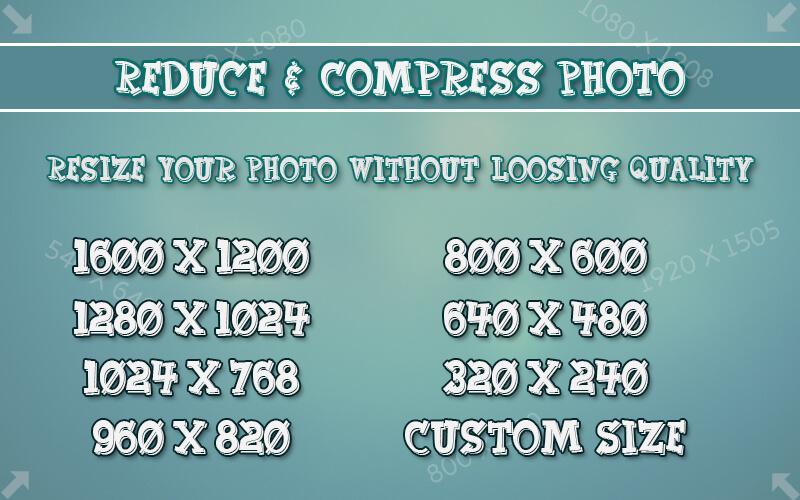
Resize your photos as per your resolution requirement.
Reduce & Compress Photo in that you can reduce and compress your photos with custom resolutions and sending them by Email or social sites.
You can resize, reduce, and compress all at once on an album or folder basis.
Not only resizing but also clipping and rotating photos, Because it is possible, it is very useful.
Very good compression result here you get Ex. 10MB picture is reducing to 200 KB, for resolution 800x600.
Features :-
* Smart Photo & Picture Resizer.
* Capture photos from camera or Select from gallery also.
* Photo resizer displays the selected photo.
* Select the resolution (width x height) from the list, here you can set your custome resolution.
* Selected photos is reduced and displayed.
* Original pictures remains unchanged.
* Resize all photos with too large size.
* Very good quality of the resized photos.
* Photos resized several times do not lose quality.
* Very good compression result, Ex.2MB picture is reducing to 100 KB/for resolution 800x600.
* Resized pictures are automatically saved in the directory.
* You can share it on social sites.
Very easiest and best quality.
Resize, Compress, Reduce and share pictures quickly, Download now...!
Pratinjau
Informasi
Pengembang
Photo Mixer & Video Editor Zone
Versi Terbaru
1.0
Terakhir Diperbarui
2017-08-11
Kategori
Fotografi
Tersedia di
Google Play
Menampilkan lebih banyak
Cara memainkan Photo & Picture Resize - Reduce & Compress Photo dengan GameLoop di PC
1. Download GameLoop dari situs resminya, lalu jalankan file exe untuk menginstal GameLoop.
2. Buka GameLoop dan cari “Photo & Picture Resize - Reduce & Compress Photo”, temukan Photo & Picture Resize - Reduce & Compress Photo di hasil pencarian dan klik “Install”.
3. Nikmati bermain Photo & Picture Resize - Reduce & Compress Photo di GameLoop.
Minimum requirements
OS
Windows 8.1 64-bit or Windows 10 64-bit
GPU
GTX 1050
CPU
i3-8300
Memory
8GB RAM
Storage
1GB available space
Recommended requirements
OS
Windows 8.1 64-bit or Windows 10 64-bit
GPU
GTX 1050
CPU
i3-9320
Memory
16GB RAM
Storage
1GB available space