Kamera VIVO S.1 for PC
V-GANDEVart
Unduh Kamera VIVO S.1 di PC Dengan Emulator GameLoop
Kamera VIVO S.1 di PC
Kamera VIVO S.1, berasal dari pengembang V-GANDEVart, berjalan di sistem Android di masa lalu.
Sekarang, Anda dapat memainkan Kamera VIVO S.1 di PC dengan GameLoop dengan lancar.
Unduh di perpustakaan GameLoop atau hasil pencarian. Tidak ada lagi memperhatikan baterai atau panggilan frustasi pada waktu yang salah lagi.
Nikmati saja Kamera VIVO S.1 PC di layar besar secara gratis!
Kamera VIVO S.1 Pengantar
Present Photography and still so new from VIVO
In the photography sector, the Vivo S1 selfie camera has a 24.8MP resolution pop-up.
While for the rear camera, three are embedded, each with 12MP resolution (main), 8MP (wide-angle),
and 5MP (depth sensor).
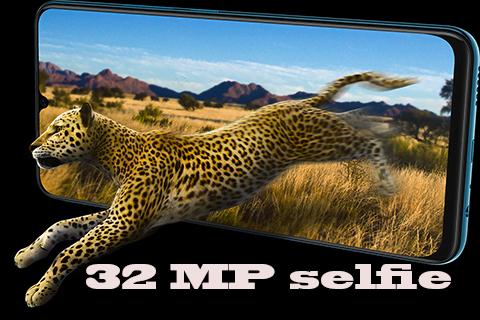
S1 has an industry leading 32MP front camera,
and Ultra HD resolution that will give your selfie results with a high level of sharpness and clarity.
This camera is also supported with several modes, such as AI Face Beauty, AI Selfie Lighting, AR Stickers, AI Filters,
and other features, can make your selfie more exciting and fun.
Supported by Sony IMX499 sensor camera, taking photos with S1 is more accurate and precise.
AI Portrait Framing helps you get the best composition and provides a pleasant experience every time you capture the moment in your life.
AI Super Wide-Angle Camera can enlarge your view up to 120 °, so that it can make it easier to see, objects and a more beautiful world. When a selfie group,
the camera will change automatically to Super Wide-Angle mode to get a wider view.
Features camera xanon :
-Potrait mode
-Automatic iso
-Manual iso
-Sport fashion
-24 Mega pixel Camera
-Rear Camera 36 Mega pixel
-Night mode
-Full manual settings for potography
Try all the features of HD DSLR Kamera VIVO S.1 for free!
Pratinjau
Informasi
Pengembang
V-GANDEVart
Versi Terbaru
3.0
Terakhir Diperbarui
2019-07-22
Kategori
Fotografi
Tersedia di
Google Play
Menampilkan lebih banyak
Cara memainkan Kamera VIVO S.1 dengan GameLoop di PC
1. Download GameLoop dari situs resminya, lalu jalankan file exe untuk menginstal GameLoop.
2. Buka GameLoop dan cari “Kamera VIVO S.1”, temukan Kamera VIVO S.1 di hasil pencarian dan klik “Install”.
3. Nikmati bermain Kamera VIVO S.1 di GameLoop.
Minimum requirements
OS
Windows 8.1 64-bit or Windows 10 64-bit
GPU
GTX 1050
CPU
i3-8300
Memory
8GB RAM
Storage
1GB available space
Recommended requirements
OS
Windows 8.1 64-bit or Windows 10 64-bit
GPU
GTX 1050
CPU
i3-9320
Memory
16GB RAM
Storage
1GB available space