
Zenith Next Launcher Theme for PC
inkedfist
Unduh Zenith Next Launcher Theme di PC Dengan Emulator GameLoop
Zenith Next Launcher Theme di PC
Zenith Next Launcher Theme, berasal dari pengembang inkedfist, berjalan di sistem Android di masa lalu.
Sekarang, Anda dapat memainkan Zenith Next Launcher Theme di PC dengan GameLoop dengan lancar.
Unduh di perpustakaan GameLoop atau hasil pencarian. Tidak ada lagi memperhatikan baterai atau panggilan frustasi pada waktu yang salah lagi.
Nikmati saja Zenith Next Launcher Theme PC di layar besar secara gratis!
Zenith Next Launcher Theme Pengantar
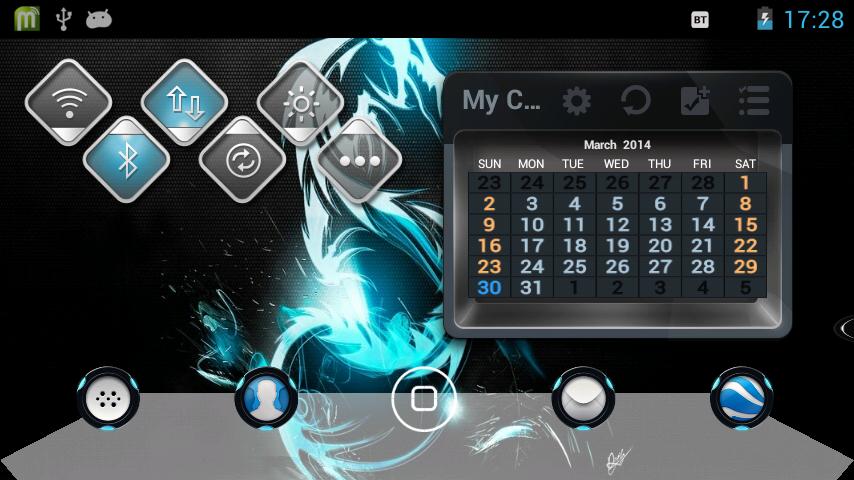
Zenith Next Launcher 3D Theme
High quality, new ultra-detailed theme for Next launcher 3D. Great icons and matching wallpapers included!
[ INTRODUCTION ]
Zenith theme, designed for Next Launcher 3D! Download it and have a complete makeover of your smartphone!
Next Launcher 3D Shell must be installed to apply the theme. Next Launcher 3D can be found in Google Play Store by (GO DEV Team).
[ MAIN FEATURES ]
# A very cool and innovative icon base.
# The theme has many icons which covers the main apps of the phone like SMS, email, contacts, and a lot more.
# Wallpapers of the topic have been added by default.
# Supports 3D mode (Pro version only)
You can get the pro version here:-
https://play.google.com/store/apps/details?id=com.gtp.nextlauncher.theme.zen3d
[ APPLYING THEME ]
Press menu on your desktop - > Themes - > Installed -> Select theme Zenith.
Optional step:-
If you want to choose another wallpaper included in the theme, apply the theme. Then,
Goto Dock-> Wallpapers -> Next Wallpapers -> Swipe left or right to use your favourite wallpaper.
[ COMMENTS AND RATINGS ]
If you like my work, please give a rating to my theme.
If you encounter any problems or have any suggestions, feel free to email me at inkedfist@gmail.com
Pratinjau

Informasi
Pengembang
inkedfist
Versi Terbaru
1.0.0
Terakhir Diperbarui
2014-04-30
Kategori
Personalisasi
Tersedia di
Google Play
Menampilkan lebih banyak
Cara memainkan Zenith Next Launcher Theme dengan GameLoop di PC
1. Download GameLoop dari situs resminya, lalu jalankan file exe untuk menginstal GameLoop.
2. Buka GameLoop dan cari “Zenith Next Launcher Theme”, temukan Zenith Next Launcher Theme di hasil pencarian dan klik “Install”.
3. Nikmati bermain Zenith Next Launcher Theme di GameLoop.
Minimum requirements
OS
Windows 8.1 64-bit or Windows 10 64-bit
GPU
GTX 1050
CPU
i3-8300
Memory
8GB RAM
Storage
1GB available space
Recommended requirements
OS
Windows 8.1 64-bit or Windows 10 64-bit
GPU
GTX 1050
CPU
i3-9320
Memory
16GB RAM
Storage
1GB available space