
LaunchTime (Homescreen) for PC
Quaap, my free-time FOSS apps
Unduh LaunchTime (Homescreen) di PC Dengan Emulator GameLoop
LaunchTime (Homescreen) di PC
LaunchTime (Homescreen), berasal dari pengembang Quaap, my free-time FOSS apps, berjalan di sistem Android di masa lalu.
Sekarang, Anda dapat memainkan LaunchTime (Homescreen) di PC dengan GameLoop dengan lancar.
Unduh di perpustakaan GameLoop atau hasil pencarian. Tidak ada lagi memperhatikan baterai atau panggilan frustasi pada waktu yang salah lagi.
Nikmati saja LaunchTime (Homescreen) PC di layar besar secara gratis!
LaunchTime (Homescreen) Pengantar
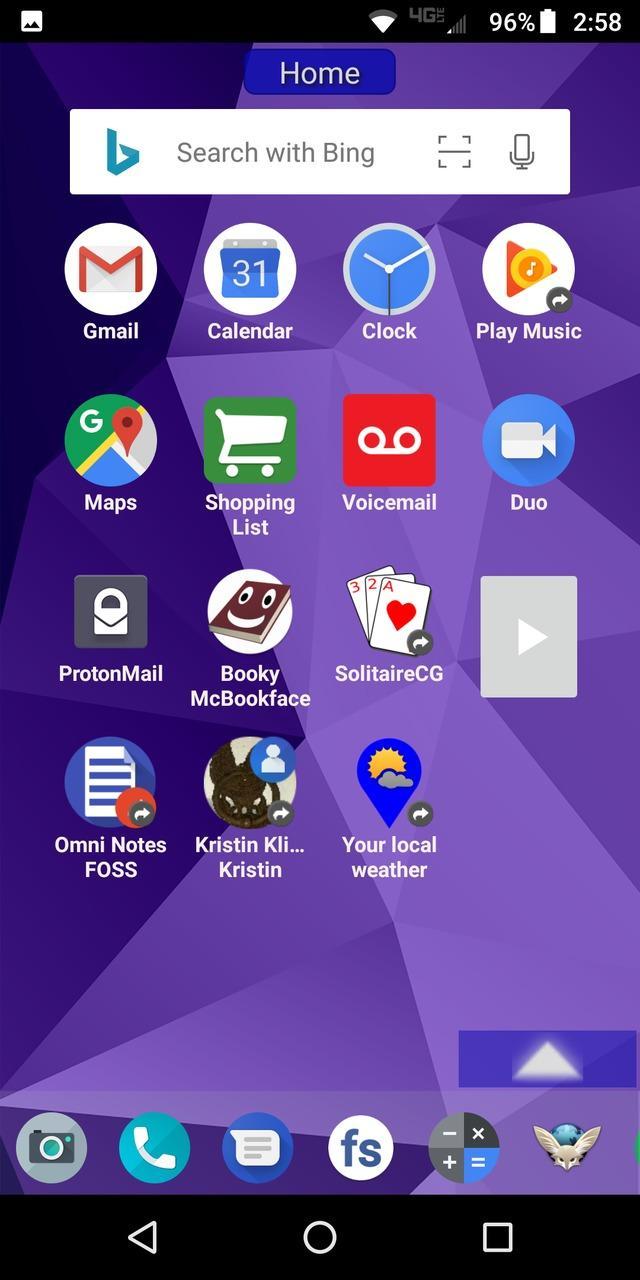
Highly configurable alternative homescreen/launcher which features a side menu to automatically and/or manually organize your apps into common-sense and customizable categories.
Latest features: Resizable widgets, hideable side menu, action menus, appinfo, better appearance, animated transitions, and an experimental "dumbphone" mode.
More features:
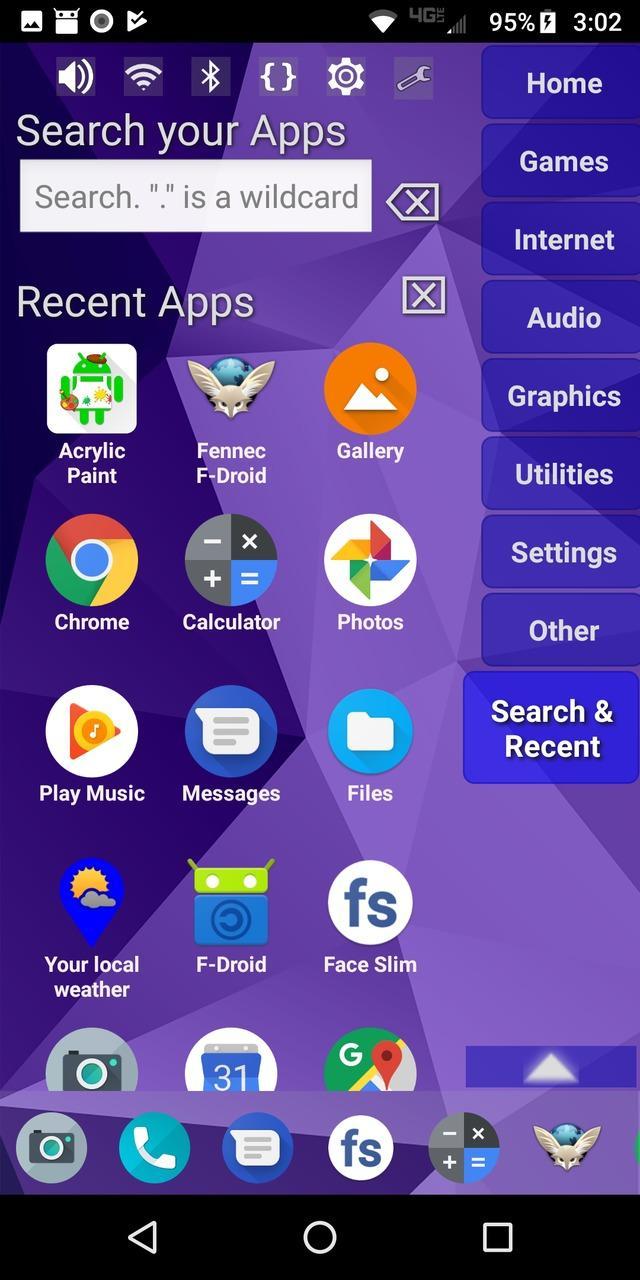
* Configurable app categories in a scrollable/hideable side menu.
* Scrolling QuickBar on the bottom for easy access to your favorite apps.
* Text search to find apps.
* List of recent apps.
* Quick access to settings.
* Multiple widget support.
* Rearrange/sort icons and menu items.
* Toddler/child mode
* Shortcut/link and Oreo Pinned shortcut support.
* Android 7.1+ shortcut actions / menus.
* Unread badges.
* Adw/nova/apex icon-packs.
* Supports both portrait and landscape mode.
* Can hide apps you don't want but can't uninstall.
* Back up and restore your settings.
* Configurable colors.
* Customize icons and labels.
* Built-in themes.
Pratinjau
Tag
PersonalisasiInformasi
Pengembang
Quaap, my free-time FOSS apps
Versi Terbaru
0.8.5
Terakhir Diperbarui
2019-08-26
Kategori
Personalisasi
Tersedia di
Google Play
Menampilkan lebih banyak
Cara memainkan LaunchTime (Homescreen) dengan GameLoop di PC
1. Download GameLoop dari situs resminya, lalu jalankan file exe untuk menginstal GameLoop.
2. Buka GameLoop dan cari “LaunchTime (Homescreen)”, temukan LaunchTime (Homescreen) di hasil pencarian dan klik “Install”.
3. Nikmati bermain LaunchTime (Homescreen) di GameLoop.
Minimum requirements
OS
Windows 8.1 64-bit or Windows 10 64-bit
GPU
GTX 1050
CPU
i3-8300
Memory
8GB RAM
Storage
1GB available space
Recommended requirements
OS
Windows 8.1 64-bit or Windows 10 64-bit
GPU
GTX 1050
CPU
i3-9320
Memory
16GB RAM
Storage
1GB available space