Android 12 Widgets - Free for PC
New/Beauty/Cool Android UI
Unduh Android 12 Widgets - Free di PC Dengan Emulator GameLoop
Android 12 Widgets - Free di PC
Android 12 Widgets - Free, berasal dari pengembang New/Beauty/Cool Android UI, berjalan di sistem Android di masa lalu.
Sekarang, Anda dapat memainkan Android 12 Widgets - Free di PC dengan GameLoop dengan lancar.
Unduh di perpustakaan GameLoop atau hasil pencarian. Tidak ada lagi memperhatikan baterai atau panggilan frustasi pada waktu yang salah lagi.
Nikmati saja Android 12 Widgets - Free PC di layar besar secara gratis!
Android 12 Widgets - Free Pengantar
Are you a fan of Android? Are you curious about the newly launched Android 12?
Google just rolled out the first Android 12 beta build for several Pixel smartphones.
Widgets in Android 12 have rounded corners. When an app widget is used on a device running Android 12 or higher, the launcher automatically identifies the widget's background and crops it to have rounded corners.
Android 12's leaked developer preview screenshot showed wallpaper color based widgets.
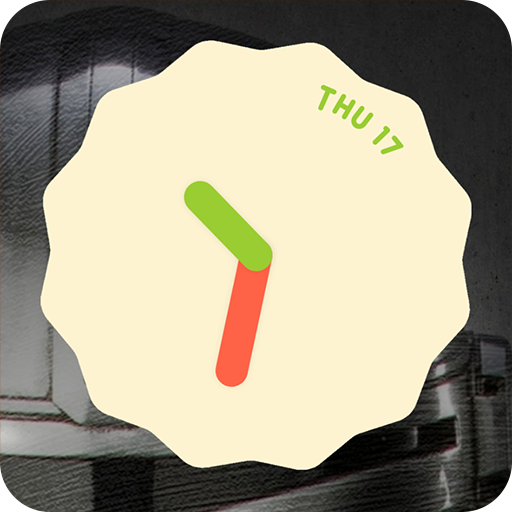
This app provides Clock widgets with same style of Android 12 ones and it is a standalone app that doesn't need to any additional apps to set up widgets.
"Android 12 widgets - All FREE" brings this functionality to older android versions.
With this application, you can install Android 12 widgets on any smartphone.
Main features:
- Simple design user interface for Android 12 fans
- Easy to apply widget to your phone
- App works perfectly in offline mode.
- 100% FREE
Main theme Android 12 widgets free
- Android 12 clock widget: Same style of Android 12 ones. Includes: Light Analog Clock, Dark Analog Clock, Frame Analog Clock, Modern Clock, Classic Clock.
- Android 12 weather widget
- Android 12 photo widget
- Android 12 calendar widget
- Android 12 battery widget
- Android 12 note widget
- Android 12 countdown widget
- Android 12 days counter
How to use “Android 12 Widgets free”
- Press and hold on an empty space on your home screen.
- Tap “Widgets” on home screen
- Choose “Android 12 widgets free” app
- Select a widget size to match what you’ll need on your home screen. For the clock widget, we recommend using either the 2×2 or 4×4 widget.
- Customize widget. Then tap to button Apply
- Tap “Add widget” button
- Widget added successfully to Home screen.
“New/Beauty/Cool Android UI” store is built by us with the aim of updating the latest technology of the android platform. Bringing Android innovations to all users. In addition to widget android 12 application we also have android 12 wallpaper application.
If you love android and are curious about the latest version of android 12, Let's install the products and follow us.
Please leaving a comment, feedback or suggestion to help us make it better in the future. Thank you for your support.
Thank you for your downloading and using my application!
Disclaimer:
All images are copyright of their perspective owners and simply used for aesthetic purpose only. Any request to remove one of the images will be honored and please email us for contacting.
Pratinjau


Informasi
Pengembang
New/Beauty/Cool Android UI
Versi Terbaru
2.0
Terakhir Diperbarui
2021-07-15
Kategori
Personalisasi
Tersedia di
Google Play
Menampilkan lebih banyak
Cara memainkan Android 12 Widgets - Free dengan GameLoop di PC
1. Download GameLoop dari situs resminya, lalu jalankan file exe untuk menginstal GameLoop.
2. Buka GameLoop dan cari “Android 12 Widgets - Free”, temukan Android 12 Widgets - Free di hasil pencarian dan klik “Install”.
3. Nikmati bermain Android 12 Widgets - Free di GameLoop.
Minimum requirements
OS
Windows 8.1 64-bit or Windows 10 64-bit
GPU
GTX 1050
CPU
i3-8300
Memory
8GB RAM
Storage
1GB available space
Recommended requirements
OS
Windows 8.1 64-bit or Windows 10 64-bit
GPU
GTX 1050
CPU
i3-9320
Memory
16GB RAM
Storage
1GB available space