
Tiimo : ADHD | Autism app for visual structure⌚️📱 for PC
Tiimo
Unduh Tiimo : ADHD | Autism app for visual structure⌚️📱 di PC Dengan Emulator GameLoop
Tiimo : ADHD | Autism app for visual structure⌚️📱 di PC
Tiimo : ADHD | Autism app for visual structure⌚️📱, berasal dari pengembang Tiimo, berjalan di sistem Android di masa lalu.
Sekarang, Anda dapat memainkan Tiimo : ADHD | Autism app for visual structure⌚️📱 di PC dengan GameLoop dengan lancar.
Unduh di perpustakaan GameLoop atau hasil pencarian. Tidak ada lagi memperhatikan baterai atau panggilan frustasi pada waktu yang salah lagi.
Nikmati saja Tiimo : ADHD | Autism app for visual structure⌚️📱 PC di layar besar secara gratis!
Tiimo : ADHD | Autism app for visual structure⌚️📱 Pengantar
Tiimo is an app for children, teenagers and adults that combines a calendar, time management (timer), icons and reminders in one smart digital solution - the first step to your easier life.
Tired of analogue calendars, schedules, post-its and walls with pictograms? Tiimoapp is for both child, teenager and adult who needs structure, visual support and time management. Tiimo is a useful tool for children, youngsters, and adults with special needs caused by cognitive deficits such as ADHD, ADD, autism (ASD), and brain damage.
Do as thousands of others who have downloaded Tiimo and gained more independence, predictability, calm and improves quality of life while reducing stress and conflict. Plan your way to an easier life where you can maintain focus, overview - and bring Tiimo with you everywhere.
Download Tiimo now - and start your free trial with any commitments!
Tiimo app is smart
Tiimo has a user-friendly design, so you easily can create and repeat activities, create routines, use icons (pictograms), emojiis, colors and even upload your own images. Set up your calendar on a computer, tablet or smartphone.
Tiimo app is reliable
With the schedule in Tiimoapp you can maintain focus with a timer which is really useful for children, teenager or adult with ADHD and autism. Moreover, with Tiimo you will never forget an activity again.
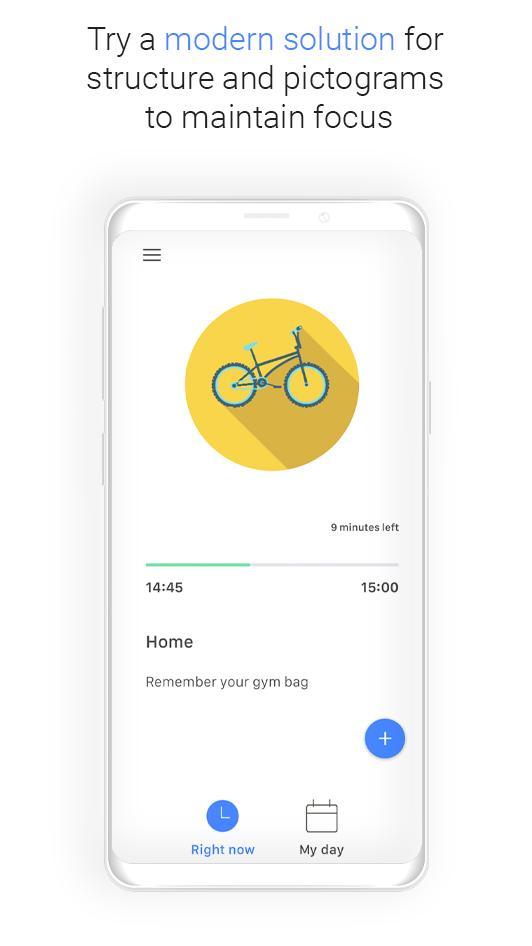
Tiimo reminds you of your activities in a visual, yet discreet way. With the visual countdown and timer incorporated in the calendar you can always keep track of how far you are and how much time is left of any given activity. Get reminders and vibrations along the way – you decide the amount of active support you need for your child, teen or maybe yourself as an adult.
Tiimo app is discreet
With Tiimo schedule you get a full overview with reminders, a visual timer and the full overview with a modern solution. With the Tiimo app calendar you always get the full overview of your day in a discreet way, no matter where you are. It's a modern solution that ensures others don't notice the need for support.
Tiimo app is accessible
You can bring Tiimoapp with you everywhere and feel the difference.
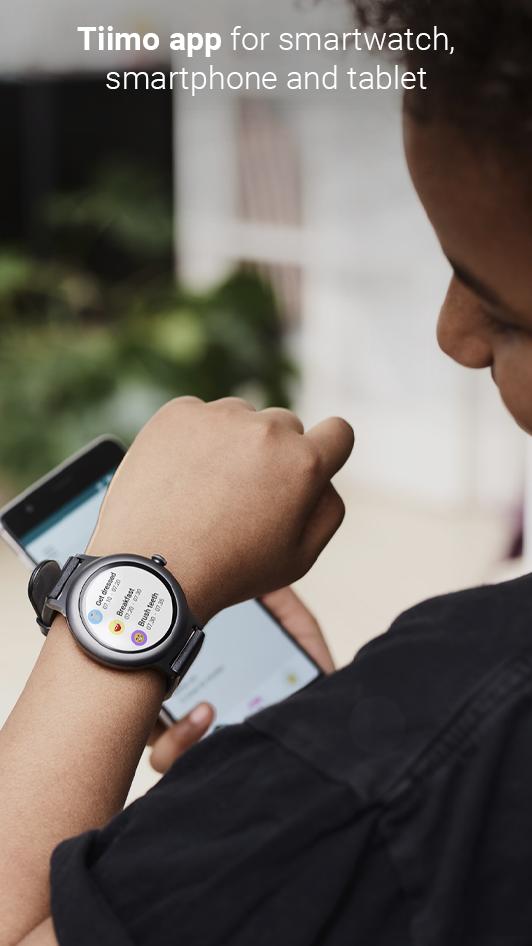
With Timo you get an app that's smart, discreet, and accessible everywhere, always on your favorite device. Tiimo has a particularly strong effect on a smartwatch as it's a wearable, therefore a child, adult or teen have the schedule with reminders them at all times.
Tiimo app is for everybody
Tiimo app is a visual schedule app with reminders for adult, teen and child. We have users with and without diagnosis. We have children, adults and teenager amongst our users. Tiimoapp is for everbody in need of visual structure and guidance - or just in need of a timer for time management.
But, we do have Tiimo users with different diagnosis such as:
∙ ADHD
∙ ADD
∙ Autism (ASD)
∙ Infantile Autism
∙ Aspergers
∙ PTSD
∙ Bipolar
As a company, we are aware of the need that some children, teenager or adult, with diagnosis like ADHD, ADD and Autism (ASD) have for structure and for having a schedule or calendar that can assist them. Tiimo app was actually designed and developed in collaboration with ADHD, ADD and autism (ASD) families and well as with ADHD, ADD and autism (ASD) experts.
"Which smartwatches can I use?"
Tiimoapp can be used on Wear OS and Apple Watch smartwatches.
See our FAQ section at www.tiimoapp.com for more info.
*Why have we chosen Tiimo with two ii’s and not just with a single i, Timo, is a question we often get. There is a simple reason for this choice of Tiimo over Timo. You see, Timo isn’t a as aesthetically pleasing name/logo as Tiimo is.
Think about it, Timo don’t have the same impact as Tiimo, no? Tiimo is visually pleasing and you can hear the word when you read it, where as Timo is, well, plainly speaking simply too short.
Pratinjau
Informasi
Pengembang
Tiimo
Versi Terbaru
1.4.6
Terakhir Diperbarui
2019-04-17
Kategori
Gaya hidup
Tersedia di
Google Play
Menampilkan lebih banyak
Cara memainkan Tiimo : ADHD | Autism app for visual structure⌚️📱 dengan GameLoop di PC
1. Download GameLoop dari situs resminya, lalu jalankan file exe untuk menginstal GameLoop.
2. Buka GameLoop dan cari “Tiimo : ADHD | Autism app for visual structure⌚️📱”, temukan Tiimo : ADHD | Autism app for visual structure⌚️📱 di hasil pencarian dan klik “Install”.
3. Nikmati bermain Tiimo : ADHD | Autism app for visual structure⌚️📱 di GameLoop.
Minimum requirements
OS
Windows 8.1 64-bit or Windows 10 64-bit
GPU
GTX 1050
CPU
i3-8300
Memory
8GB RAM
Storage
1GB available space
Recommended requirements
OS
Windows 8.1 64-bit or Windows 10 64-bit
GPU
GTX 1050
CPU
i3-9320
Memory
16GB RAM
Storage
1GB available space