Underwater City maps for MCPE for PC
teddy apps
Unduh Underwater City maps for MCPE di PC Dengan Emulator GameLoop
Underwater City maps for MCPE di PC
Underwater City maps for MCPE, berasal dari pengembang teddy apps, berjalan di sistem Android di masa lalu.
Sekarang, Anda dapat memainkan Underwater City maps for MCPE di PC dengan GameLoop dengan lancar.
Unduh di perpustakaan GameLoop atau hasil pencarian. Tidak ada lagi memperhatikan baterai atau panggilan frustasi pada waktu yang salah lagi.
Nikmati saja Underwater City maps for MCPE PC di layar besar secara gratis!
Underwater City maps for MCPE Pengantar
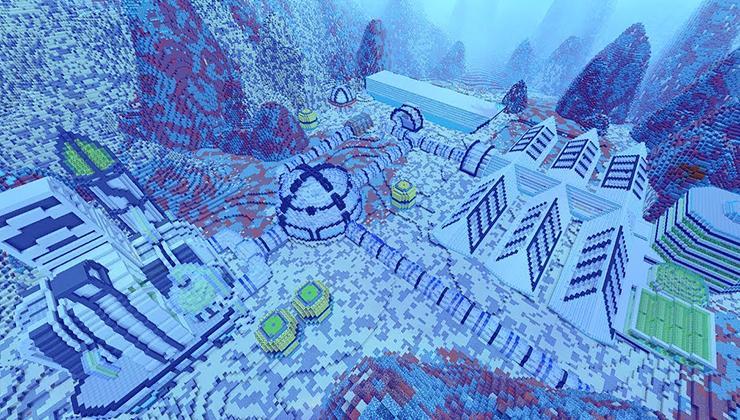
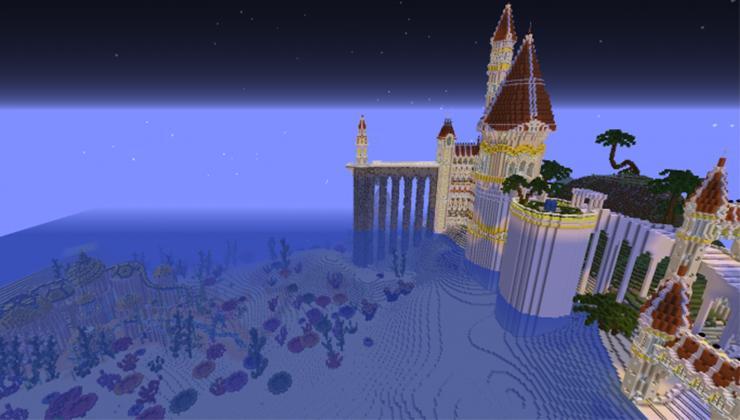
Underwater City maps for Minecraft have a huge cities which include loads of epic creations and design elements. The Atlantis city have a different village and underwater temples. Swimming pools, pyramids, towers and residential areas are just a few of the things you will find in this epic creation for Minecraft. The sunken city is a hive for exploration with many secret artefacts. Legendary Сity map is the ancient, once great city that was lost when the ocean submerged it.The Ocean pyramid rises a massive from the sea floor and is a constant lure for players. Ocean city is magnificent underwater city which was made up of palaces made of gold and silver. Lost City is the most spectacular underwater city in the Minecraft world. Atlantis appears to be some sort of ancient city with underwater base which can be used for explore. Player will spawn in the center of the big palace deep underwater. Surrounding the palace are several ancient houses, ships and a huge temple.Atlantis is the big city on the ocean island, famous for their wealth and architecture, that one day vanished. City maps for Minecraft is the epic underwater kingdom with a lot of artefacts.
DISCLAIMER: Underwater City maps for MCPE is an unofficial application for Minecraft Pocket Edition. Underwater City maps for MCPE application is not affiliated in any way with Mojang AB. The Minecraft Name, the Minecraft Brand and the Minecraft Assets are all property of Mojang AB or their respectful owner. All rights reserved. In accordance with http://account.mojang.com/documents/brand_guidelines
Pratinjau
Informasi
Pengembang
teddy apps
Versi Terbaru
2.1.2
Terakhir Diperbarui
2018-11-03
Kategori
Hiburan
Tersedia di
Google Play
Menampilkan lebih banyak
Cara memainkan Underwater City maps for MCPE dengan GameLoop di PC
1. Download GameLoop dari situs resminya, lalu jalankan file exe untuk menginstal GameLoop.
2. Buka GameLoop dan cari “Underwater City maps for MCPE”, temukan Underwater City maps for MCPE di hasil pencarian dan klik “Install”.
3. Nikmati bermain Underwater City maps for MCPE di GameLoop.
Minimum requirements
OS
Windows 8.1 64-bit or Windows 10 64-bit
GPU
GTX 1050
CPU
i3-8300
Memory
8GB RAM
Storage
1GB available space
Recommended requirements
OS
Windows 8.1 64-bit or Windows 10 64-bit
GPU
GTX 1050
CPU
i3-9320
Memory
16GB RAM
Storage
1GB available space