
Burton Adventist Academy for PC
Burton Adventist Academy
Unduh Burton Adventist Academy di PC Dengan Emulator GameLoop
Burton Adventist Academy di PC
Burton Adventist Academy, berasal dari pengembang Burton Adventist Academy, berjalan di sistem Android di masa lalu.
Sekarang, Anda dapat memainkan Burton Adventist Academy di PC dengan GameLoop dengan lancar.
Unduh di perpustakaan GameLoop atau hasil pencarian. Tidak ada lagi memperhatikan baterai atau panggilan frustasi pada waktu yang salah lagi.
Nikmati saja Burton Adventist Academy PC di layar besar secara gratis!
Burton Adventist Academy Pengantar
Welcome to Burton Adventist Academy in Arlington, Texas!
Check out the key features of the BAA App below:
HOME:
Find out what's going on today with a custom marquee message, featured events, polls, and more!
CALENDARS:
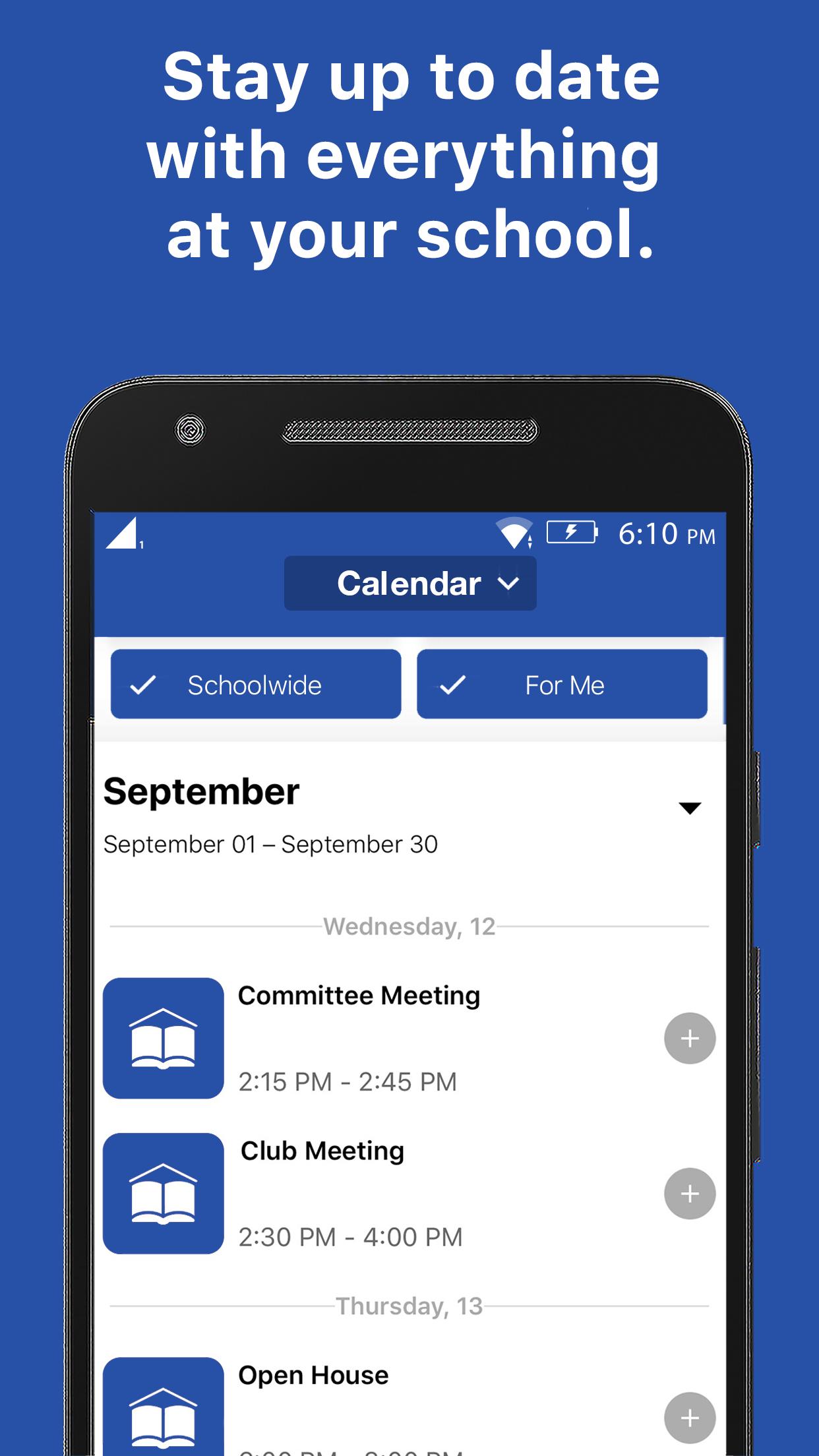
Get connected to the right calendars based on who you are. See your events, not someone else's. View event details, attachments, links, time & place. Easily find the event w/ interactive maps.
NOTIFICATIONS:
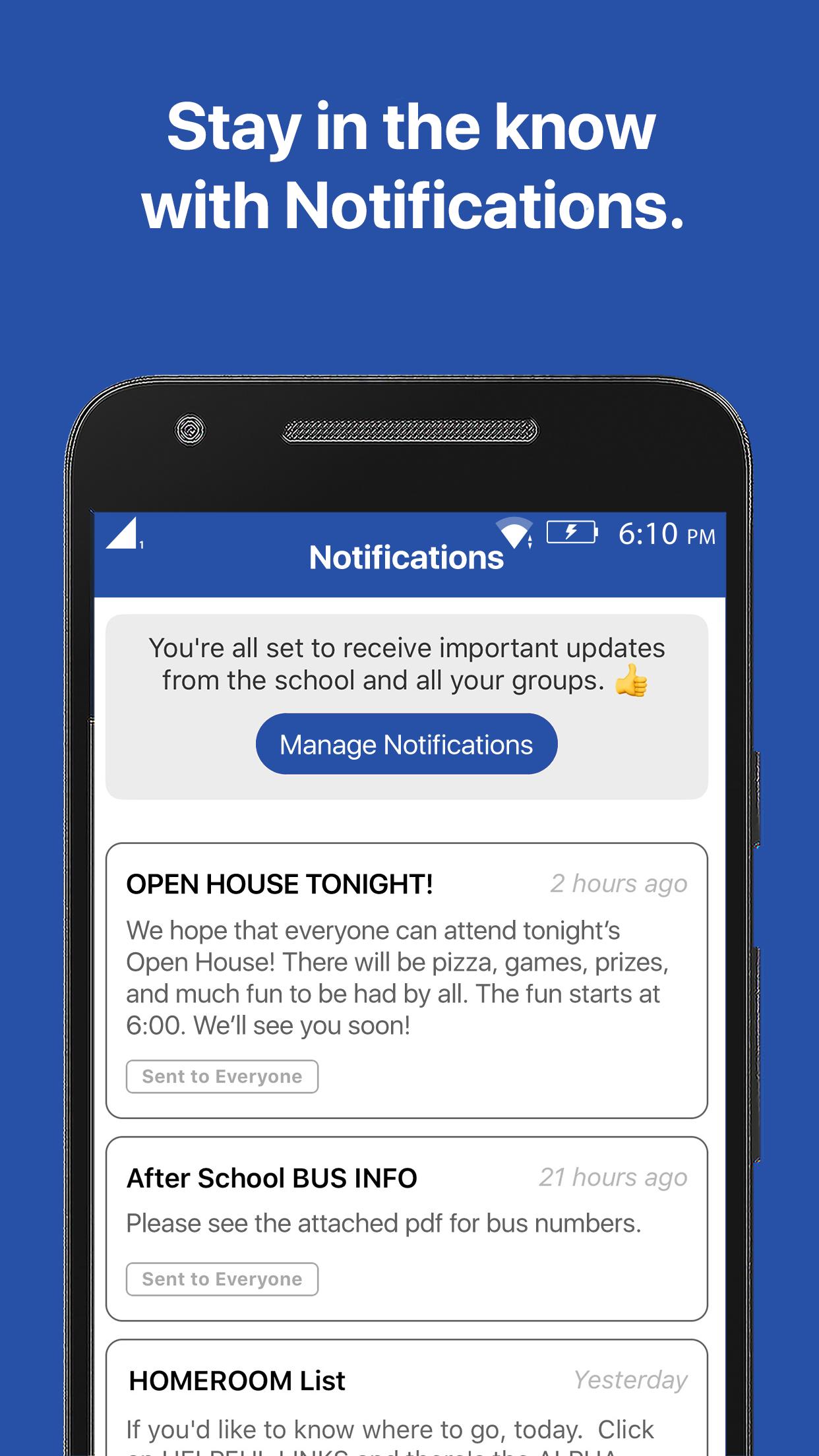
Subscribe to receive the messages that are most important to you and always stay up-to-date with the latest communication.
RESOURCES:
Have the knowledge you need. Forms, flyers, and facts all at your fingertips.
GROUPS:
Get connected with your clubs, teams, and groups, and discover new ways to get involved.
Pratinjau
Tag
PendidikanInformasi
Pengembang
Burton Adventist Academy
Versi Terbaru
15999794
Terakhir Diperbarui
2021-01-25
Kategori
Pendidikan
Tersedia di
Google Play
Menampilkan lebih banyak
Cara memainkan Burton Adventist Academy dengan GameLoop di PC
1. Download GameLoop dari situs resminya, lalu jalankan file exe untuk menginstal GameLoop.
2. Buka GameLoop dan cari “Burton Adventist Academy”, temukan Burton Adventist Academy di hasil pencarian dan klik “Install”.
3. Nikmati bermain Burton Adventist Academy di GameLoop.
Minimum requirements
OS
Windows 8.1 64-bit or Windows 10 64-bit
GPU
GTX 1050
CPU
i3-8300
Memory
8GB RAM
Storage
1GB available space
Recommended requirements
OS
Windows 8.1 64-bit or Windows 10 64-bit
GPU
GTX 1050
CPU
i3-9320
Memory
16GB RAM
Storage
1GB available space