Vivtron PnP IP Cam for PC
VIVTRON
Unduh Vivtron PnP IP Cam di PC Dengan Emulator GameLoop
Vivtron PnP IP Cam di PC
Vivtron PnP IP Cam, berasal dari pengembang VIVTRON, berjalan di sistem Android di masa lalu.
Sekarang, Anda dapat memainkan Vivtron PnP IP Cam di PC dengan GameLoop dengan lancar.
Unduh di perpustakaan GameLoop atau hasil pencarian. Tidak ada lagi memperhatikan baterai atau panggilan frustasi pada waktu yang salah lagi.
Nikmati saja Vivtron PnP IP Cam PC di layar besar secara gratis!
Vivtron PnP IP Cam Pengantar
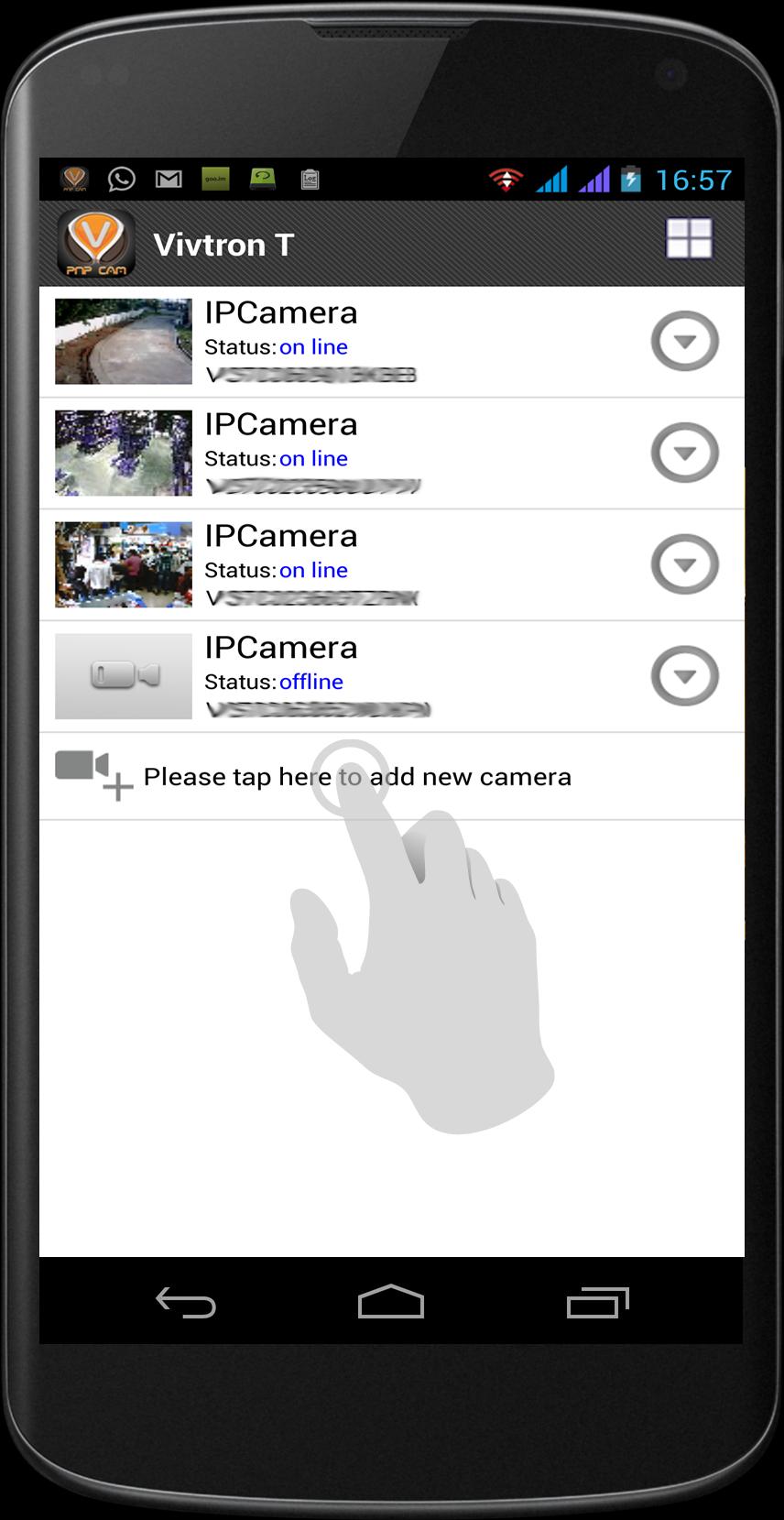
This software is specifically designed for Vivtron T-Series P2P Plug and Play (PnP) IP cameras.
VIVTRON is a young and fast growing entity that believes in “innovation” in its true sense.
We define, design and deliver technology to consumers and corporates.
With our unique and futuristic product line we ensure that we touch upon the latest technology and make it available at affordable price.
Our “Engineered Solutions” include products which we manufacture or modify, products which are manufactured to our specifications by independent manufacturers under our own private brands, and customer-specific solutions designed to fit a unique application.
Our integrated supply chain makes it possible to balance extensive product inventories, on-time delivery and direct ship capabilities anywhere in the world, making us one of the easiest and most cost-effective companies with which to do business.
The “PnP IP Cameras” is our latest Plug and Play technology which requires zero-network settings and 3 simple steps to setup the IP camera
What are the main features of Vivtron T-Series PnP IP camera?
1. P2P Plug and Play (PnP technology): No need to configure the router, just plug the power and LAN cable, even if you know nothing about networking or even you do not have a computer. You just need an Android or iPhone and you can easily setup the camera .Compared to any other IP camera, Vivtron PnP camera does not require you to know the cameras ip, gateway, ddns, and most of the important, there’s no need to do port forwarding in router. Each Camera T Series PnP camera comes with a unique UID code that lets you access the camera from anywhere in the world from your Android or iPhone
2. Some network environments are complex and incorporate firewall which makes it impossible to access an IP camera from a remote network and can only be accessed over local network. However with the Vivtron PnP IP camera you can remotely access your camera without having to make any changes to your network or firewall.
Pratinjau
Informasi
Pengembang
VIVTRON
Versi Terbaru
3.18
Terakhir Diperbarui
2015-01-07
Kategori
Komunikasi
Tersedia di
Google Play
Menampilkan lebih banyak
Cara memainkan Vivtron PnP IP Cam dengan GameLoop di PC
1. Download GameLoop dari situs resminya, lalu jalankan file exe untuk menginstal GameLoop.
2. Buka GameLoop dan cari “Vivtron PnP IP Cam”, temukan Vivtron PnP IP Cam di hasil pencarian dan klik “Install”.
3. Nikmati bermain Vivtron PnP IP Cam di GameLoop.
Minimum requirements
OS
Windows 8.1 64-bit or Windows 10 64-bit
GPU
GTX 1050
CPU
i3-8300
Memory
8GB RAM
Storage
1GB available space
Recommended requirements
OS
Windows 8.1 64-bit or Windows 10 64-bit
GPU
GTX 1050
CPU
i3-9320
Memory
16GB RAM
Storage
1GB available space