
Fish Guard-Biofloc farming for PC
Cabal Technologies LLP
Unduh Fish Guard-Biofloc farming di PC Dengan Emulator GameLoop
Fish Guard-Biofloc farming di PC
Fish Guard-Biofloc farming, berasal dari pengembang Cabal Technologies LLP, berjalan di sistem Android di masa lalu.
Sekarang, Anda dapat memainkan Fish Guard-Biofloc farming di PC dengan GameLoop dengan lancar.
Unduh di perpustakaan GameLoop atau hasil pencarian. Tidak ada lagi memperhatikan baterai atau panggilan frustasi pada waktu yang salah lagi.
Nikmati saja Fish Guard-Biofloc farming PC di layar besar secara gratis!
Fish Guard-Biofloc farming Pengantar
Fish Guard-Biofloc farming app
Fishguard is an application that is developed for farmers who have much passion for fish
farming. The application can monitor all status or situations on the farm and take necessary
action wherever you are. The application also provides facilities to store farm daily
information and make reports of them.
Features include:
Maintain a clear record of feeding, caring, incubation and purchases.
Calculator for ammonia,FCR,biomass etc.
Tutorials for biofloc fish farming from experts.
Tool for updating and reviewing daily water parameters.
Keep a record of daily mortality.
The above features are available for all users, and Fish Guard IOT(Internet of Things) device
is not needed.
***** BELOW FEATURES ONLY FOR USERS WHO BUY FISH GUARD IOT DEVICE *****
You can unlock more features by setting our fish guard IOT device. To know more please
visit. To buy the Fishguard. https://www.fishguard.in
You can unlock more features by setting our fish guard device. To know more please visit
https://www.fishguard.in
The premium features with Fish guard ITO devices are:
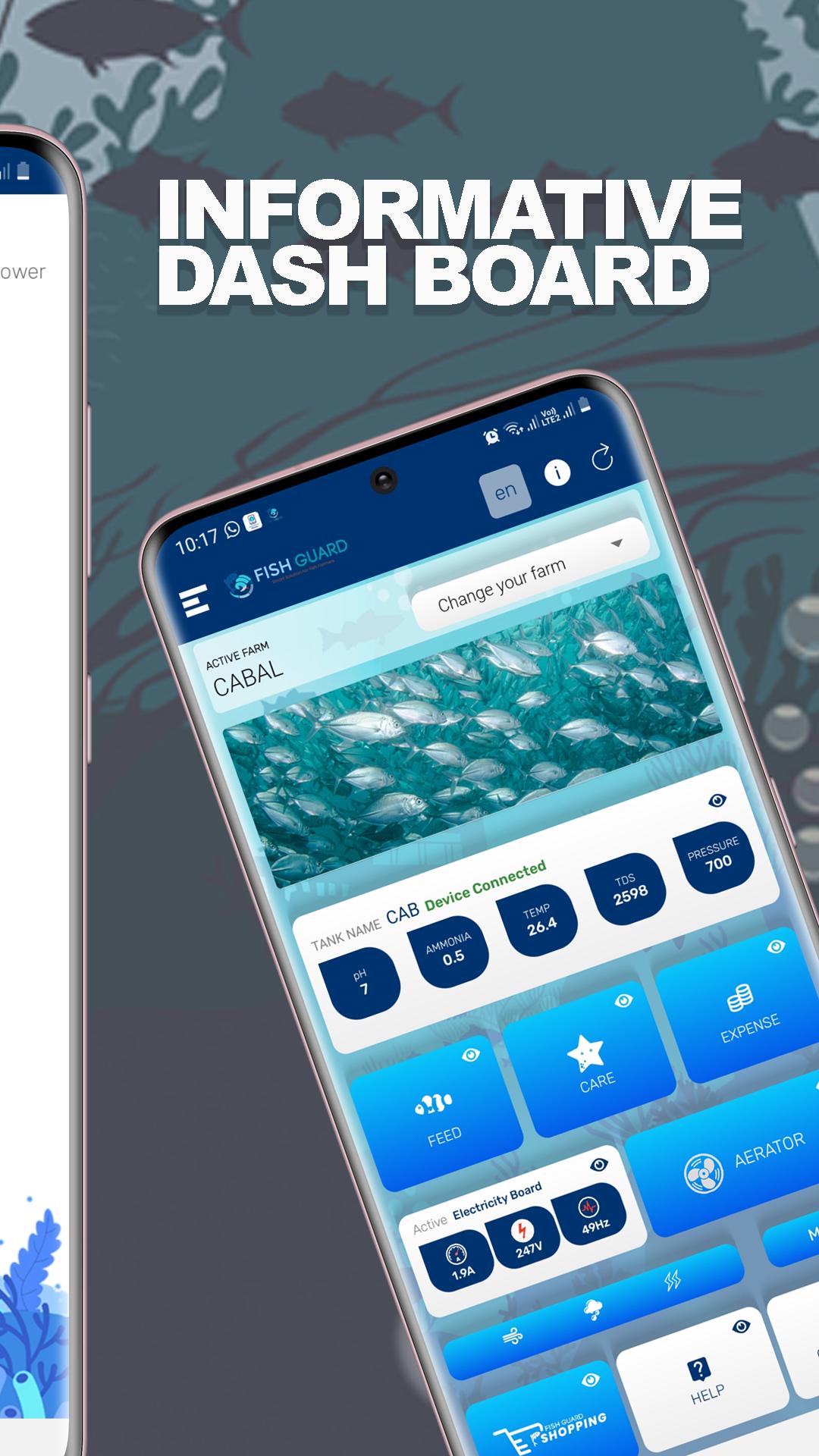
Live Farm
Fish guard technology helps you monitor your farm via an android application with a live internet
connection.
Water Parameters
The device provides you live real-time water parameters such as pH, Toxic Ammonia,
Tds, Salinity, Temperature, Dissolved Oxygen, and Alkalinity
Alert
it also helps in measuring the water level and aeration of the tank. The system gives an alert
when any of these reaches its borderline.
Change Over
The device has an advanced feature for controlling the power of the farm (switching between
electricity board and generator). The Power controlling system can be configured in two modes,
one is automatic and the other is manual. In manual mode, the user has the overall authority in
switching changer over and operating generators by using the app.
Electricity Board to DG
In automatic mode, the device will continuously monitor the voltages from the electricity board,
UPS, and generators, when the power from the electricity board is lost the device waits for 70%
discharge of the UPS after that the device will automatically start the generator if the generator
parameters are healthy the device will use the generator to power the farm. If the generator is not
functioning after 3 attempts the device will give an alert to the user using the app with the correct
information why the generator is not powered on when the electrical power is restored the
the device will switch EB (Electricity board) to power the farm.
Aerator Control
Users can control the aerators of the farm by just adding an add-on module to the fish guard. An
add-on module is capable of controlling 7 aerators at a time. The Add-on aerator module has
mainly two modes (automatic & manual). In manual mode, the user can simply turn on and turn
off the aerator by simply tapping the on-off button in the app. In automatic mode, the device will
alternatively turn on and turn off the aerator at a specified interval given by the user. Users can
also purchase farming products at the lowest price from the app.
Pratinjau
Tag
BisnisInformasi
Pengembang
Cabal Technologies LLP
Versi Terbaru
1.05
Terakhir Diperbarui
2021-11-02
Kategori
Bisnis
Tersedia di
Google Play
Menampilkan lebih banyak
Cara memainkan Fish Guard-Biofloc farming dengan GameLoop di PC
1. Download GameLoop dari situs resminya, lalu jalankan file exe untuk menginstal GameLoop.
2. Buka GameLoop dan cari “Fish Guard-Biofloc farming”, temukan Fish Guard-Biofloc farming di hasil pencarian dan klik “Install”.
3. Nikmati bermain Fish Guard-Biofloc farming di GameLoop.
Minimum requirements
OS
Windows 8.1 64-bit or Windows 10 64-bit
GPU
GTX 1050
CPU
i3-8300
Memory
8GB RAM
Storage
1GB available space
Recommended requirements
OS
Windows 8.1 64-bit or Windows 10 64-bit
GPU
GTX 1050
CPU
i3-9320
Memory
16GB RAM
Storage
1GB available space