
ERPNext Mobile for PC
Frappe Technologies Pvt Ltd
Unduh ERPNext Mobile di PC Dengan Emulator GameLoop
ERPNext Mobile di PC
ERPNext Mobile, berasal dari pengembang Frappe Technologies Pvt Ltd, berjalan di sistem Android di masa lalu.
Sekarang, Anda dapat memainkan ERPNext Mobile di PC dengan GameLoop dengan lancar.
Unduh di perpustakaan GameLoop atau hasil pencarian. Tidak ada lagi memperhatikan baterai atau panggilan frustasi pada waktu yang salah lagi.
Nikmati saja ERPNext Mobile PC di layar besar secara gratis!
ERPNext Mobile Pengantar
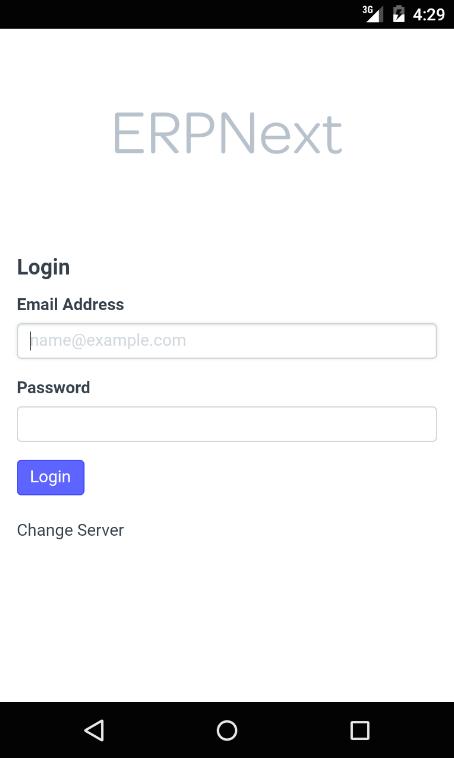
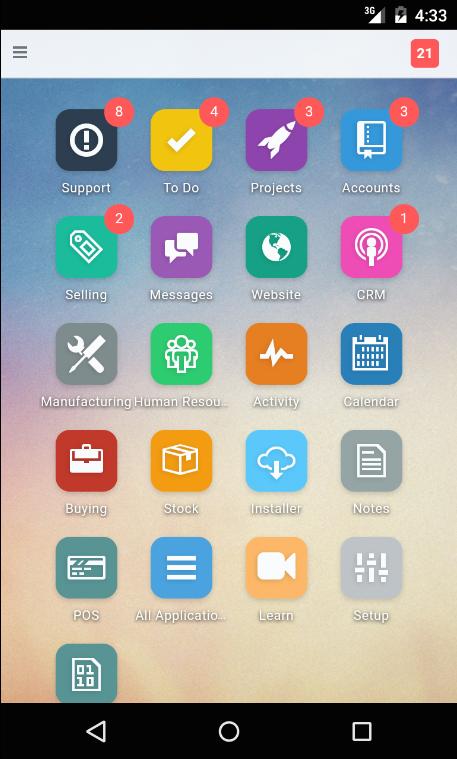
This is a fully featured mobile application for open source ERP, ERPNext Version 5+. ERPNext is a web based and open source ERP for small and medium businesses. ERPNext Mobile helps you manage your business on the go so you can get the latest notifications, follow up on opportunities, orders, invoices, customer issues and much more while you are on the move.
Designed grounds up for mobile use, ERPNext mobile aims to maintain full feature parity with the ERPNext web app using the responsive UI and layouts of the web app.
You can use ERPNext Mobile for accounts on ERPNext.com or your own server.
Awarding winning ERPNext is one of the leading open source ERP applications that helps small and medium sized business manage and grow their business with systems that were only affordable for large enterprises. With ERPNext you can manage your Accounting, CRM, Billing, Inventory, Purchasing, Projects, Payroll, Customer Issues all in one app. For more information, see https://erpnext.com
This app is built and maintained by Frappe Technologies Pvt Ltd, the core developers of ERPNext.
Pratinjau
Informasi
Pengembang
Frappe Technologies Pvt Ltd
Versi Terbaru
0.0.14
Terakhir Diperbarui
2019-09-12
Kategori
Bisnis
Tersedia di
Google Play
Menampilkan lebih banyak
Cara memainkan ERPNext Mobile dengan GameLoop di PC
1. Download GameLoop dari situs resminya, lalu jalankan file exe untuk menginstal GameLoop.
2. Buka GameLoop dan cari “ERPNext Mobile”, temukan ERPNext Mobile di hasil pencarian dan klik “Install”.
3. Nikmati bermain ERPNext Mobile di GameLoop.
Minimum requirements
OS
Windows 8.1 64-bit or Windows 10 64-bit
GPU
GTX 1050
CPU
i3-8300
Memory
8GB RAM
Storage
1GB available space
Recommended requirements
OS
Windows 8.1 64-bit or Windows 10 64-bit
GPU
GTX 1050
CPU
i3-9320
Memory
16GB RAM
Storage
1GB available space