
Puma Browser - Fast Download, Privacy, Saving Data for PC
COLOR ART STUDIO 2018
Unduh Puma Browser - Fast Download, Privacy, Saving Data di PC Dengan Emulator GameLoop
Puma Browser - Fast Download, Privacy, Saving Data di PC
Puma Browser - Fast Download, Privacy, Saving Data, berasal dari pengembang COLOR ART STUDIO 2018, berjalan di sistem Android di masa lalu.
Sekarang, Anda dapat memainkan Puma Browser - Fast Download, Privacy, Saving Data di PC dengan GameLoop dengan lancar.
Unduh di perpustakaan GameLoop atau hasil pencarian. Tidak ada lagi memperhatikan baterai atau panggilan frustasi pada waktu yang salah lagi.
Nikmati saja Puma Browser - Fast Download, Privacy, Saving Data PC di layar besar secara gratis!
Puma Browser - Fast Download, Privacy, Saving Data Pengantar
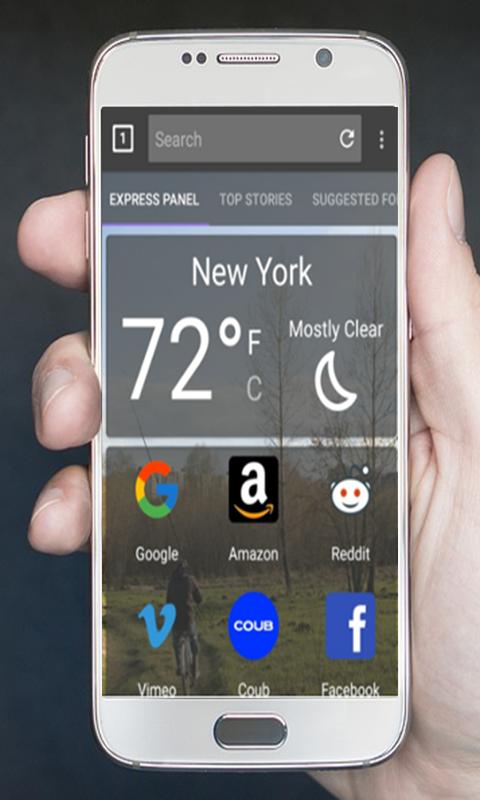
Puma Browser is a secure browser that offers maximum privacy and security.
Puma Browser is very high speed fast browser. With this browser you can navigate on internet quickly and efficiently.
Puma Browser is the best internet textra explorer browser for Android with fast loading speed, HTML5 video player, tab bar,
sidebars, incognito browsing and flash player.
Puma Browser is a lightweight mobile browser which can give you rapid browsing speed.
Puma Browser is on private mode permanently, all data sent and received via the app will be cleaned upon exiting the app.
Features:
► Amazing Browser Features -
► Lightweight to download
► Super fast browsing
► Multiple Tab Support
► Incognito Mode for private browsing: Private browse the web without saving any browser history
► Saving Data
► Supports Flash Player
► Fast Start Times
► Homepage
► Bookmarks
► History
► Small Footprint
► Full-screen mode
► Quick search: Google, Facebook, Twitter, Etc
► Sharing - Super-easy and textra intuitive ways to share mobile contents through Facebook, Twitter, Email, SMS and other social media channels.
► Advance settings
► Night Mode.
Pratinjau

Informasi
Pengembang
COLOR ART STUDIO 2018
Versi Terbaru
1.0
Terakhir Diperbarui
2017-11-27
Kategori
Books-reference
Tersedia di
Google Play
Menampilkan lebih banyak
Cara memainkan Puma Browser - Fast Download, Privacy, Saving Data dengan GameLoop di PC
1. Download GameLoop dari situs resminya, lalu jalankan file exe untuk menginstal GameLoop.
2. Buka GameLoop dan cari “Puma Browser - Fast Download, Privacy, Saving Data”, temukan Puma Browser - Fast Download, Privacy, Saving Data di hasil pencarian dan klik “Install”.
3. Nikmati bermain Puma Browser - Fast Download, Privacy, Saving Data di GameLoop.
Minimum requirements
OS
Windows 8.1 64-bit or Windows 10 64-bit
GPU
GTX 1050
CPU
i3-8300
Memory
8GB RAM
Storage
1GB available space
Recommended requirements
OS
Windows 8.1 64-bit or Windows 10 64-bit
GPU
GTX 1050
CPU
i3-9320
Memory
16GB RAM
Storage
1GB available space