
Video Editor with Music 電腦版
Photo Video Tools
用GameLoop模拟器在電腦上玩Video Editor with Music
Video Editor with Music 電腦版
來自發行商 Photo Video Tools 的 Video Editor with Music 能夠在安卓系統上運行。
現在,您可以在電腦上使用 GameLoop 模擬器流暢地玩 Video Editor with Music。
在 GameLoop 遊戲庫或搜索結果中下載。 不需要再暢玩遊戲時盯著電池電量或被令人懊惱的來電打斷。
只需在電腦大屏幕上免費下載暢玩Video Editor with Music 電腦版!
Video Editor with Music 簡介
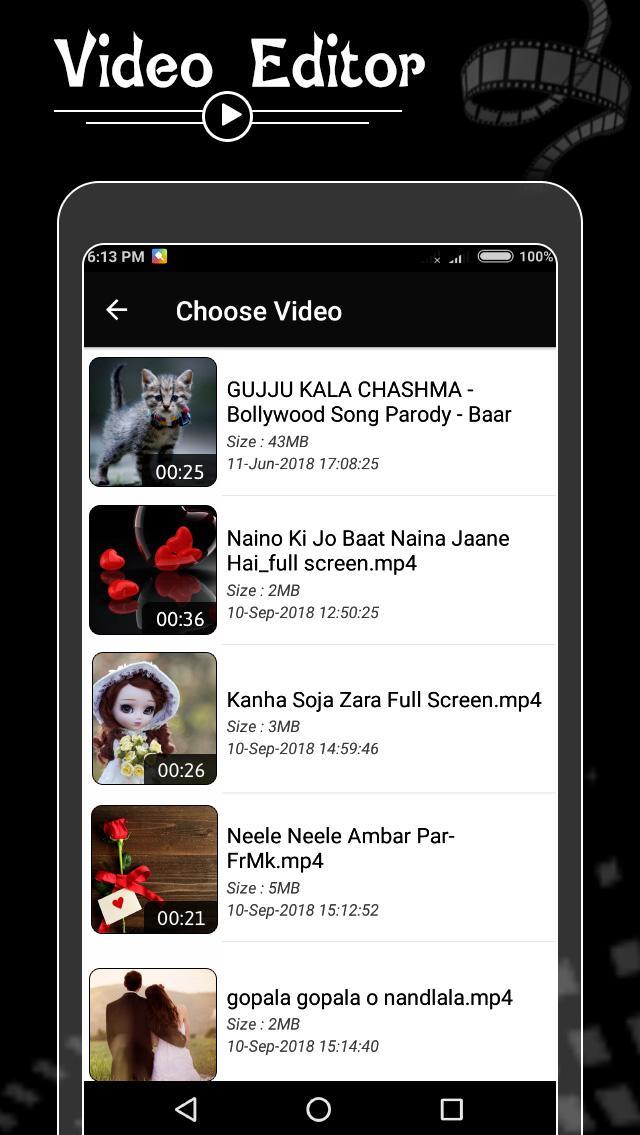
Video Editor help you fast and easy to edit, convert to Mp3, grab photo, remove sound, and replace sound from video.
The best tools to make video with music, effect, slideshow, blur effect to photo and movie video editor.
Video Music Editor Features -
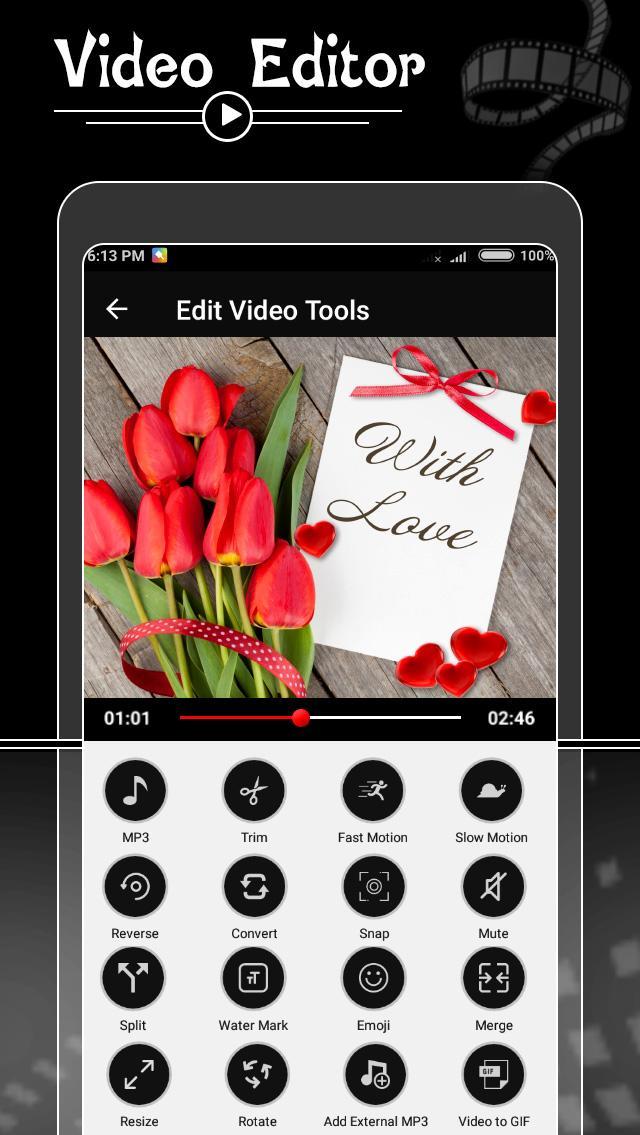
► Powerful Video Editor with Smart Video Editing Tools
☣ Audio Video Mixer – Add Music on Video
➺ Change background music of a video by adding your favorite audio to specific portion of video by trim option or you can also change the audio of whole video.
☣ Fast Motion Video Editor
➺ Use fast motion video app to increase speed of the video using this video editor app. You can make whole video run in fast motion or particular portion of video using trim option. Supports speed like 1X, 2X, 3X, up to 10X.
☣ Slow Motion Video Maker
➺ Create slow motion video of a particular part of video by using trim option or make the whole video slow. Choose any video and select speed like 1/2, 1/3, 1/4, up to 1/10.
☣ Reverse Video Editor – Video Reverse with Audio Reverse
➺ Reverse video with trim.
➺ This application will reverse the video and literally you will see people walking backwards.
☣ Snap Text on Video – Emoji, Sticker and Text on Video
➺ Add Snap Text with Emoji and Stylish text on video
➺ Video pe name likhe with video pe photo lagaye and video pe shayari likhe
☣ Video Merger – Video Joiner
➺ Merge multiple videos into one file which is just awesome.
☣ Crop Video
➺ Select video portion would you need crop.
➺ You can crop some part of video as per your requirement.
☣ Total Video Converter
➺ Convert videos to other formats, change resolution to make your videos smaller. Supports conversion to GIF, 3GP, AVI, FLV, MP4, MPG, MOV, WMV and VOB formats.
☣ Video to photo maker
➺ Grab particular and perfect moments from recorded videos and playable gallery videos in simple steps. Supports Quick Capture and Auto Snap between time intervals.
➺ Extract video frame images at any moment of your video.
☣ Video Spilt
➺ Split your video files into you won’t to separate video clips.
☣ GIF from Video – Animated GIF
➺ Convert your videos to animated GIF
➺ You can make GIF from video and share it to your friends.
☣ Video Cutter & Video Trimmer
➺ Trim & cut video to the length you want.
➺ Video timeline, easy to sync sound and video.
➺ Trim your videos to remove unwanted parts
☣ Snapshot Series
➺ Take an Image would you like in video moment and also as Snapshot Series take a selected time interval.
☣ Mute Video
➺ Unwanted video background voice remove.
☣ Resize Video Maker
➺ Re sizing video like 120x240, 320x480, 420x840, 720x1080 and also your device full screen display size.
☣ Video Compressor
➺ Compress video size with custom output resolution.
➺ HD video output resolution supported.
☣ Video Rotate Editor
➺ Rotate videos (Quick Rotation without encoding or True Rotation with encoding)
☣ Video on Text & Sticker – Video Watermark, Logo Removal
➺ Add subtitles for your videos, many fonts supported.
➺ Add unique text to create your own watermark.
預覽
標籤
Video-Players訊息
開發商
Photo Video Tools
最新版本
1.0.3
更新時間
2021-07-06
類別
Video-players-editors
同時可用
Google Play
更多
如何在電腦上用 GameLoop 玩 Video Editor with Music
1. 從官網下載GameLoop,然後運行exe文件安裝GameLoop
2. 打開GameLoop,搜索“Video Editor with Music”,在搜索結果中找到Video Editor with Music,點擊“安裝”
3. 享受在 GameLoop 上玩 Video Editor with Music 的樂趣
Minimum requirements
OS
Windows 8.1 64-bit or Windows 10 64-bit
GPU
GTX 1050
CPU
i3-8300
Memory
8GB RAM
Storage
1GB available space
Recommended requirements
OS
Windows 8.1 64-bit or Windows 10 64-bit
GPU
GTX 1050
CPU
i3-9320
Memory
16GB RAM
Storage
1GB available space