
Video Compress King 電腦版
Xigeme Technology Co., Ltd.
用GameLoop模拟器在電腦上玩Video Compress King
Video Compress King 電腦版
來自發行商 Xigeme Technology Co., Ltd. 的 Video Compress King 能夠在安卓系統上運行。
現在,您可以在電腦上使用 GameLoop 模擬器流暢地玩 Video Compress King。
在 GameLoop 遊戲庫或搜索結果中下載。 不需要再暢玩遊戲時盯著電池電量或被令人懊惱的來電打斷。
只需在電腦大屏幕上免費下載暢玩Video Compress King 電腦版!
Video Compress King 簡介
Video Compress King is a powerful video editing toolset that can doing some awesome work, operation is simple and convenient, to help you quickly complete video production.
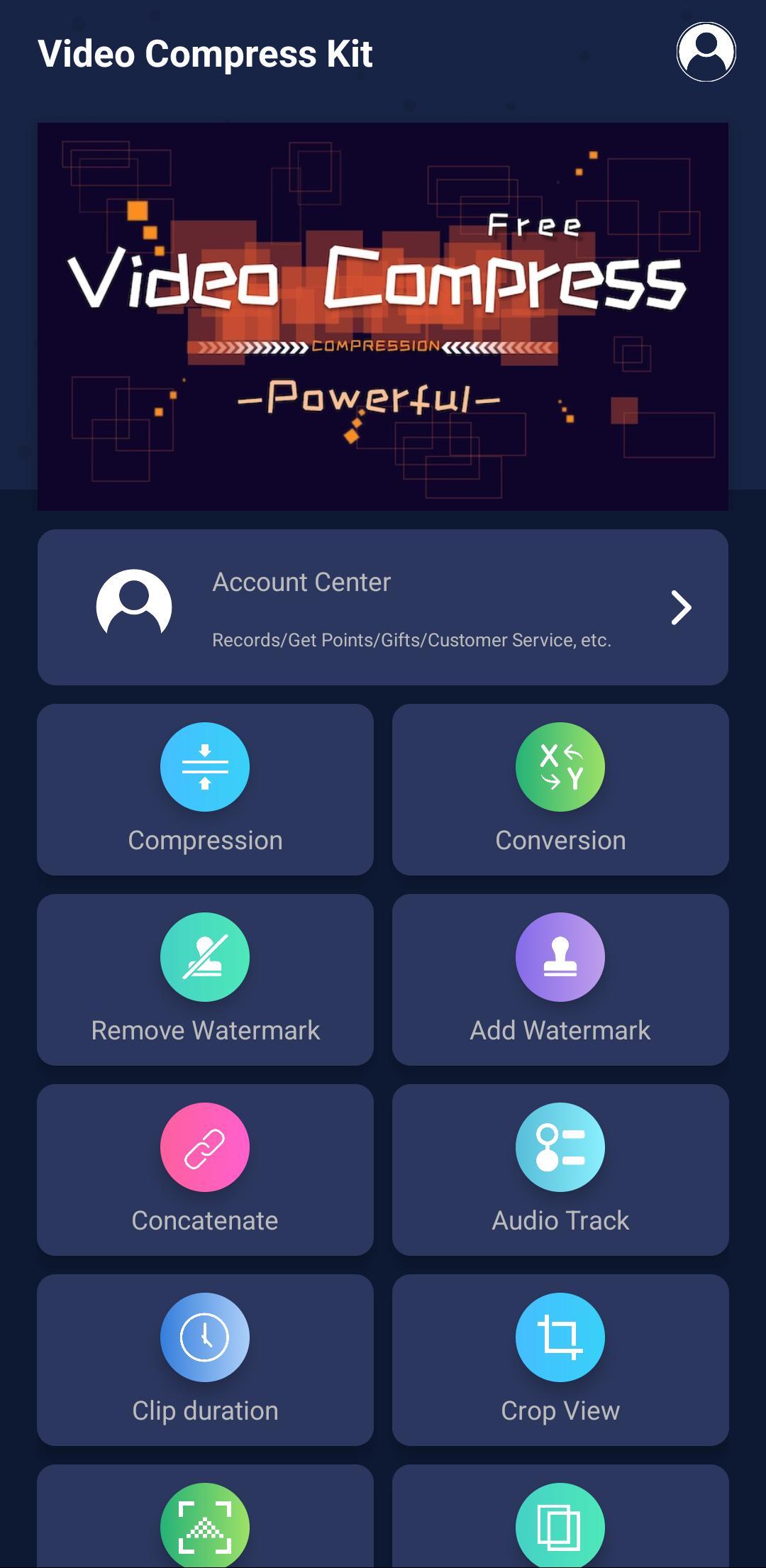
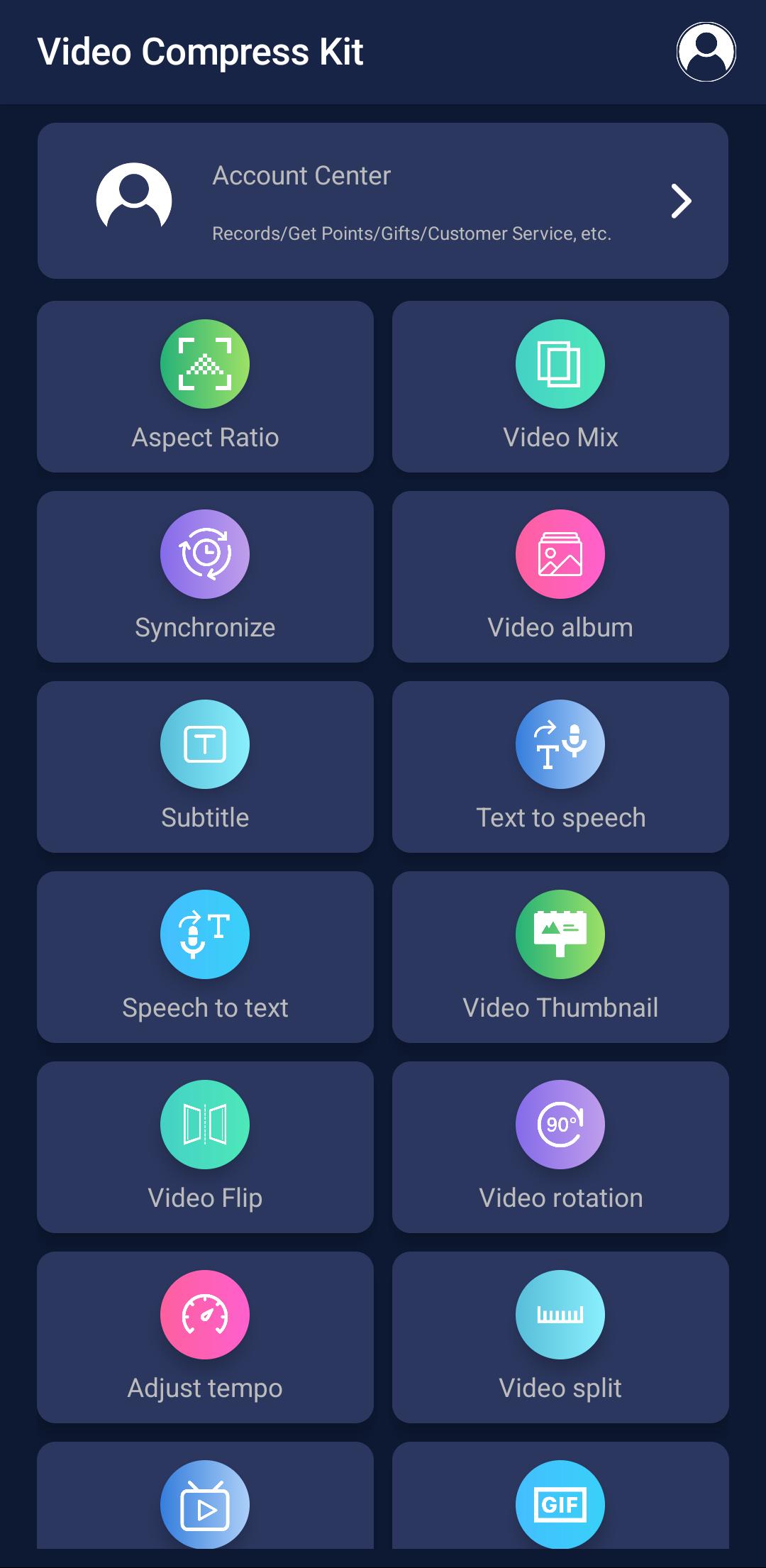
The app includes functions: video compression, format conversion, Online extraction, watermark removal, M3U8 generation, video subtitles, crop view, watermark addition,audio track, clip duration, aspect ratio, video rotation, video reverse, video flip, video concatenate, video mixing, animated image, audio mixing, video fade, video synchronize, video album, video thumbnail, video mosiac, video split, adjust tempo
Supported video formats: mp4, m4v, mov, m3u8, mkv, flv, avi, 3gp, 3gpp, mtv, swf, wmv, mpg, vob, rm, rmvb, asf, asx, f4v, ts, blv, amv, webm
Compression: Compress video to the specified file size
Conversion: Convert video to the specified format
M3U8 production: make the video into M3U8 segmented format
Remove watermark: remove watermark in video
Online extraction: extract/download,/recordingvideo from web pages
Add watermark: add your own watermark in video
Video reverse: Play the video in reverse order
Clip duration: intercept a period of time to save to a new video
Crop view: crop a rectange of view to save to a new video
Audio mixing: mix multi audio in video
Aspect ratio: adjust the size ratio of the video picture and fill the color / photo / virtual image
Video flip: Mirror the video upside down / left and right
Video thumbnail: make video artist/cover/thumbnail
Video tempo: adjust the video playback speed
Video rotation: rotate the video, support custom degree
Video synchronization: Synchronize audio and video tracks
Video split: split a video to multi section videos, support splitting according to duration or number
Video concatenate: concatenate multiple videos into a new video
Audio track: add or delete audio track in video
Video mosiac: add mosaic to video and audio
Video Mixing: Mix two videos to one, achieve the picture-in-picture effect
Video subtitles: add subtitles to the video
Video fade: Add fade in and fade out effect to video
Video album: combine multiple photos to generate a video with transition animation
Animated image: Convert the video to animated image in GIF/APNG/WEBP format
預覽
標籤
Video-Players訊息
開發商
Xigeme Technology Co., Ltd.
最新版本
1.6.1
更新時間
2025-08-23
類別
Video-players-editors
同時可用
Google Play
更多
如何在電腦上用 GameLoop 玩 Video Compress King
1. 從官網下載GameLoop,然後運行exe文件安裝GameLoop
2. 打開GameLoop,搜索“Video Compress King”,在搜索結果中找到Video Compress King,點擊“安裝”
3. 享受在 GameLoop 上玩 Video Compress King 的樂趣
Minimum requirements
OS
Windows 8.1 64-bit or Windows 10 64-bit
GPU
GTX 1050
CPU
i3-8300
Memory
8GB RAM
Storage
1GB available space
Recommended requirements
OS
Windows 8.1 64-bit or Windows 10 64-bit
GPU
GTX 1050
CPU
i3-9320
Memory
16GB RAM
Storage
1GB available space