
Fastplayer - Video Player 電腦版
WariMedia
用GameLoop模拟器在電腦上玩Fastplayer - Video Player
Fastplayer - Video Player 電腦版
來自發行商 WariMedia 的 Fastplayer - Video Player 能夠在安卓系統上運行。
現在,您可以在電腦上使用 GameLoop 模擬器流暢地玩 Fastplayer - Video Player。
在 GameLoop 遊戲庫或搜索結果中下載。 不需要再暢玩遊戲時盯著電池電量或被令人懊惱的來電打斷。
只需在電腦大屏幕上免費下載暢玩Fastplayer - Video Player 電腦版!
Fastplayer - Video Player 簡介
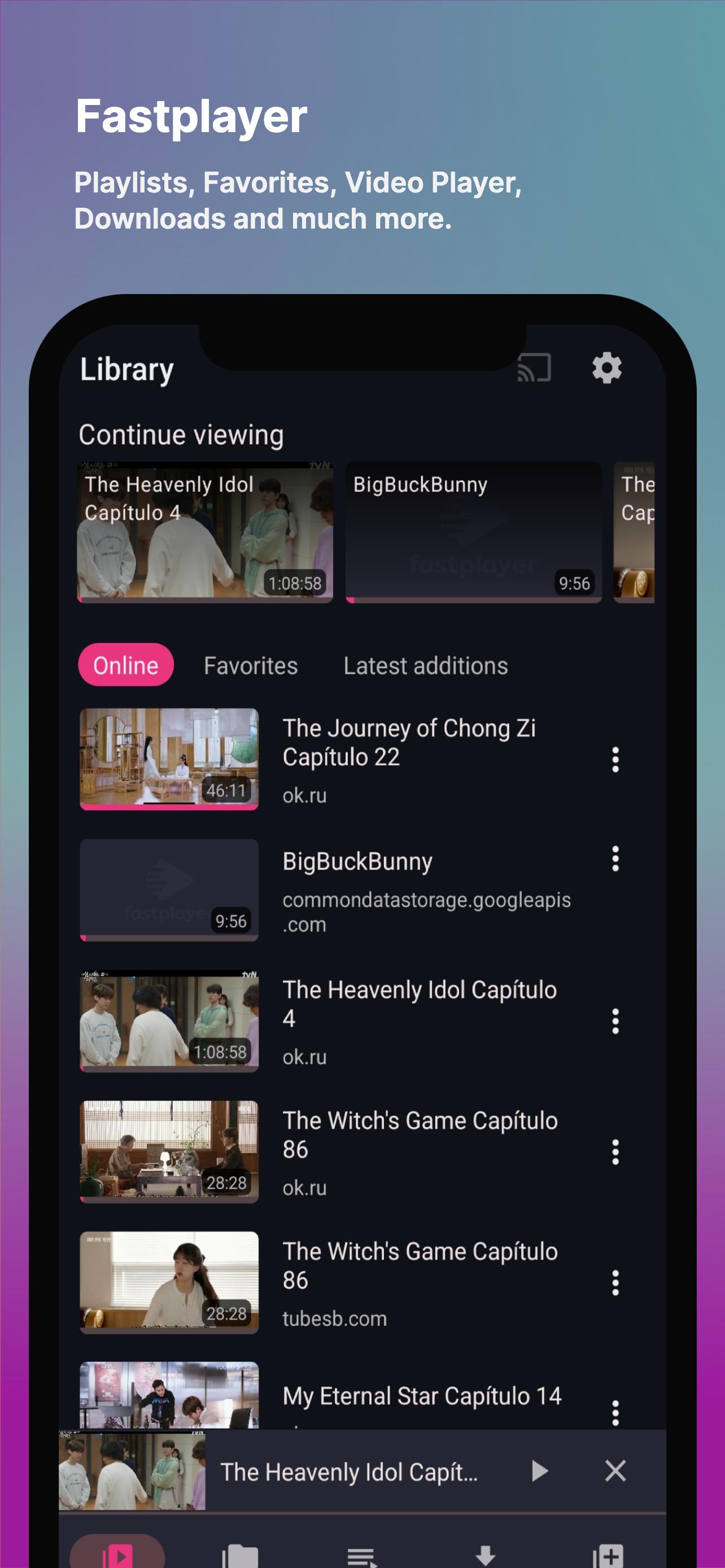
Fastplayer is a free video player app for Android With great advanced hardware acceleration and subtitle support, it supports all formats such as 4K, HD, MP4, MKV, etc.
【Features of Fastplayer】
★ Ultra HD video player, 4K compatible.
★ Play your media content on your SmarTv via Chromecast.
★ Supports all video formats.
★ Multi-core decoding.
★ Support for multiple subtitle formats.
★ Easy to control volume, brightness and playback progress.
★ Browse and play multimedia content from your phone through the app.
★ Various playback options: auto rotation, screen lock, etc.
★ Video support for multiple qualities.
■ Subtitle format:
- SubRip (.srt)
-WebVTT (.vtt)
- DVD, DVB, SSA/ASS subtitle tracks.
【Fastplayer: Functions and Capabilities】
🎞 Playlists
Organize your videos the way you prefer with the playlist functionality! Our playlist gives you the option to create, edit and organize your videos the way you want.
🎬 Floating Mode (PiP)
Play your media content to a small player (Picture-in-Picture), so you can still enjoy your videos while using other applications on your mobile device.
🎥 Video Qualities
Fastplayer player, detects the qualities of videos stored on external servers; which will allow you to enjoy according to your internet preference and video quality.
📺 Play through Chromecast.
With Google's Chromecast device, you can send your favorite media content to your SmarTv from the app.
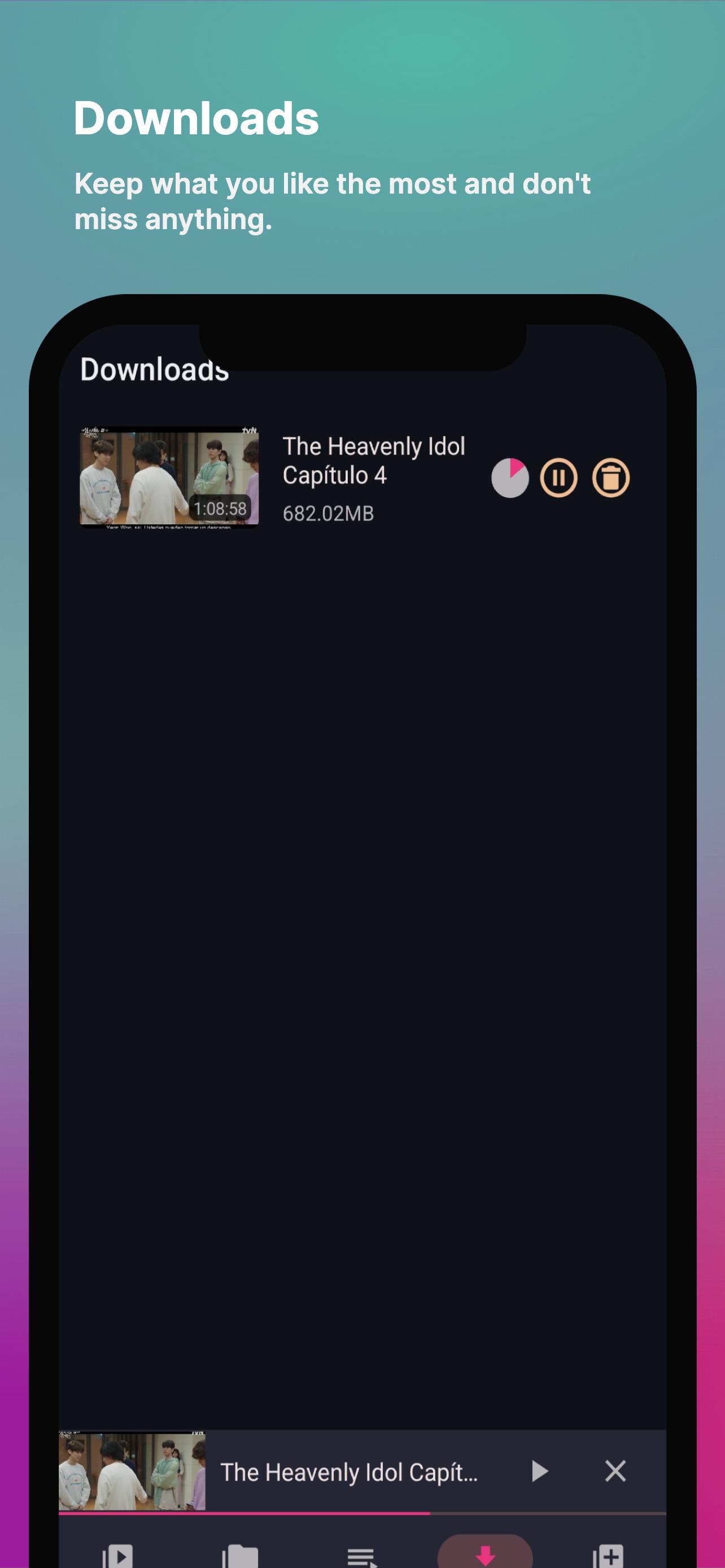
📥 Download manager.
Fastplayer's free player, allows you to download media content from external servers; moving to a second process, so you can continue to enjoy your favorite content without interruption.
🔗 Remote uploading.
The powerful Android video player allows you to upload videos via direct URLs, as well as embedded URLs from popular servers.
🔒 Screen lock.
Don't want to interrupt your video while watching it? Lock your content with our screen lock feature!
👻 Private, secure and easy to use.
In accordance with privacy protection, Fastplayer free video player keeps your personal information and files safe and does not share them with anyone else. Eliminate the risk of information leakage and protect your files.
【Fastplayer: REQUESTED PERMISSIONS】.
🔓 File and data storage: this permission is required to access local files and be able to play your media content.
🔓 Disable screen lock: this permission is required to remove the screen lock and be able to enjoy media content without interruption.
🔓 Prevent phone from entering sleep mode: this permission is required to play multimedia content on some devices.
【Fastplayer: Player safety precautions】.
📝 Users must have their own content, this is just a video playback tool that provides a general friendly environment to play multimedia content.
📝 Fastplayer is not affiliated with any third party content providers.
📝 The application is free for all media file types requiring a video player as of mid-2022.
📝 We do not support the reproduction of copyrighted material without the permission of the copyright owner.
📝 Viewing and downloading of any copyrighted file is prohibited and is governed by the laws of your country. We are not responsible for misuse of our application.
Interested in integrating Fastplayer into your application? We will be happy to be part of your project and play your multimedia content. Write to hello@wari.media
Thank you for trusting Fastplayer We would love to hear your ideas and criticisms, we look forward to hearing from you! ;')
🌐 OFFICIAL PAGES:
- Official website: https://wari.media/
- Terms of service: https://wari.media/terms
- Privacy policy: https://wari.media/privacy
- Frequently asked questions: https://wari.media/faq
🌐 SOCIAL NETWORKS:
- Telegram: https://t.me/fastplayer_app
預覽
標籤
Video-Players訊息
開發商
WariMedia
最新版本
1.0.0
更新時間
2023-02-24
類別
Video-players-editors
同時可用
Google Play
更多
如何在電腦上用 GameLoop 玩 Fastplayer - Video Player
1. 從官網下載GameLoop,然後運行exe文件安裝GameLoop
2. 打開GameLoop,搜索“Fastplayer - Video Player”,在搜索結果中找到Fastplayer - Video Player,點擊“安裝”
3. 享受在 GameLoop 上玩 Fastplayer - Video Player 的樂趣
Minimum requirements
OS
Windows 8.1 64-bit or Windows 10 64-bit
GPU
GTX 1050
CPU
i3-8300
Memory
8GB RAM
Storage
1GB available space
Recommended requirements
OS
Windows 8.1 64-bit or Windows 10 64-bit
GPU
GTX 1050
CPU
i3-9320
Memory
16GB RAM
Storage
1GB available space