
AI Video Converter: Compress 電腦版
Highdea Apps Studio
用GameLoop模拟器在電腦上玩AI Video Converter: Compress
AI Video Converter: Compress 電腦版
來自發行商 Highdea Apps Studio 的 AI Video Converter: Compress 能夠在安卓系統上運行。
現在,您可以在電腦上使用 GameLoop 模擬器流暢地玩 AI Video Converter: Compress。
在 GameLoop 遊戲庫或搜索結果中下載。 不需要再暢玩遊戲時盯著電池電量或被令人懊惱的來電打斷。
只需在電腦大屏幕上免費下載暢玩AI Video Converter: Compress 電腦版!
AI Video Converter: Compress 簡介
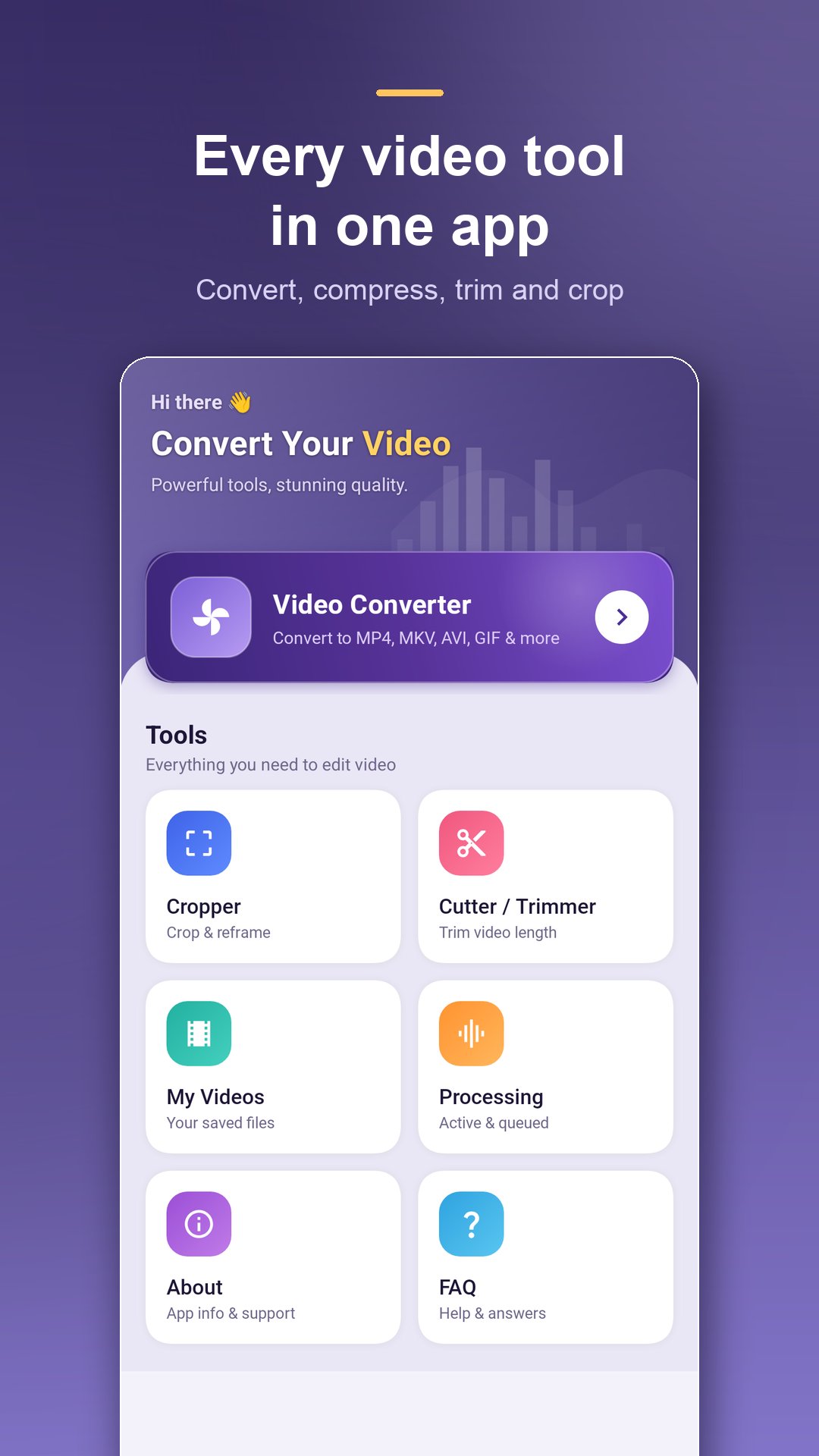
Convert, compress, crop and trim video right on your phone — now with AI Enhance to clean up every clip while it converts.
Video Converter turns any clip into the format you need, shrinks big files so they actually send, and gives you a real cutter and cropper — all processed on your device with FFmpeg. No uploads, no account, no server limits on file size.
★ AI ENHANCE — better video, automatically
Switch on AI Enhance and the app improves your footage in the same pass as the conversion:
• Auto Enhance — balanced clean-up for everyday clips
• Sharpen — recover fine detail in soft video
• Low light — brighten dark and night footage
• Cinematic — filmic contrast and colour
• Stabilize — reduce handheld shake
• Noise reduction — remove background hiss
• Voice boost — clearer speech in vlogs and interviews
• Loudness normalize — even volume across the whole clip
• Smart quality — analyses your source and picks the best settings for you
★ VIDEO CONVERTER
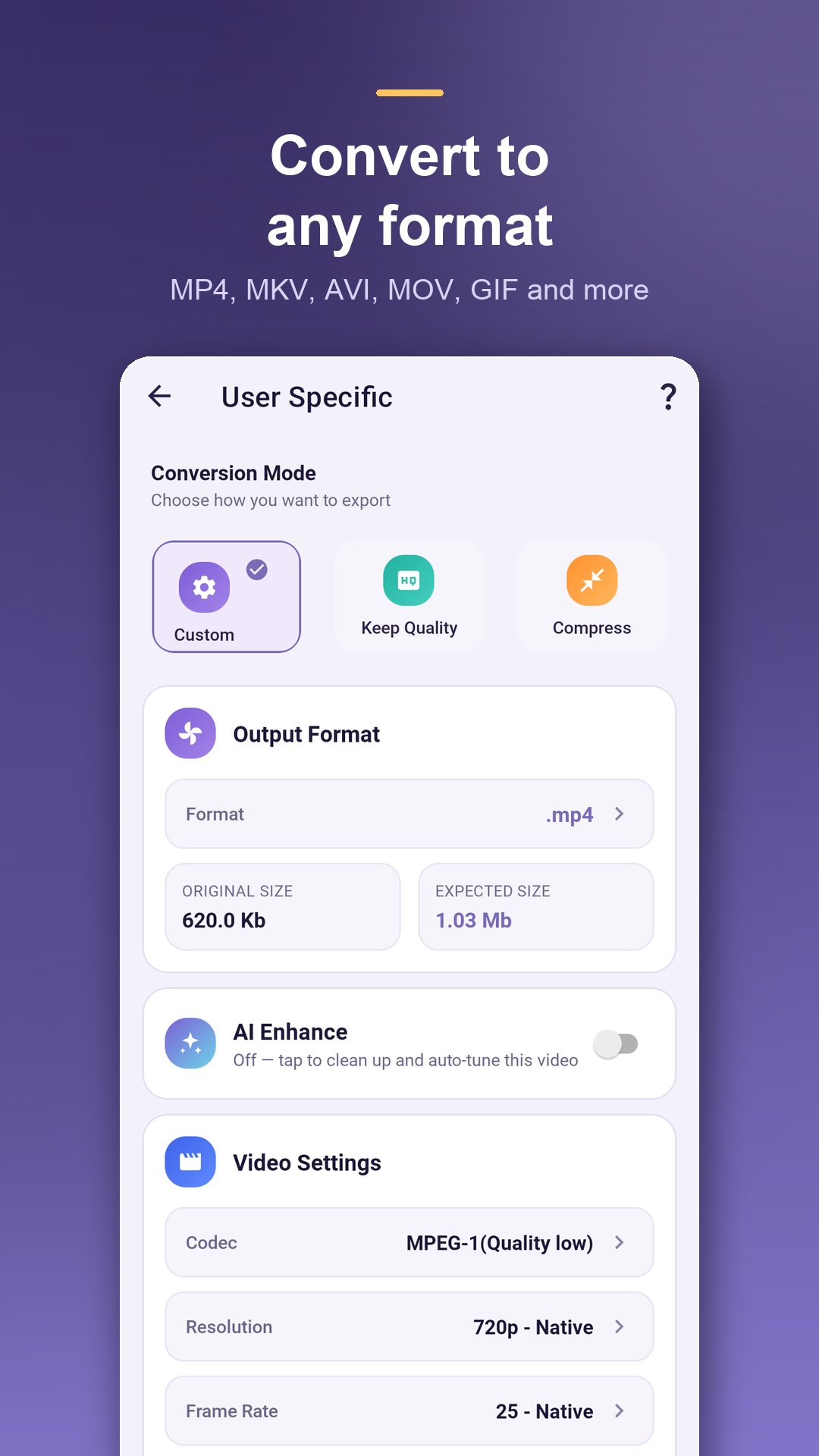
• Convert to MP4, MKV, AVI, MOV, WEBM, FLV, WMV, 3GP, M4V, MPG, OGV and VOB
• Codecs: H.264, H.265 / HEVC, MPEG-4, VP8 / VP9, Theora
• Set resolution, frame rate and bitrate, or keep the original quality
• Presets for phones, tablets and web — pick a profile and go
• See the expected output size before you start
★ VIDEO COMPRESSOR
• Shrink large videos to free up storage and send them over chat or email
• Choose a compression level and watch the estimated size update live
• Keep Quality mode when you want a smaller file with no visible loss
★ VIDEO CUTTER & TRIMMER
• Drag the handles to the exact start and end you want
• Remove a section from the middle instead of keeping it
• Export as the original format or MP4, MKV or MOV
★ VIDEO CROPPER
• Crop to 1:1, 4:3, 3:4, 9:16 or 16:9, or drag a free crop
• Reframe landscape clips for Shorts, Reels and Stories
• Remove black bars and unwanted edges
★ BATCH CONVERSION
Queue several videos at once and convert them in one run.
★ KEEPS WORKING IN THE BACKGROUND
Long conversions keep running with a progress notification when you leave the app, so you can
keep using your phone. Stop a job any time from the Processing screen.
★ MY VIDEOS
Every result is kept in one place — play, rename, share, save to your gallery or delete. Open
Details to see codec, bitrate, resolution, frame rate, duration and size for any file.
★ HOW IT WORKS
1. Pick a video from your gallery or browse any folder on your phone
2. Choose the format, quality and AI Enhance options you want
3. Tap Convert — the result lands in My Videos, ready to play, save or share
★ MADE FOR
• Shrinking big recordings so they send over chat or email
• Reframing landscape video to vertical for short-form feeds
• Cutting long screen recordings and lectures down to the part that matters
• Rescuing dark, shaky or noisy clips with AI Enhance
• Changing format so a video finally plays on your TV, console or old player
• Freeing up storage without deleting the memories
WHY THIS APP
• Works offline — your videos never leave your device
• No watermark on your output
• Clean, modern interface with light and dark themes
• Fast on-device encoding powered by FFmpeg
• Handles 4K, 1080p and 60fps footage
A video converter, video compressor, cutter, cropper and AI video enhancer in one app — install it and convert your first video in seconds.
預覽
標籤
Video-Players訊息
開發商
Highdea Apps Studio
最新版本
1.3.4
更新時間
2026-08-01
類別
Video-players-editors
同時可用
Google Play
更多
如何在電腦上用 GameLoop 玩 AI Video Converter: Compress
1. 從官網下載GameLoop,然後運行exe文件安裝GameLoop
2. 打開GameLoop,搜索“AI Video Converter: Compress”,在搜索結果中找到AI Video Converter: Compress,點擊“安裝”
3. 享受在 GameLoop 上玩 AI Video Converter: Compress 的樂趣
Minimum requirements
OS
Windows 8.1 64-bit or Windows 10 64-bit
GPU
GTX 1050
CPU
i3-8300
Memory
8GB RAM
Storage
1GB available space
Recommended requirements
OS
Windows 8.1 64-bit or Windows 10 64-bit
GPU
GTX 1050
CPU
i3-9320
Memory
16GB RAM
Storage
1GB available space