
HYMER Connect 電腦版
Erwin Hymer Group SE
用GameLoop模拟器在電腦上玩HYMER Connect
HYMER Connect 電腦版
來自發行商 Erwin Hymer Group SE 的 HYMER Connect 能夠在安卓系統上運行。
現在,您可以在電腦上使用 GameLoop 模擬器流暢地玩 HYMER Connect。
在 GameLoop 遊戲庫或搜索結果中下載。 不需要再暢玩遊戲時盯著電池電量或被令人懊惱的來電打斷。
只需在電腦大屏幕上免費下載暢玩HYMER Connect 電腦版!
HYMER Connect 簡介
The HYMER Connect App is your digital control center for your HYMER. Designed for greater comfort and a quick overview – intuitive, secure, and consistently tailored to your needs.
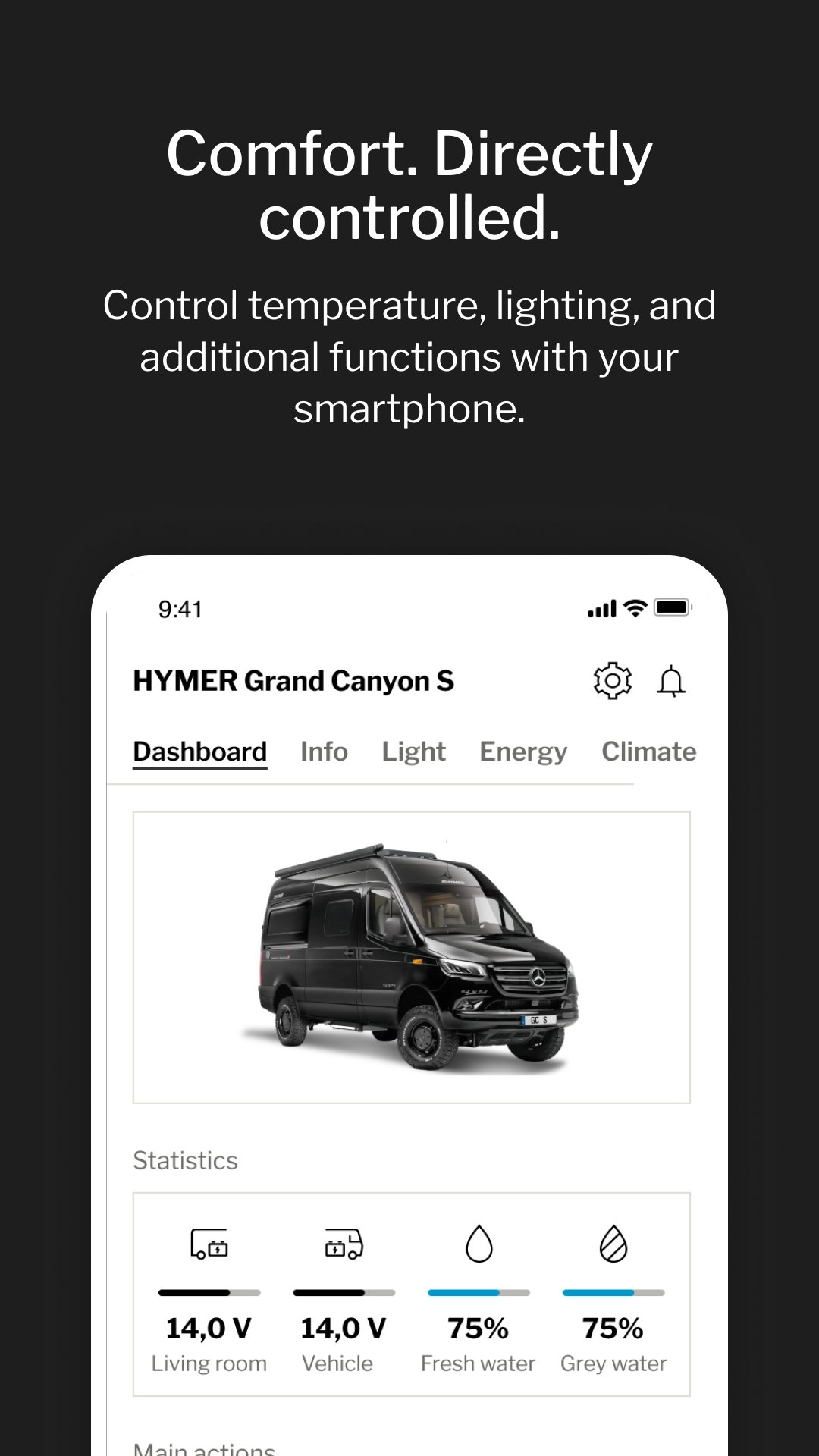
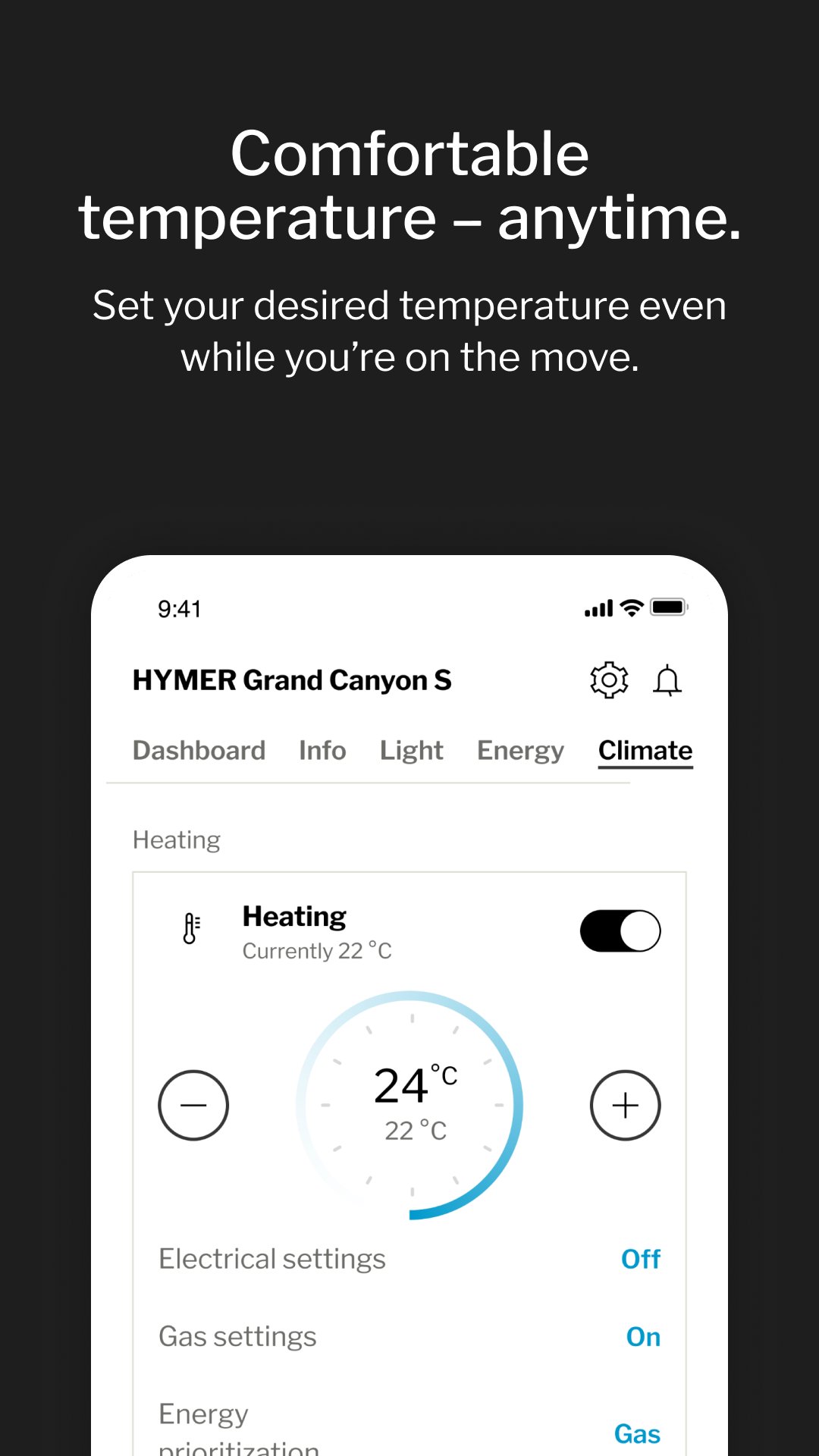
Control lighting, temperature, and other living-area functions conveniently via smartphone. Create personal comfort scenarios and activate them with a single tap. Access key values such as mileage, battery status, and water levels anytime – even while traveling.
KEY FEATURES
- Intuitive app control for lighting, heating, air conditioning, and satellite system
- Stable and secure connection to the vehicle via Bluetooth or mobile network
- Practical vehicle information such as location, mileage, and service intervals
- Smart checklists and safety features – for greater confidence on every journey
- Clear overview of water tank levels and battery status
HYMER Connect makes comfort predictable – and travel noticeably more relaxing.
預覽
標籤
Travel-&訊息
開發商
Erwin Hymer Group SE
最新版本
2.10.14
更新時間
2026-03-20
類別
Travel-local
同時可用
Google Play
更多
如何在電腦上用 GameLoop 玩 HYMER Connect
1. 從官網下載GameLoop,然後運行exe文件安裝GameLoop
2. 打開GameLoop,搜索“HYMER Connect”,在搜索結果中找到HYMER Connect,點擊“安裝”
3. 享受在 GameLoop 上玩 HYMER Connect 的樂趣
Minimum requirements
OS
Windows 8.1 64-bit or Windows 10 64-bit
GPU
GTX 1050
CPU
i3-8300
Memory
8GB RAM
Storage
1GB available space
Recommended requirements
OS
Windows 8.1 64-bit or Windows 10 64-bit
GPU
GTX 1050
CPU
i3-9320
Memory
16GB RAM
Storage
1GB available space