Wyreless: PC Remote Controller 電腦版
Daniel Reyhanian
用GameLoop模拟器在電腦上玩Wyreless: PC Remote Controller
Wyreless: PC Remote Controller 電腦版
來自發行商 Daniel Reyhanian 的 Wyreless: PC Remote Controller 能夠在安卓系統上運行。
現在,您可以在電腦上使用 GameLoop 模擬器流暢地玩 Wyreless: PC Remote Controller。
在 GameLoop 遊戲庫或搜索結果中下載。 不需要再暢玩遊戲時盯著電池電量或被令人懊惱的來電打斷。
只需在電腦大屏幕上免費下載暢玩Wyreless: PC Remote Controller 電腦版!
Wyreless: PC Remote Controller 簡介
Wyreless is a user-friendly PC remote control tool to control your PC via your Android device in your local network (LAN) securely and easily.
Whether you're lounging on the couch, giving a lecture, or taking a casual desktop break, controlling your PC has never been easier.
📢 Make sure to download the Wyreless host software via Microsoft Store before proceeding to control your PC:
https://apps.microsoft.com/store/detail/wyreless-pc-remote-controller/9NRBDGRF3J8C
Wyreless offers a wide range of useful features, such as:
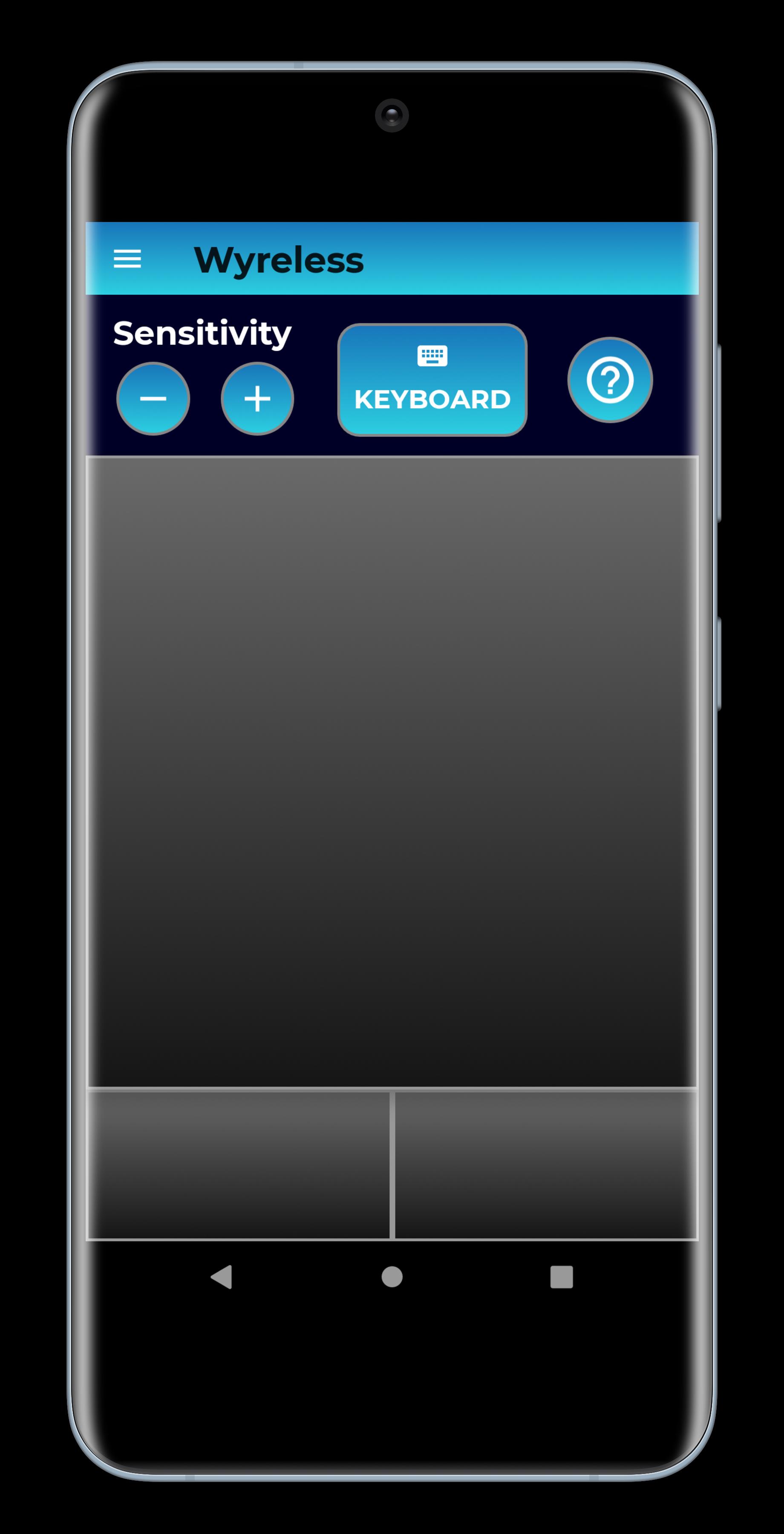
🖱️ Control Mouse & Keyboard
🖥️ High-Resolution Screenshots
🔊 Audio Control
🔒 State Control
🌐 Speedtest Data
🌎 Geolocation Information
Why use Wyreless?
1. Max Security, Max Performance - Wyreless uses advanced encryption methods to keep your data private and confidential.
2. No Registration Needed.
3. Easy and intuitive.
4. Simplify complex tasks via your smartphone.
5. Wyreless is ad-free and free for personal use.
Quick Start Guide
1. Download and run Wyreless host software for Windows (https://apps.microsoft.com/store/detail/wyreless-pc-remote-controller/9NRBDGRF3J8C).
2. Download Wyreless application to your Android device.
3. Make sure your smartphone is connected to the same network as your PC (Wi-Fi).
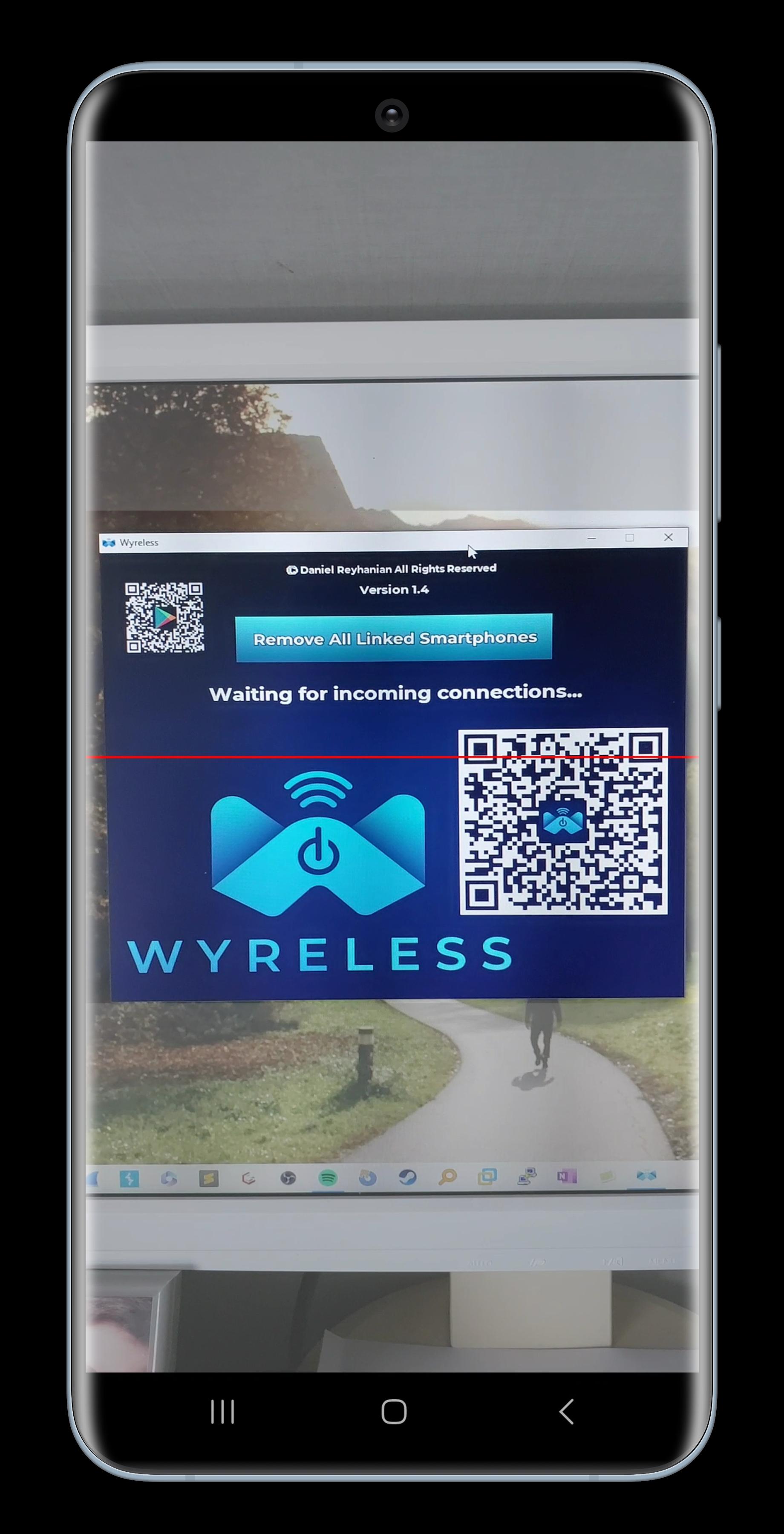
4. Scan the QR code on your PC's screen and you are good to go!
Make sure to check the EULA before using Wyreless: https://bit.ly/wyreless-eula. For any questions, contact us at daniel@wyreless-app.com.
Happy controlling! 🎮
預覽
標籤
工具訊息
開發商
Daniel Reyhanian
最新版本
1.6
更新時間
2023-04-22
類別
工具
同時可用
Google Play
更多
如何在電腦上用 GameLoop 玩 Wyreless: PC Remote Controller
1. 從官網下載GameLoop,然後運行exe文件安裝GameLoop
2. 打開GameLoop,搜索“Wyreless: PC Remote Controller”,在搜索結果中找到Wyreless: PC Remote Controller,點擊“安裝”
3. 享受在 GameLoop 上玩 Wyreless: PC Remote Controller 的樂趣
Minimum requirements
OS
Windows 8.1 64-bit or Windows 10 64-bit
GPU
GTX 1050
CPU
i3-8300
Memory
8GB RAM
Storage
1GB available space
Recommended requirements
OS
Windows 8.1 64-bit or Windows 10 64-bit
GPU
GTX 1050
CPU
i3-9320
Memory
16GB RAM
Storage
1GB available space