
小黑屋 - 无需 Root 冻结应用/静默安装 電腦版
web1n
用GameLoop模拟器在電腦上玩小黑屋 - 无需 Root 冻结应用/静默安装
小黑屋 - 无需 Root 冻结应用/静默安装 電腦版
來自發行商 web1n 的 小黑屋 - 无需 Root 冻结应用/静默安装 能夠在安卓系統上運行。
現在,您可以在電腦上使用 GameLoop 模擬器流暢地玩 小黑屋 - 无需 Root 冻结应用/静默安装。
在 GameLoop 遊戲庫或搜索結果中下載。 不需要再暢玩遊戲時盯著電池電量或被令人懊惱的來電打斷。
只需在電腦大屏幕上免費下載暢玩小黑屋 - 无需 Root 冻结应用/静默安装 電腦版!
小黑屋 - 无需 Root 冻结应用/静默安装 簡介
Black House - no need to root the application to freeze the application
Black House, does not need Root, does not need to solve the BL lock, one-click freezes the application that is not commonly used, and you can add a smooth mobile phone.
You can use the software without roots. If you have a root, you can use the black house directly.
You can follow the tutorial to configure the Black Room to operate in an environment where no roots are unlocked and without any impact on the device warranty.
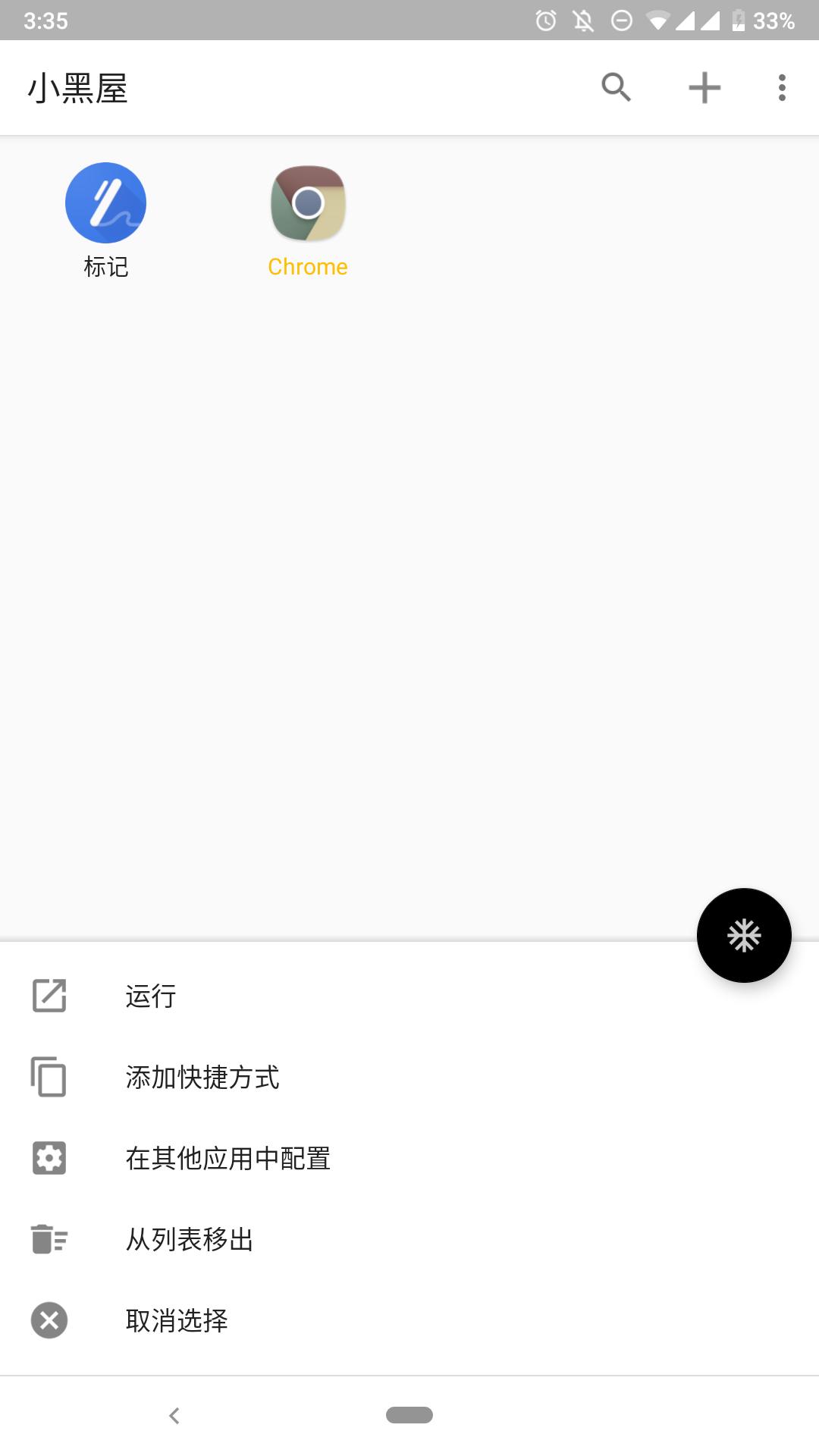
Click the black floating button to freeze the APP in the list with one click, and click the list application icon to open the frozen APP.
The frozen APP will disappear from the phone desktop, and these apps will not occupy the running memory of the phone in the background. It's like uninstalling, but not uninstalling.
Long press on the list application icon, you can create a secondary shortcut for the app to the desktop (such as a swipe and other shortcuts).
You can also take geeks and add freeze commands to Tasker to enjoy the fun of automated operations.
For convenience, Black House even offers a rootless silent installation application. Turn on this feature and enjoy the fun of not having the installation dialog box disturbed. (pay for premium version)
Why choose a small black house?
The small black house is simple and rude, and can be used even if the device is not unlocked. Little Black House doesn't give you all the features you like with other family bucket apps. The little black house has only one function - "freeze." Don't be confused by the dazzling features, the little black house will only have this function.
Permission description:
Little Black House has applied for certain runtime permissions as well as normal permissions. For a brief introduction to the features corresponding to these permissions, please see below:
Device Manager permissions (specifically, lock screen permissions): "Freeze and lock screen" lock screen function.
Device administrator rights (specifically package management rights): no root freeze application and silent installation.
Network access: Fabric-based anonymous statistics service.
Read storage permissions: "Silent installation" reads the application package file.
Notification usage rights: Avoid automatically freezing apps with notifications.
Battery Status Permissions: Avoid freezing applications automatically while charging.
Usage access: Avoid automatically freezing applications in the foreground.
Black Threshold API Permissions: Enable or disable apps with the Black Threshold service.
Shizuku Permissions: Enable or disable apps via the Shizuku service.
If you don't need the above features, you don't need to give permission.
預覽
標籤
工具訊息
開發商
web1n
最新版本
1.9.16
更新時間
2020-01-28
類別
工具
同時可用
Google Play
更多
如何在電腦上用 GameLoop 玩 小黑屋 - 无需 Root 冻结应用/静默安装
1. 從官網下載GameLoop,然後運行exe文件安裝GameLoop
2. 打開GameLoop,搜索“小黑屋 - 无需 Root 冻结应用/静默安装”,在搜索結果中找到小黑屋 - 无需 Root 冻结应用/静默安装,點擊“安裝”
3. 享受在 GameLoop 上玩 小黑屋 - 无需 Root 冻结应用/静默安装 的樂趣
Minimum requirements
OS
Windows 8.1 64-bit or Windows 10 64-bit
GPU
GTX 1050
CPU
i3-8300
Memory
8GB RAM
Storage
1GB available space
Recommended requirements
OS
Windows 8.1 64-bit or Windows 10 64-bit
GPU
GTX 1050
CPU
i3-9320
Memory
16GB RAM
Storage
1GB available space