Video to Text Converter – OCR 電腦版
Function 9 Apps
用GameLoop模拟器在電腦上玩Video to Text Converter – OCR
Video to Text Converter – OCR 電腦版
來自發行商 Function 9 Apps 的 Video to Text Converter – OCR 能夠在安卓系統上運行。
現在,您可以在電腦上使用 GameLoop 模擬器流暢地玩 Video to Text Converter – OCR。
在 GameLoop 遊戲庫或搜索結果中下載。 不需要再暢玩遊戲時盯著電池電量或被令人懊惱的來電打斷。
只需在電腦大屏幕上免費下載暢玩Video to Text Converter – OCR 電腦版!
Video to Text Converter – OCR 簡介
It is a problem now a days that if we want to copy a text from video than it is very hard to write from watching text from video But we have launched a application that can scan your text easily from video in no time and save it in a text form or text document.
If your time is so short and you have to write a lot of stuff and you are in a mess of writing text after watching from video and the great mess is that you have to shift your all work into any platform or any edit tools for publication or for post to any sites. In this advance world of technology, you don’t need to be worried in that situation Video to text scanner app is here for you to give you all type of ease while scanning text from videos. scan your data from videos within a second, save it for later use within the app and edit your data too within the app before saving.
When you save your favorite quotation written in videos. It is really hard to write that quotation or text from your cellphone keyboard.
Don’t worry, It’s So simple, Use the Video to text scanner – ocr scanner to grab text from video for recognizing text in videos, either handwritten or typed text format.
How to use video to text converter-Ocr scanner
-Open the text grabber app
-Go to select video
-Now select video from which you want to scan text & press
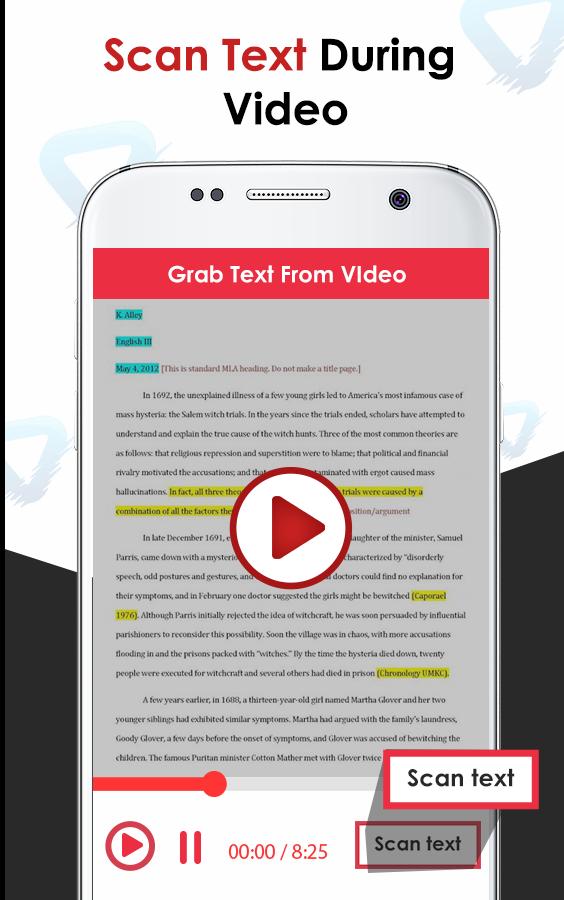
-Now scan text while video is playing
-Within no time your text will be scanned from video
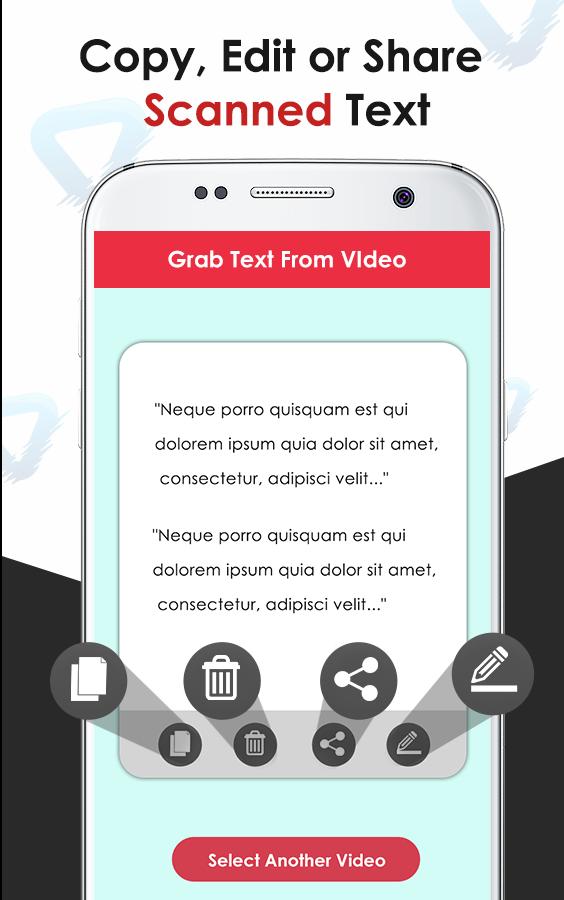
- now your text is scanned and saved in app
-You can copy, edit, delete or share the text easily
Features of video to text converter-Text grabber
-To scan text accurately from a video
-Save your time
-Less chance of mistake
-Scan from video with OCR scanner
you can convert your video into text by scanning text from video with this advanced app. it is so time-wasting to write mail or link after watching a text from videos on smartphones search engine. you will check spellings again and again because there is a chance while handwriting from keyboard so it is very trouble for you to do it, so we developed & designed this application for you so that you can scan your text from video easily without any hard work & make it done in seconds
預覽
標籤
工具訊息
開發商
Function 9 Apps
最新版本
1.0
更新時間
2019-06-21
類別
工具
同時可用
Google Play
更多
如何在電腦上用 GameLoop 玩 Video to Text Converter – OCR
1. 從官網下載GameLoop,然後運行exe文件安裝GameLoop
2. 打開GameLoop,搜索“Video to Text Converter – OCR”,在搜索結果中找到Video to Text Converter – OCR,點擊“安裝”
3. 享受在 GameLoop 上玩 Video to Text Converter – OCR 的樂趣
Minimum requirements
OS
Windows 8.1 64-bit or Windows 10 64-bit
GPU
GTX 1050
CPU
i3-8300
Memory
8GB RAM
Storage
1GB available space
Recommended requirements
OS
Windows 8.1 64-bit or Windows 10 64-bit
GPU
GTX 1050
CPU
i3-9320
Memory
16GB RAM
Storage
1GB available space